If you've been using Finale for years, the discontinuation announcement hit differently. Suddenly the software you built your workflow around — the one holding decades of scores — was no longer getting updates. And if you upgraded to macOS Sequoia and found Finale broken entirely, you probably weren't searching for alternatives so much as sprinting toward them.
The good news: 2026 is genuinely a great time to switch. The best Finale alternatives available right now range from free browser-based tools to professional desktop apps, and many have improved dramatically in the last two years — partly because Finale's exit created a wave of migration that competitors were ready for.
Here's the full breakdown of what's worth your time.

Why Finale Was Discontinued (and What It Means for You)
MakeMusic announced the end of Finale in August 2024 after 35 years. The reasons were never fully spelled out publicly, but the writing had been on the wall: development had stalled, the interface hadn't kept pace with modern UX expectations, and the shift to subscription-based competitors had been eating into market share for years.
The macOS Sequoia compatibility issue accelerated everything. Finale simply stopped launching on Apple Silicon Macs running Sequoia — a dealbreaker for a huge portion of the user base, particularly in US and UK university music departments where Macs dominate.
What it means for you practically: your .MUS and .MUSX files are still yours, but you need a new tool that can import them. Most of the alternatives below handle MusicXML import, which is your bridge out.
How We Chose These Alternatives
We evaluated 13 tools based on platform availability (Windows, Mac, browser, iPad, Android), MusicXML / MIDI import, notation depth, collaboration features, price, and learning curve — especially for Finale refugees who already know notation.
We've included tools for professionals, students, hobbyists, and educators — because the right answer genuinely depends on what kind of work you do.
1. Dorico (Steinberg)
Best for: Professional composers and engravers who want the closest Finale-level power.
Dorico is widely considered the most advanced notation software currently in active development. Built by a team that formerly worked on Sibelius, it handles complex notation tasks — cross-staff beaming, condensing, per-layout overrides — with elegance that Finale users will appreciate.
- Platforms: Windows, Mac (Apple Silicon native), iPad
- Price: Free tier (Dorico SE), Pro at ~$579, subscription available
- Import: MusicXML, MIDI
- Standout: The Engraving mode is exceptional for print-ready scores
The learning curve is real — Dorico thinks differently from Finale, especially around its "Write / Engrave / Play" modal interface. But once it clicks, most users don't go back.
2. Sibelius (Avid)
Best for: Composers and educators already in the Avid ecosystem, or those who need industry-standard notation fast.
Sibelius has been Finale's main rival for 30 years, and it's still standing strong. Avid moved it to a subscription model years ago, which frustrated many users, but the software itself is polished, feature-complete, and runs beautifully on both Mac and Windows — including Apple Silicon.
- Platforms: Windows, Mac, iPad (limited)
- Price: Sibelius Artist ~$9.99/month; Ultimate ~$24.99/month; perpetual license available
- Import: MusicXML, MIDI, Finale (.MUS via MusicXML export)
- Standout: Magnetic Layout is still one of the best auto-collision-avoidance systems around
If you're a working professional or in a film/TV scoring environment, Sibelius is likely what your colleagues are already using.
3. MuseScore Studio (MuseScore)
Best for: Hobbyists and composers who want free, powerful notation without a browser.
MuseScore Studio (the desktop app, formerly just "MuseScore") is the most downloaded free music notation software in the world. Version 4 brought a major interface overhaul and dramatically improved playback via the Muse Sounds library.
- Platforms: Windows, Mac, Linux — desktop only
- Price: Free (MuseScore Studio); MuseScore.com PRO subscription for online features
- Import: MusicXML, MIDI, Guitar Pro, and more
- Standout: Muse Sounds playback is genuinely impressive for a free tool
One caveat: MuseScore doesn't run in a browser and doesn't work on Chromebooks or iPads in any meaningful way. If device flexibility matters, factor that in.
4. Flat
Best for: Composers, students, and educators who want notation anywhere — without installing anything.
Flat is the only notation tool in this list that works entirely in your browser and simultaneously on iOS and Android. No downloads, no compatibility issues, no "does it run on macOS Sequoia?" panic. Open a tab, start writing.
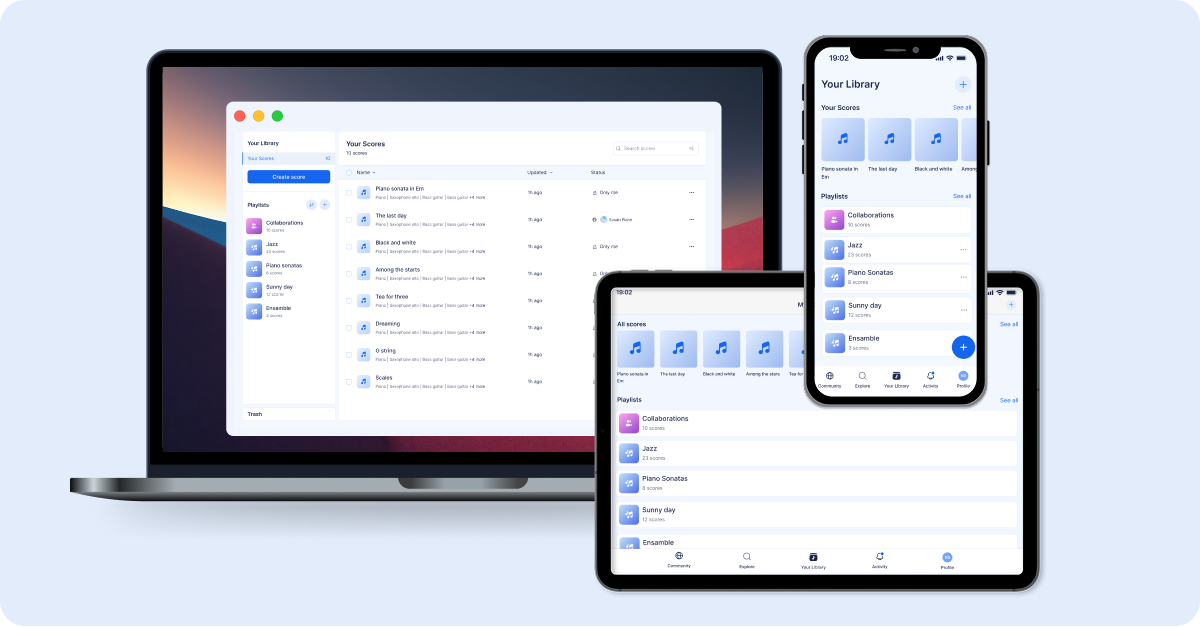
Beyond accessibility, Flat is genuinely powerful: it supports a wide instrument library, real-time collaboration (multiple people editing the same score simultaneously), MusicXML and MIDI import, and clean PDF/audio export. The interface is designed to be learnable in minutes, not weeks.
- Platforms: Browser (any OS including Chromebook), iOS, Android
- Price: Free tier available; Power plans from ~$4.99/month
- Import/Export: MusicXML, MIDI, PDF, MP3, WAV
- Standout: Real-time collaboration — no other mainstream notation tool does this
Try it: Import your Finale-exported MusicXML file into Flat, then invite a colleague to review it in real time. No accounts needed on their end to view.
5. Noteflight
Best for: Educators and students in structured classroom environments.
Noteflight has been a browser-based notation tool since before it was trendy. It's solid, has a good library of published scores, and its Noteflight Learn version is purpose-built for classroom use with assignment workflows and student management.
- Platforms: Browser (any OS)
- Price: Free (limited); Noteflight Premium ~$7.99/month; Noteflight Learn (institutional pricing)
- Import: MusicXML, MIDI
- Standout: Deep integration with Hal Leonard's score catalog
It's a strong tool, though the interface feels more dated compared to Flat, and collaboration isn't real-time.
6. LilyPond
Best for: Notation purists and developers who want engraving perfection and don't mind a text-based workflow.
LilyPond produces some of the most beautiful engraved output of any notation software — and it's completely free. The catch: you write music in a markup language, not by clicking on a staff. Think LaTeX for sheet music.
- Platforms: Windows, Mac, Linux
- Price: Free and open source
- Import: Text-based; convertible from MusicXML via xml2ly
- Standout: Engraving quality rivals commercial tools at zero cost
Not for everyone. But if you're producing critical editions or want absolute typographic control, nothing touches it.
7. StaffPad
Best for: iPad composers who write by hand.
StaffPad is genuinely one of a kind: you write notes by hand on an iPad with an Apple Pencil, and it converts your handwriting to clean notation in real time. The playback engine is excellent, and the resulting scores look gorgeous.
- Platforms: iPad (primary), Windows (via Microsoft Store)
- Price: $13.99 one-time (iPad); Windows version also ~$13.99
- Import: MusicXML, MIDI
- Standout: Handwriting recognition is remarkably accurate
If you think in music and write faster by hand than by clicking, StaffPad might genuinely transform your workflow.
8. Guitar Pro
Best for: Guitarists, bassists, and anyone writing for fretted instruments.
Guitar Pro is technically a tablature editor first, but version 8 added full standard notation support, making it a credible Finale alternative for composers writing for guitar-forward ensembles.
- Platforms: Windows, Mac, iOS, Android
- Price: ~$69.95 one-time license
- Import: MusicXML, MIDI, GP formats
- Standout: Tab + standard notation simultaneously; excellent fretted instrument playback
If your scores don't heavily involve fretted instruments, you'll probably prefer one of the other options here. But for guitarists, this is a natural home.
9. Sibelius First
Best for: Beginners and hobbyists who want Sibelius at a lower entry point.
Sibelius First is the lighter version of Sibelius — limited to 16 staves and without some advanced features. For student composers or hobbyists who don't need film-scoring complexity, it's a reasonable, affordable entry point into the Sibelius ecosystem.
- Platforms: Windows, Mac
- Price: ~$9.99/month (often bundled under the base Sibelius subscription tier)
- Import: MusicXML, MIDI
- Standout: Familiarity and upgrade path to full Sibelius
10. ScoreCloud
Best for: Composers who want to notate by playing or singing.
ScoreCloud listens to you play or sing and turns it into notation. It's genuinely impressive for quick idea capture, though the transcription quality varies with input clarity.
- Platforms: Windows, Mac, iOS
- Price: Free (basic); ScoreCloud Studio from ~$7.99/month
- Import: MIDI, audio
- Standout: Audio-to-notation transcription
11. Musink
Best for: Windows users who want a free, lightweight alternative for simple scores.
Musink is a free music notation app for Windows with a minimal interface and fast input. It doesn't have the depth of MuseScore, but for simple lead sheets and arrangements it gets the job done without any complexity.
- Platforms: Windows only
- Price: Free (Musink Lite); Musink Pro ~$30 one-time
- Import: MIDI
- Standout: Very quick to learn; zero bloat
12. Crescendo (NCH Software)
Best for: Absolute beginners who need something simple and cheap.
Crescendo is a basic notation editor — think of it as the Microsoft Paint equivalent for sheet music. It handles simple melodies and chord charts, and it's available as a free download.
- Platforms: Windows, Mac
- Price: Free (basic); Plus version ~$29.99 one-time
- Import: MIDI (limited)
- Standout: Easiest possible entry point
For anything beyond beginner lead sheets, you'll quickly hit its limits.
13. Flat for Education
Best for: Schools, teachers, and students in a managed learning environment.
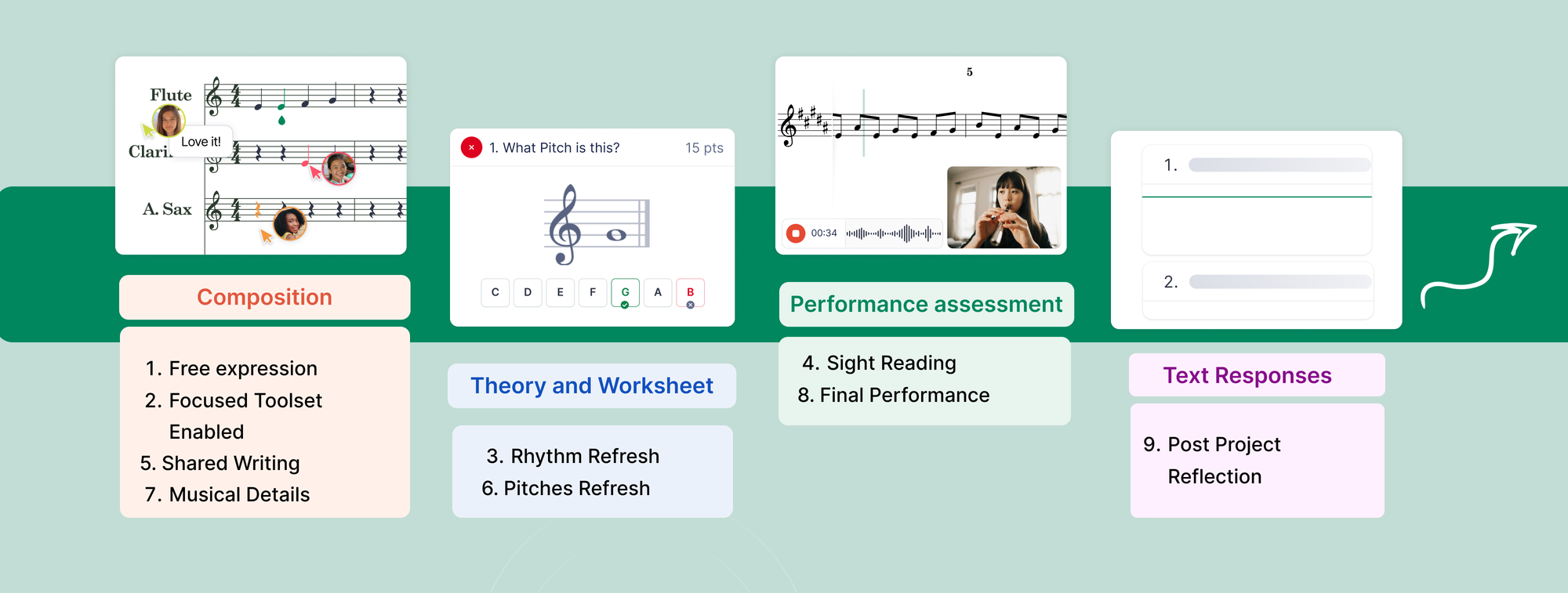
Flat for Education is a purpose-built version of Flat designed for classroom workflows: teacher dashboards, assignment distribution, student progress tracking, Google Classroom and Canvas integration, and school-wide licensing. If you're a music teacher who used Finale in your classroom, this is almost certainly the most complete replacement — and it runs on every device your students own.
- Platforms: Browser, iOS, Android (any device with a browser)
- Price: School and district licensing; free tier for teachers to explore
- Import: MusicXML, MIDI
- Standout: The only notation tool built specifically for modern classroom workflows
Finale Alternatives Comparison Table
| Tool | Platform | Free Tier | Real-Time Collab | MusicXML Import | Best For |
|---|---|---|---|---|---|
| Dorico | Win / Mac / iPad | ✅ (SE) | ❌ | ✅ | Professional engraving |
| Sibelius | Win / Mac | ❌ | ❌ | ✅ | Industry-standard scoring |
| MuseScore Studio | Win / Mac / Linux | ✅ | ❌ | ✅ | Free desktop power |
| Flat | Browser / iOS / Android | ✅ | ✅ | ✅ | Anywhere access + collaboration |
| Noteflight | Browser | ✅ (limited) | ❌ | ✅ | Education / online classroom |
| LilyPond | Win / Mac / Linux | ✅ | ❌ | Via converter | Engraving perfection |
| StaffPad | iPad / Windows | ❌ | ❌ | ✅ | Handwritten composition |
| Guitar Pro | Win / Mac / iOS / Android | ❌ | ❌ | ✅ | Fretted instruments |
| Sibelius First | Win / Mac | ❌ | ❌ | ✅ | Sibelius entry-level |
| ScoreCloud | Win / Mac / iOS | ✅ (basic) | ❌ | Via MIDI | Audio-to-notation |
| Musink | Windows only | ✅ | ❌ | Via MIDI | Lightweight / Windows |
| Crescendo | Win / Mac | ✅ | ❌ | ❌ | Beginners |
| Flat for Education | Browser / iOS / Android | ✅ (teacher) | ✅ | ✅ | Classroom / school |
How to Migrate Your Finale Files
The cleanest migration path from Finale is via MusicXML. Here's the workflow:
- Open your Finale file in an older version of Finale (if you still have access)
- Go to File → MusicXML → Export
- Import the resulting .xml file into your new tool of choice
If you're already on macOS Sequoia and Finale won't open at all, third-party conversion tools like Dorico's import or SmartScore can sometimes read .MUS and .MUSX files directly.
For complex scores, expect to do some cleanup — hairpins, text expressions, and custom articulations don't always translate perfectly. But the note data, key signatures, time signatures, and basic dynamics usually come through intact.
Which Finale Alternative Is Right for You?
Here's the honest version:
- You're a professional composer or engraver who needs every notation feature Finale had — or more: Dorico is the answer. It's the most ambitious notation software being actively developed right now.
- You work in film, TV, or commercial music and your collaborators are already using it: Sibelius is the industry default.
- You're a hobbyist or student who wants free, powerful, desktop notation: MuseScore Studio is excellent and costs nothing.
- You want to write from any device, collaborate with others, and not touch an installer: Flat is built exactly for that. The free tier is genuinely useful, and the real-time collaboration feature has no competition.
- You're a music teacher replacing Finale in your classroom: Flat for Education is the most modern, device-flexible solution available, and it integrates with the tools your school already uses.
The notation software landscape in 2026 is healthier than it's been in a long time. Finale's exit created space, and the tools above filled it.
Ready to try the most accessible Finale alternative? Start composing on Flat for free — no download, no credit card, works on any device including Chromebooks and iPads. Your first score takes about 60 seconds to start.