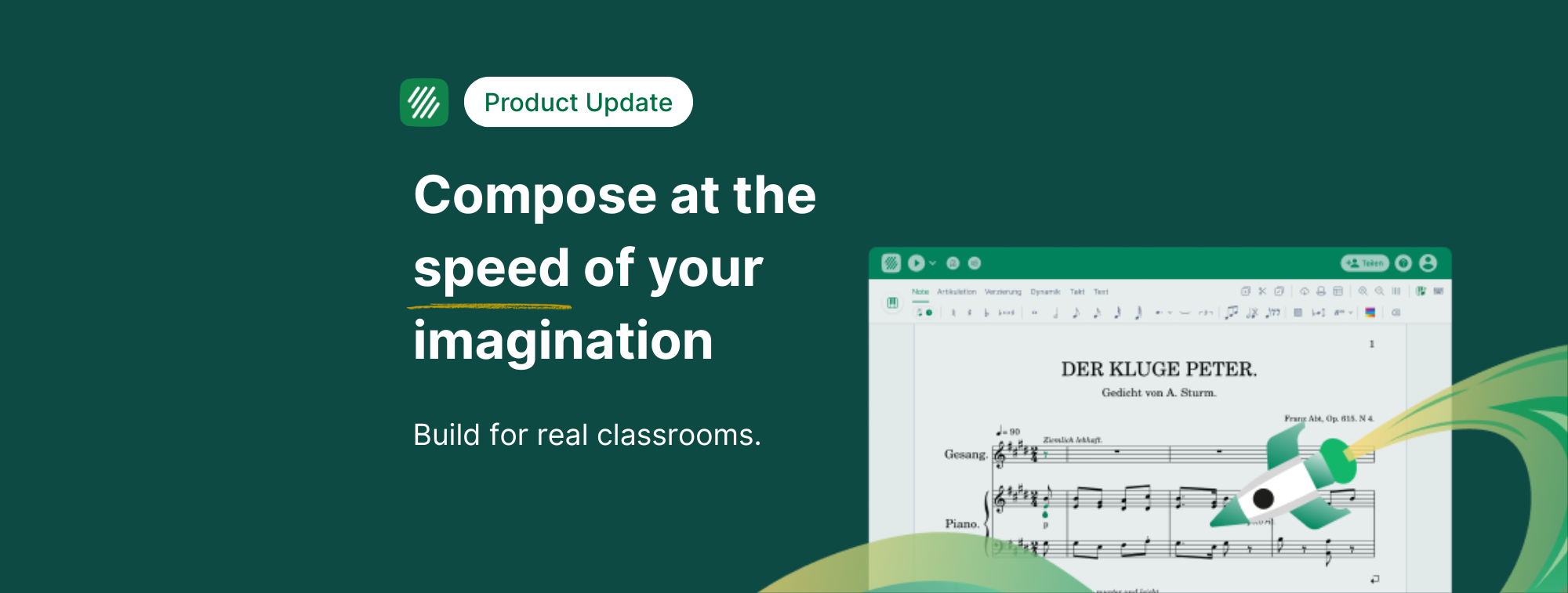
Empowering teachers and students with a more responsive and reliable notation editor!
We are excited to share a major update to the Flat for Education, music notation editor. This is a complete rebuild of the engine that drives every score in the platform. The result is a faster, smoother, and more responsive experience for both teaching and learning.
Scores now load more quickly, even on Chromebooks or older school devices. This improvement helps lessons run more smoothly and keeps students focused on music creation rather than waiting for the screen to update.
Here is what is new and why it matters for music educators.
Why We Rebuilt the Editor for Flat for Education
Teachers told us that Flat for Education is an effective tool for interactive composition, creative projects, and notation-based assignments. However, editing large scores or using devices with limited power sometimes created small delays. Even a brief pause between placing a note and seeing it appear could interrupt a lesson or slow down a group activity.
To solve this, our team rebuilt the score display engine from the foundation. We reviewed almost ten years of development to create a more efficient and modern system.
The result is a much smoother experience for teachers and students. The editor now responds more quickly, loads large projects with greater ease, and supports real-time collaboration with better stability.
How the New Display Engine Works
A smarter and more efficient way to handle large class projects
In the previous version of the editor, the system painted every page of a score before showing the one you were viewing. This process created unnecessary work for the device, especially for longer scores.
The new engine separates layout calculation from visual rendering. This means the editor can calculate what belongs on each page without drawing the entire score. If you open page ten of a concert band, choir, or strings assignment, the layout is calculated instantly and only the relevant page is displayed.
This reduces processing time, improves the editing experienc,e and makes the platform far more reliable for complex classroom projects.
Showing notes on screen as quickly as possible
When a student adds a note, several background actions take place. The cursor moves, the toolbar updates, the score saves locally, the platform syncs with collaborators, and the display refreshes.
Previously, these actions competed with one another. The visual update sometimes waited behind other processes.
The editor now prioritizes visual feedback. Students see their notes appear immediately, and all other tasks are completed right after. This greatly improves the feeling of speed and helps keep momentum high during instruction.
Teachers will notice the improvement most on shared classroom devices and older Chromebooks.
Explore our guide for teachers and students!
 Noemie Aschenbroich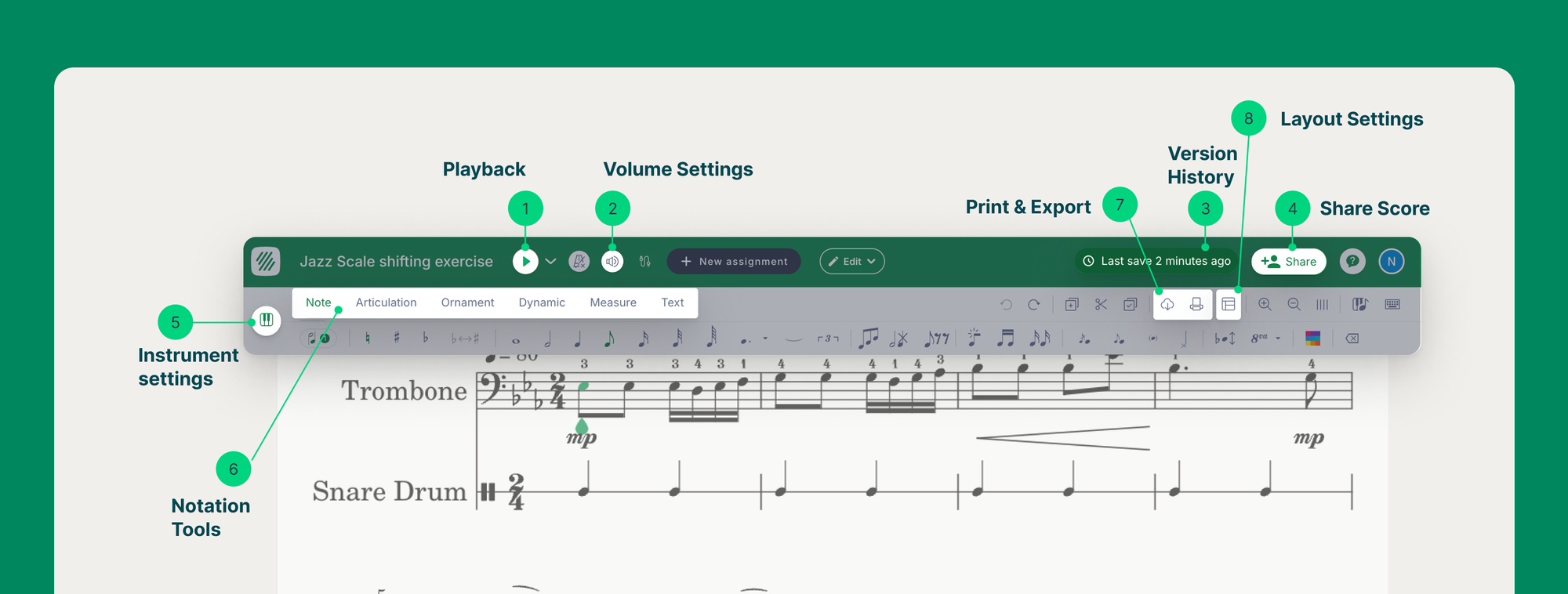
Faster and More Reliable PDF Export
Flat for Education is often used to print worksheets, performance materials, and theory resources. The new architecture enables the system to export PDFs significantly faster.
The platform no longer creates one version for the screen and another for printing. Instead, it exports the PDF directly from the score data. This creates faster downloads and cleaner printable materials.
Teachers can now produce custom resources with greater efficiency. This includes theory worksheets, rehearsal parts, warm-up, materials and more.
Also, did you know that you can import PDF scores into Flat for Education and instantly convert them into editable notation inside the editor? This feature saves teachers hours of manual rewriting and makes it easy to adapt existing sheet music for lessons, rehearsals and assignments.
 Noemie Aschenbroich
What This Improvement Means for Music Teachers
This update is designed to improve the daily classroom experience.
- Teachers can run lessons more smoothly, even with large projects or multi-part arrangements.
- Students receive immediate visual feedback, which helps with comprehension and engagement.
- Schools benefit from consistent performance across Chromebooks, laptops, and tablets.
- Real-time collaboration becomes more fluid for group composition and shared writing tasks.
Flat for Education continues to provide schools with an intuitive and accessible digital music platform that supports notation, composition, and music theory learning.
What Comes Next
This update creates a foundation for even greater improvements in the future. We are currently exploring new rendering technologies that could make the editor even faster.
Our objective is clear. We want every teacher and student to enjoy a responsive, reliable, and creative music notation experience that supports modern classroom needs.
Try the New Editor in Your Classroom
This update is now live for all Flat for Education users. We built it with the help of teacher feedback, and we hope it enhances your lessons every day.
You can log in now to explore how much faster and smoother the editor feels.
👉 Open Flat for Education
👉 Learn how to create and assign music notation projects
Not Using Flat for Education Yet?
If your school or district is not using Flat for Education yet, this is a great time to explore the platform. You can try the updated notation editor, create sample assignments, and see how your students respond to a smoother and more interactive music experience.
Flat for Education is designed for real classrooms. It works on Chromebooks, laptops and tablets, and it integrates with Google Classroom, Canvas, Schoology, and Moodle. Teachers of general music, band, choir, and orchestra use it every day to support composition, theory, performance task, and creative learning.
You can start a free trial today and experience how Flat for Education can support your teaching and help students create music with confidence.
👉 Start your free trial of Flat for Education
Musically Yours,
Flat for Education