Are you new to Flat for Education? Whether you're a music teacher introducing music notation software in the classroom or a student just beginning your journey in digital music composition, this guide will walk you through the essentials.
Why Flat for Education?
Flat for Education is a full-featured, classroom-ready platform designed specifically for music educators and students. It supports general music, band, choir, orchestra, and private music lessons with ease.
Step 1: Open the score library
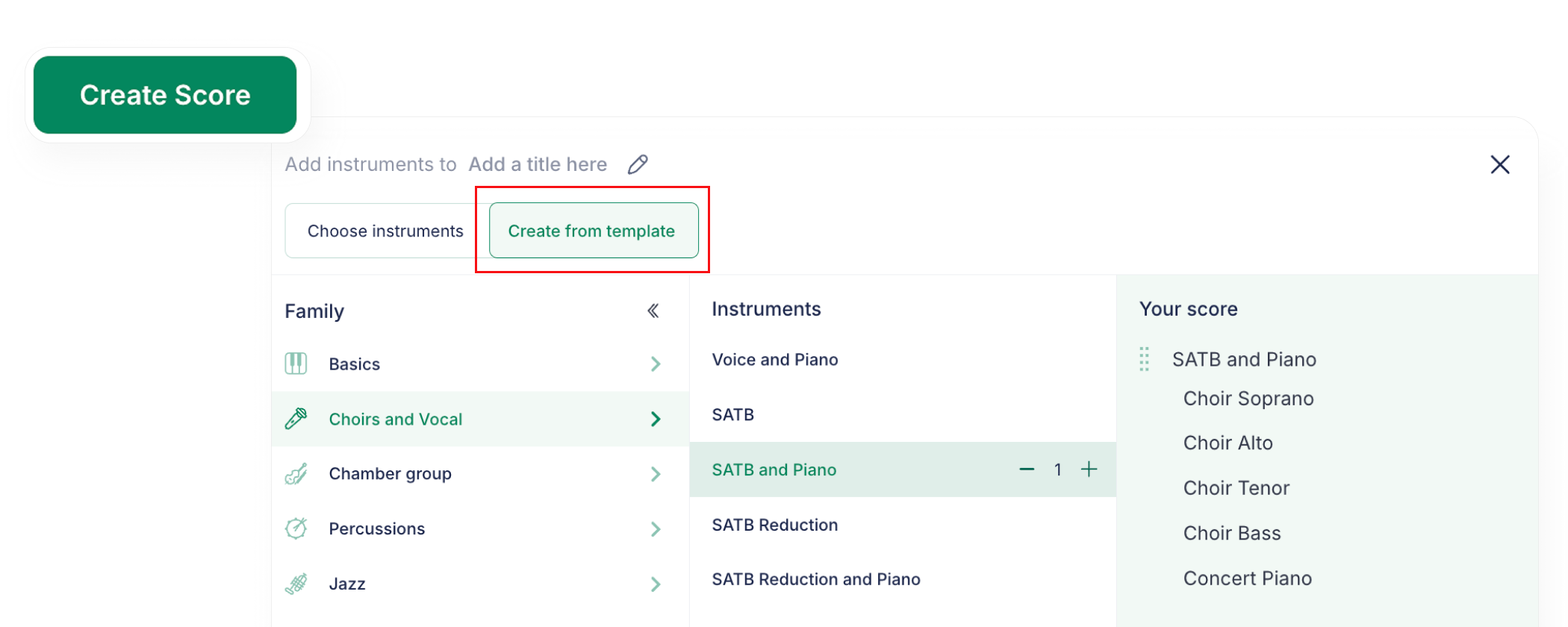
Head to the Score Library in your dashboard. Click "New Score" to create from scratch, import a MusicXML file, or start with a pre-made template.
Step 2: Get to know the notation editor interface
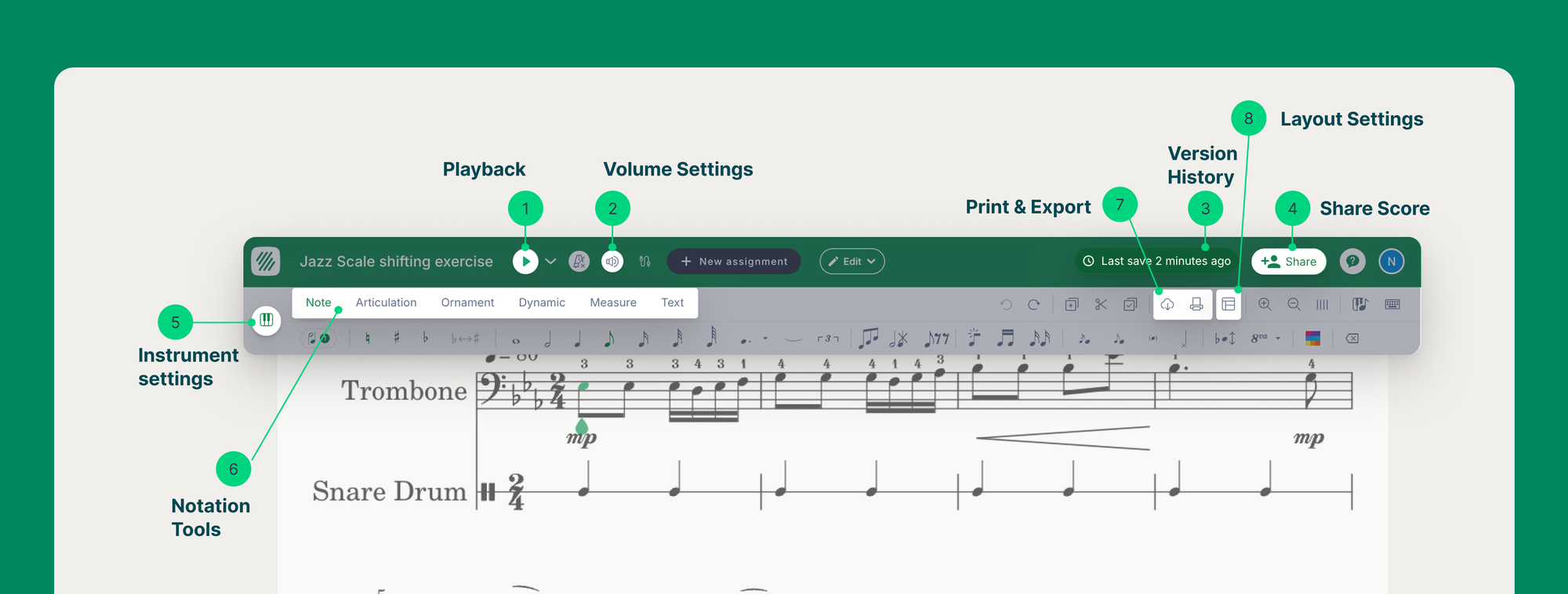
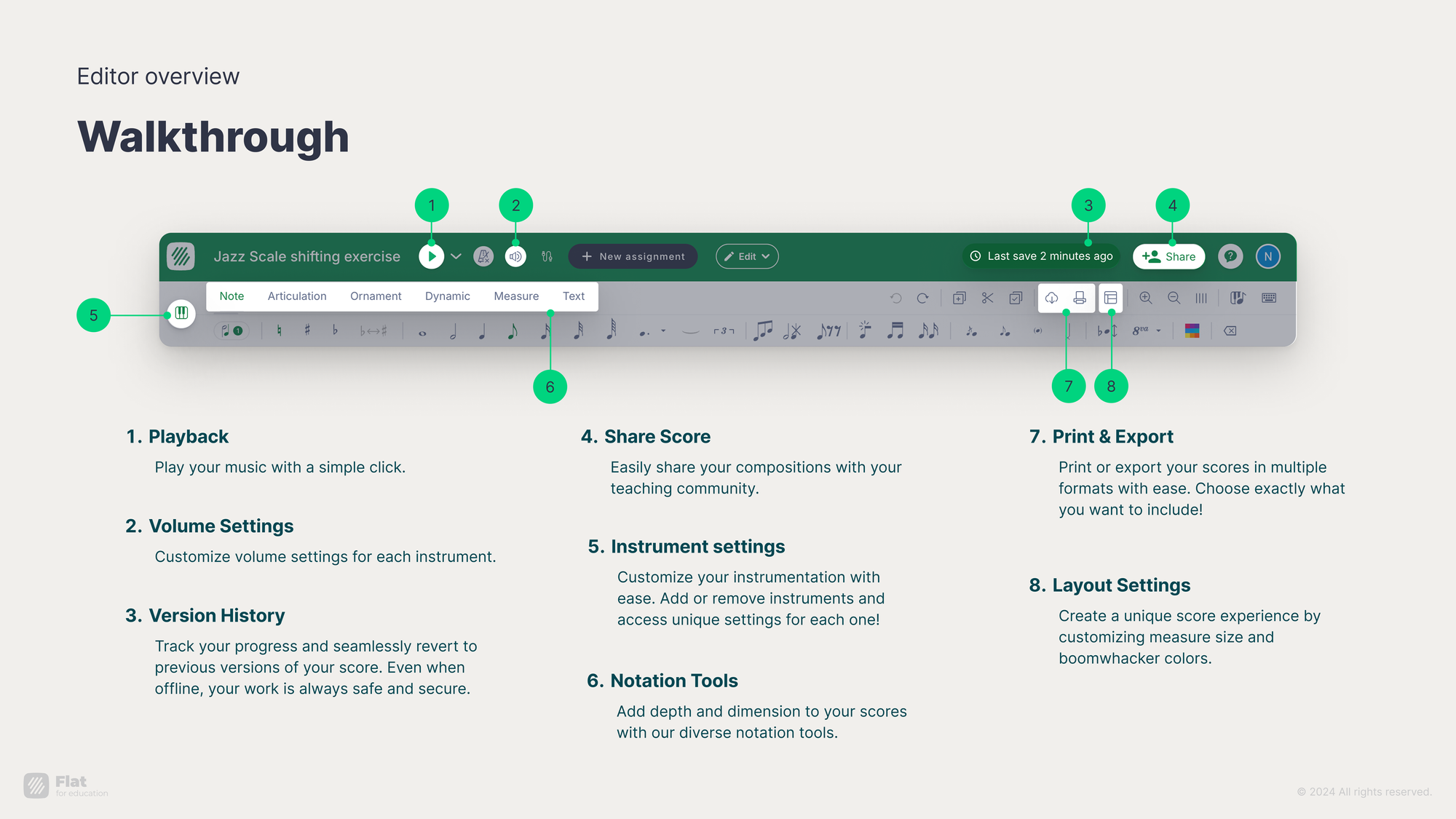
The top toolbar is your main workspace for playback, adding instruments, layout settings, undo/redo, print, share, and adding notation elements.
Step 3: Add notes your way
There are three ways to input notes: click directly on the staff, use keyboard shortcuts, or connect a MIDI device.
Step 4: Customize instruments and layouts
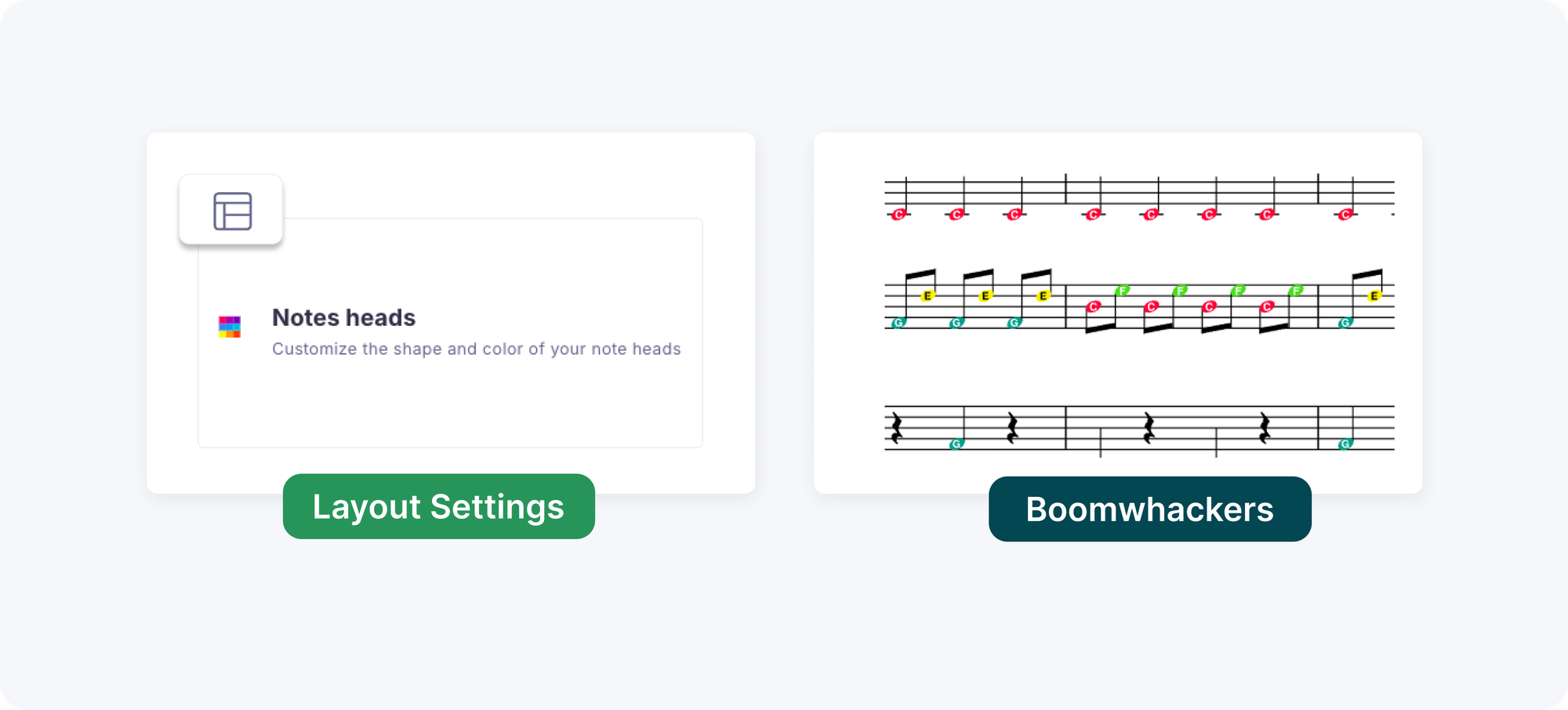
Teachers can change the number of staves, enable Kodály notation, adjust instrument settings, and add Boomwhackers for elementary music classes.
Step 5: Explore powerful notation features
The editor supports pickup notes, time signatures, slurs, ties, repeat signs, lyrics, text annotations, Roman Numerals, automatic transposition, and embedded audio playback.
Step 6: Create, create, create!
Assign short melodies or full compositions, explore harmonic progressions, encourage collaborative writing, and export as MIDI to connect with Soundtrap or GarageBand.
Already using Flat for Education? Browse the assignment library to find ready-made projects and get inspired.
Related articles:
- The Best Music Notation Software for Music Teachers in 2026
- How to Grade Music Composition Assignments Without Losing Your Weekends
- How to Teach Music Composition in Middle and High School
FAQ
Does music notation software work on Chromebooks?
Browser-based notation software works fully on Chromebooks without any installation. Flat for Education runs in Chrome on any Chromebook, school iPad, laptop, or tablet, while desktop tools like Sibelius and MuseScore do not run on Chromebooks. For most school environments where Chromebooks are the primary student device, browser-based is the only practical option.
How do students submit composition work through Google Classroom?
In Flat for Education, composition assignments distribute and return through Google Classroom natively. The teacher publishes the assignment to a Google Classroom class, students receive it in their normal stream, and when they submit, the score arrives on the teacher's Flat for Education dashboard rather than as a file attachment. The teacher reviews it, leaves in-score comments, grades it, and the grade returns to the Google Classroom gradebook automatically.
Can multiple students work on the same score at the same time?
Yes. Flat for Education supports real-time collaborative composition, where multiple students edit the same score simultaneously and see each other's changes as they happen, the same way as a shared Google Doc. The teacher can also open any student's work in progress and leave a comment without the student submitting first, which allows coaching during the process rather than only after.
What instruments are available in the notation editor?
Flat for Education's notation editor supports the full range of orchestral, band, and general music instruments including strings, woodwinds, brass, percussion, keyboard instruments, and voice. Teachers can build single-instrument or multi-instrument scores, set ranges appropriate for student players, and use instrument templates for common ensemble configurations, with custom instruments also supported for specialist programs.
Does Flat for Education work with Microsoft Teams?
Yes. Flat for Education integrates natively with Microsoft Teams for Education, alongside Google Classroom, Canvas, Schoology, and MusicFirst. Teachers in Microsoft 365 school environments can distribute assignments through Teams, and grades return to the Teams gradebook automatically when marked in Flat for Education.
What practice tools are built into Flat for Education?
Flat for Education includes a chromatic tuner, metronome, tone generator, and sound analysis tool built directly into the student workspace, accessible in the same platform where students complete composition and performance assignments. The built-in sight reading generator creates unique 8-measure exercises for Piano, Flute, Clarinet, Alto Saxophone, Trumpet, Trombone, Guitar, and Vocals on demand.