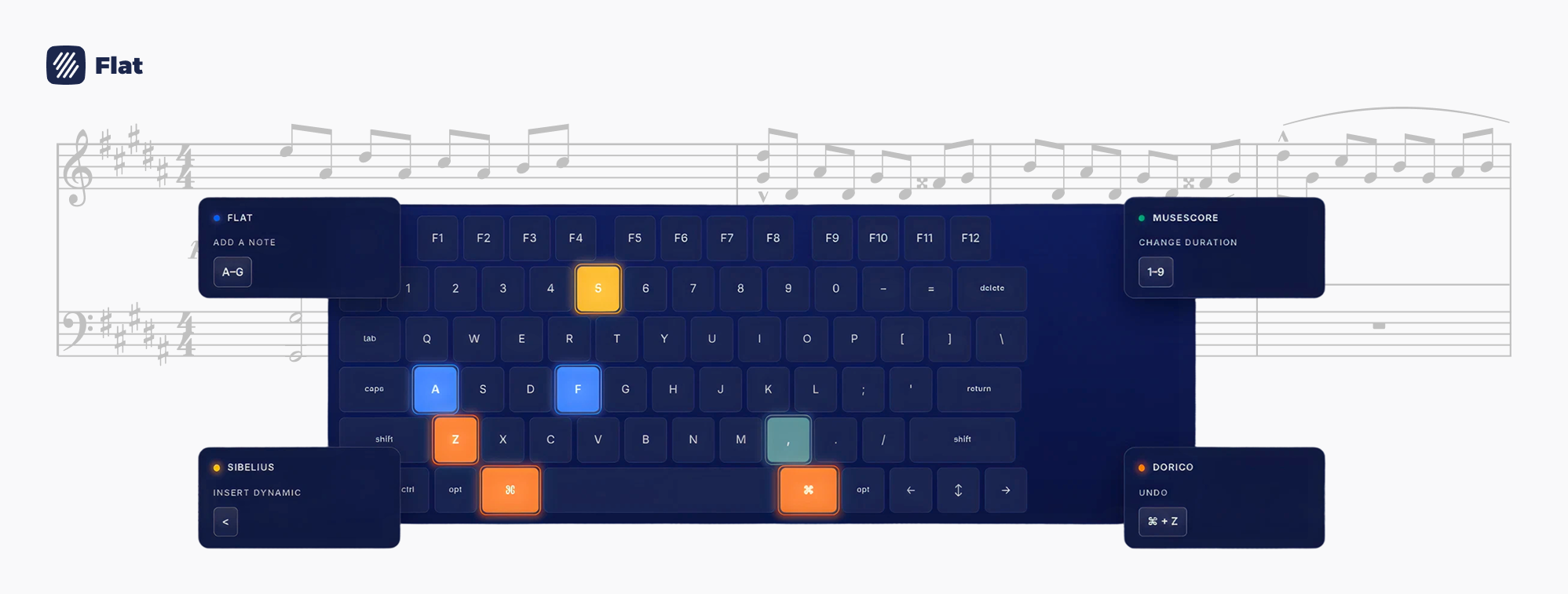
If you're switching to Flat from MuseScore, Dorico, or Sibelius, a few shortcuts work differently than you'd expect — knowing them upfront makes the transition a lot smoother. In Flat's editor, S opens a slur — not staccato like in MuseScore. T creates a triplet — not a tie like in Dorico, and not a time signature like in Sibelius. And the duration keys run from longest to shortest: in Flat's editor, 1 is a whole note, while in MuseScore and Dorico 1 is a 64th note.
This guide does two things. First, it gives you a complete shortcut comparison table between Flat, MuseScore, Dorico, and Sibelius for the actions you'll use most. Second, it covers Flat's full keyboard system — including Workflow Modes, which are unique to Flat and change how you work through a score. Open the interactive shortcuts reference in the Flat editor any time with Alt+/.

Shortcut Comparison: Flat vs. MuseScore, Dorico & Sibelius
Each tool has its own shortcut logic — this table shows exactly how the most-used actions map across all four, so you know what to expect before you start.
| Action | Flat | MuseScore | Dorico | Sibelius |
|---|---|---|---|---|
| Slur | S | S (same) | S (same) | S (same) |
| Staccato | 1 (Articulations mode) | Shift+S | ] | Keypad (layout 1) |
| Tie | , | T | T | Keypad Enter |
| Triplet | T or Shift+3 | Ctrl+3 | ; then 3 | Ctrl+3 |
| Time signature | Toolbar | Toolbar | Shift+M | T |
| Duration: whole note | 1 | 7 | 7 | Numpad 6 |
| Duration: half note | 2 | 6 | 6 | Numpad 5 |
| Duration: quarter note | 3 | 5 | 5 | Numpad 4 |
| Duration: eighth note | 4 | 4 | 4 | Numpad 3 |
| Duration: 16th note | 5 | 3 | 3 | Numpad 2 |
| Crescendo hairpin | Shift+, | < | < | H |
| Diminuendo hairpin | Shift+. | > | > | Shift+H |
| Repeat/duplicate selection | R | R (same) | R (same) | R (same) |
| Enharmonic respell | J | J (same) | Alt+- / Alt+= | Enter (main keyboard) |
| Add bar | Ctrl+Shift+Enter | Ctrl+B | Shift+B + number | Ctrl+B |
| Enter note input mode | Click or select a note | N | Shift+N or Enter | N |
| Augmentation dot | . | . (same) | . (same) | Numpad . |
| Tenuto | 3 (Articulations mode) | Shift+N | # | Keypad (layout 1) |
| Accent | 6 (Articulations mode) | Shift+V | [ | Keypad (layout 1) |
| Fermata | 7 (Articulations mode) | Palette | Shift+H, type "fermata" | Keypad (layout 4) |
| Undo | Ctrl+Z | Ctrl+Z (same) | Ctrl+Z (same) | Ctrl+Z (same) |
| Next measure | Ctrl+→ | Ctrl+→ (same) | Ctrl+→ (same) | Ctrl+→ (same) |
Sibelius uses a numeric keypad for durations and most articulations — the Keypad references above are for default Sibelius layouts. On Mac, replace Ctrl with Cmd throughout all four tools.
Coming from MuseScore
MuseScore and Flat share the most similarities in shortcut logic, so the transition is generally the smoothest — but a few specific differences will still trip you up.
Duration keys run in reverse. In MuseScore's editor, 1 sets a 64th note and 7 sets a whole note — shorter values on lower numbers. In Flat's editor, it's the opposite: 1 is a whole note, 7 is a 64th. It takes about a session to recalibrate, but it becomes automatic quickly.
S is the same, but staccato isn't. Both tools use S for slur, so that's one less thing to relearn. For staccato in Flat, switch to Articulations mode (Ctrl+2) and press 1 — or stay in Composing mode and use the toolbar.
Tuplets use Shift+number, not Ctrl+number. In MuseScore, Ctrl+3 creates a triplet. In Flat's editor, it's Shift+3 (or just T). The gesture is the same; the modifier key is different.
Ties move to the comma key. MuseScore uses T for tie. In Flat's editor, tie is , and T creates a triplet.
Coming from Dorico
Dorico's keyboard logic is mode-based and quite different from Flat's — but the most important differences are concentrated in a small set of high-frequency keys.
T is the big one. In Dorico's editor, T creates a tie. In Flat, T creates a triplet. For ties in Flat, use ,. This is the single most common muscle-memory adjustment for Dorico users, and it's worth drilling before your first session.
Duration keys run in reverse. Dorico uses 1–9 for durations, with 1 as the shortest value (64th note) increasing upward. In Flat's editor, 1 is the longest value (whole note) — the direction is flipped.
Articulations use different keys. Dorico places articulations on symbol keys near Enter: [ for accent, ] for staccato, # for tenuto, ' for marcato. In Flat, articulations live on number keys 1–7 in Articulations mode (Ctrl+2).
Enharmonic respelling works differently. Dorico uses Alt+- and Alt+= to respell enharmonically. In Flat, J toggles between enharmonic equivalents instantly.
Coming from Sibelius
Sibelius has the most different shortcut architecture of the three — it relies heavily on a numeric keypad with multiple switchable layouts for note values, articulations, and accidentals. Flat's system is entirely keyboard-row based and requires no keypad.
No keypad required. In Sibelius, durations and most articulations are entered via the numeric keypad. Flat handles all of this through the letter/number row and Workflow Modes — nothing keypad-dependent.
Duration mapping is completely different. Sibelius maps durations to the numeric keypad: Numpad 6 is a whole note, Numpad 5 a half, Numpad 4 a quarter. In Flat's editor, the top number row handles durations: 1 is a whole note, 2 a half, 3 a quarter.
T in Sibelius opens the Time Signature dialog. In Flat, T creates a triplet. Ties in Flat are ,. Triplets in Sibelius are Ctrl+3.
Hairpins are straightforward in both tools, just different keys. Sibelius uses H for crescendo and Shift+H for diminuendo. In Flat's editor, it's Shift+, for crescendo and Shift+. for diminuendo.
Enharmonic respelling uses the main Enter key. In Sibelius, press Enter (main keyboard, not numpad) to respell a selected note enharmonically. In Flat, it's J.
Navigation by measure is the same. Ctrl+→ and Ctrl+← move by bar in both Sibelius and Flat — one thing you won't have to relearn.
Workflow Modes: The Feature That Changes How You Work
Workflow Modes are unique to Flat — no other notation tool works this way. The idea is simple: your number keys (1–9) mean different things depending on which composing pass you're in. Switch modes with a single shortcut, and your entire number row reassigns instantly. A toast notification in the Flat editor confirms the switch so you always know which mode is active.
| Mode | Switch shortcut | What keys 1–9 do |
|---|---|---|
| Composing (default) | Ctrl+1 | Note durations: whole note (1) through 64th note (7) |
| Articulations | Ctrl+2 | Staccato (1), staccatissimo (2), tenuto (3), detached legato (4), marcato (5), accent (6), fermata (7), up bow (8), down bow (9) |
| Dynamics | Ctrl+3 | ppp (1) through fff (8), sfz (9) |
| Ornaments | Ctrl+4 | Trills, turns, mordents and extended techniques |
In practice: input your notes in Composing mode, then hit Ctrl+2 and do your entire articulation pass keyboard-first — staccato, tenuto, fermatas — without a single toolbar click. Hit Ctrl+3 and do the same for dynamics. Each mode is a focused sweep through the score, and it eliminates the biggest source of mouse detours in the notation workflow.
💡Get the full shortcut reference for Flat here.
Flat auto-detects your keyboard layout on Chrome and the desktop app. On Safari or Firefox, open the shortcuts modal with Alt+/ and set your layout manually — this is especially relevant if you're on AZERTY, QWERTZ, or any non-QWERTY layout.
Ready to put it into practice? Try it free at flat.io and open Alt+/ on your first session to see the full interactive reference!