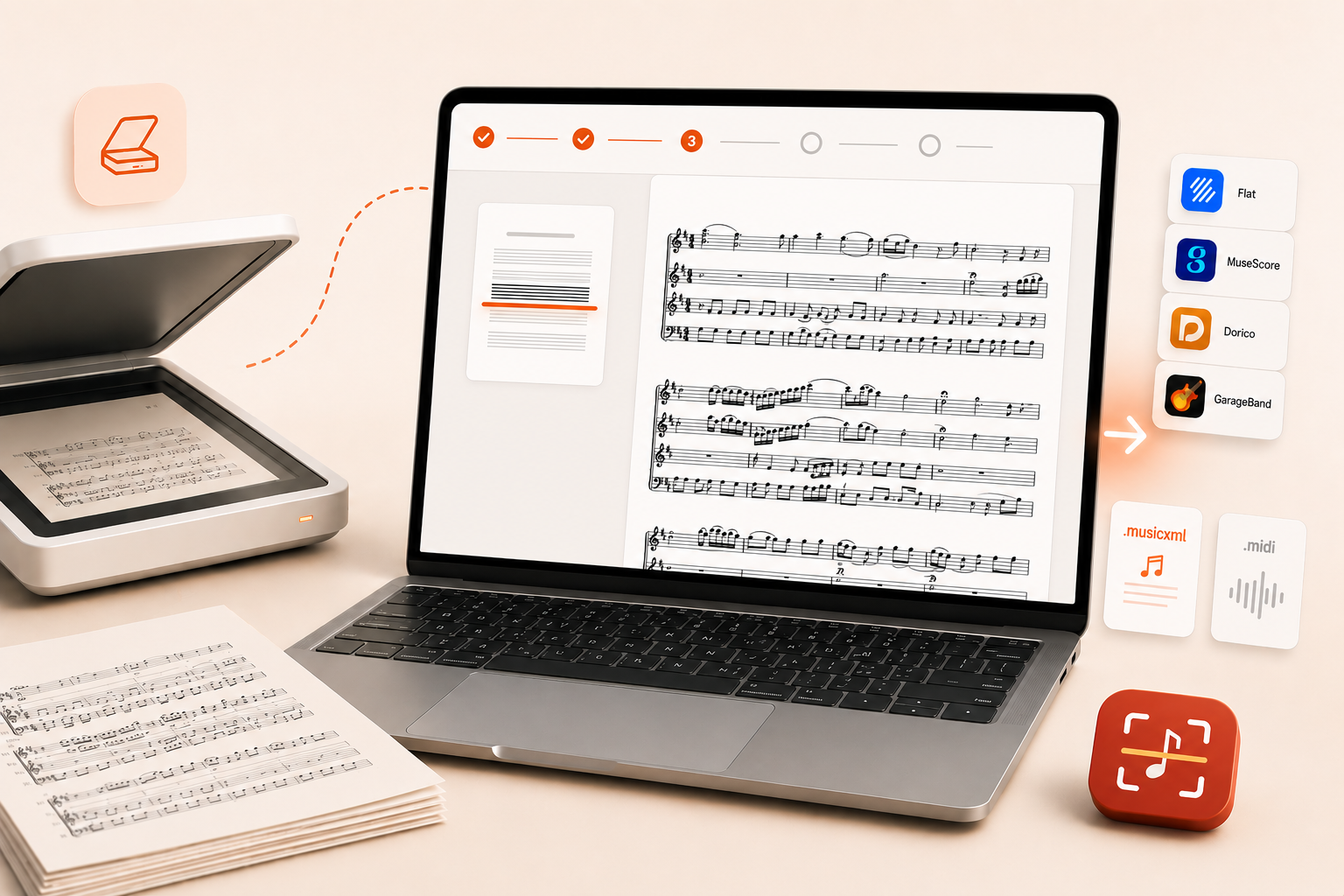
A printed score or a PDF is easy to read but hard to edit. Opuscan for Mac changes that: it reads the page with Tutteo's own optical music recognition model and rebuilds it as a clean, editable score, keeping rhythms, chords, lyrics, dynamics, and multi-staff layout intact. From there, you finish the score in the notation editor you already use, from Flat to MuseScore, Dorico, or Sibelius. Here is what the Mac app does and how to get started.
 Tutteo
How Opuscan for Mac works
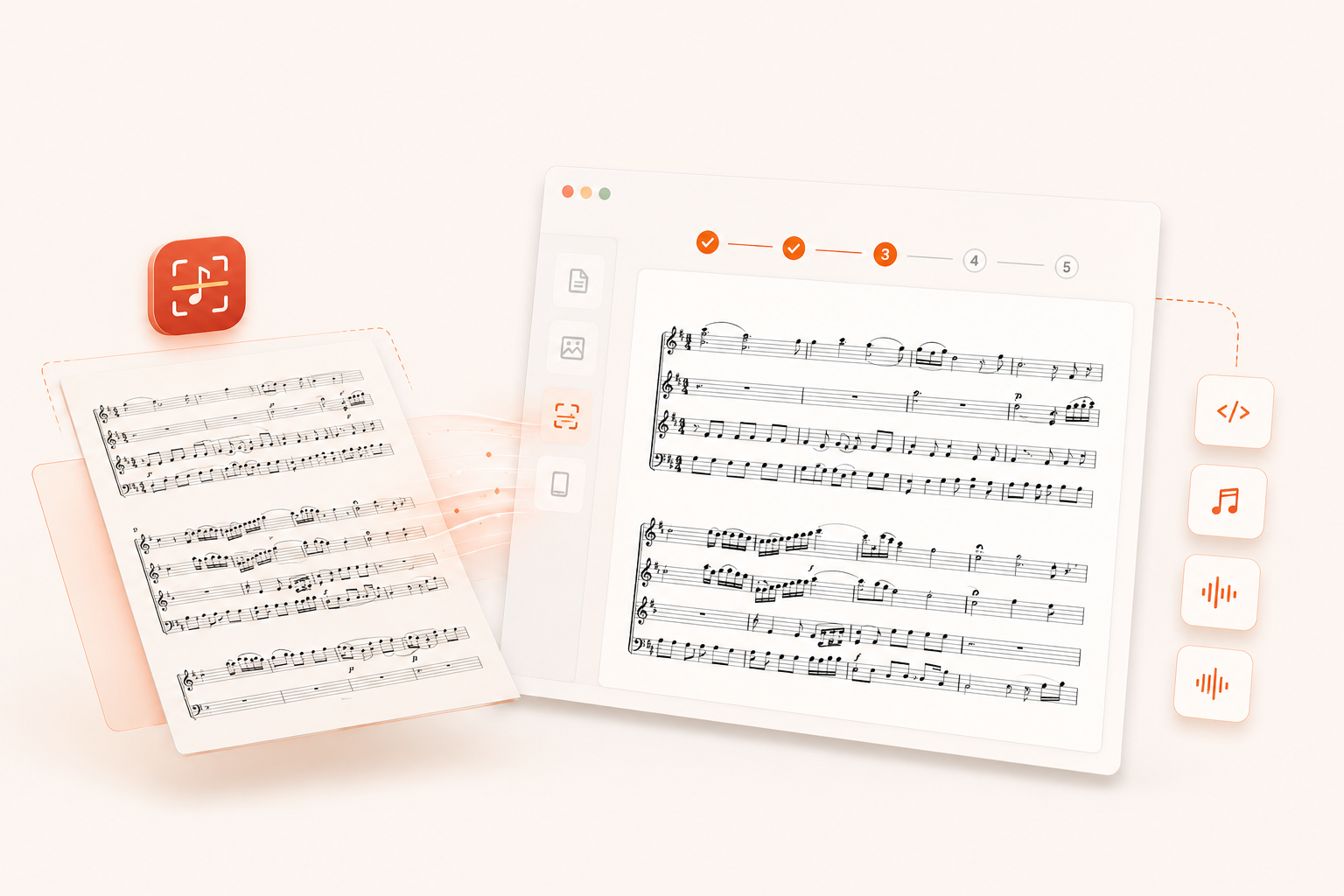
Every conversion follows the same four steps.
- Import. Add a PDF or images, or pull pages from a connected scanner or your iPhone, one page or a whole stack.
- Convert. Confirm the language of any lyrics or text on the page, then convert. Recognition runs in the cloud.
- Review. Opuscan flags anything it was unsure about, so you fix it before the score is built, not after.
- Export. Send the finished score to MuseScore, Dorico, Sibelius, or a DAW, or save it as MusicXML or MIDI.
Scan straight from your Mac
Because Opuscan is a native Mac app, it pulls pages straight from a scanner. Connect any scanner your Mac already recognizes, or use your iPhone as a scanner over Continuity Camera, and the pages feed directly into a conversion. You can also drag, drop, or paste a PDF or a stack of images. Either way, you go from paper to an editable score in one step: no separate scanning app to open, and nothing to export and re-import.
Recognition built and trained in-house
Every page is read by Tutteo's own recognition model, built and trained in-house rather than licensed from another company. It does not read symbol by symbol. It reads rhythm, pitch, and layout together, the way a musician would, so it can separate instruments and voices and attach lyrics, chords, and text to the right notes. Because Tutteo builds the model end to end, it lines up cleanly with Flat's own notation and keeps improving with every release. Recent updates sharpened dynamics, articulations, note durations, and voice assignment, and added custom beaming, courtesy accidentals, and automatic jazz styling. The OMR changelog tracks the specifics.
What Opuscan reads
Opuscan is built for standard Western notation that has been engraved or printed, which covers most sheet music, method books, parts, and lead sheets. It keeps the musical meaning of the page, not just the noteheads.
| Category | What Opuscan recognizes |
|---|---|
| Clefs | Treble, bass, alto and tenor C clefs, octave-shifted and percussion clefs, including clef changes mid-piece |
| Key and time signatures | All key signatures, plus a wide range of time signatures including common and cut time |
| Notes and rhythm | Note values with augmentation dots, tuplets, standard and custom beaming, and beams that span rests |
| Pitches, chords, voices | The full pitch range with ledger lines, chords, and multiple voices on a single staff |
| Accidentals | Sharp, flat, natural, double, courtesy, and quarter-tone accidentals |
| Slurs and grace notes | Ties, slurs, grace notes, acciaccatura, and cue notes |
| Dynamics and articulations | ppp to fff, sf and sfz, crescendo and decrescendo hairpins, staccato, tenuto, accent, and marcato |
| Ornaments and tremolos | Trills, mordents, turns, and one to four stroke tremolos |
| Lines and tempo | Octave lines (8va, 8vb, 15ma), metronome marks with BPM, and rit. and accel. |
| Barlines and repeats | Normal, double, and final barlines, voltas, Segno, Coda, D.C., D.S., and Fine |
| Multi-staff and percussion | Grand-staff instruments up to seven staves, plus percussion staves and noteheads |
| Chord symbols, text, lyrics | Chord symbols as editable chords, plus lyrics aligned to syllables, rehearsal marks, and annotations |
Handwritten music and guitar or bass tablature are not supported yet, and pages with no standard notation, such as text-only or lyrics-only sheets, will not convert. For lyrics in Japanese, Korean, or Chinese, choose the language on the convert screen first. The full list lives on the recognition page.
Get the best results
The model can only read what is clearly on the page, so the quality of your source sets the quality of the score. The rule of thumb: if a page is hard for a person to read, it is hard for the model too.
What helps:
- High-resolution scans, or sharp, well-lit photos.
- Pages laid flat and straight, filling the frame.
- Printed or digitally engraved music rather than handwriting.
- One piece per file, and one instrument per file for solo parts.
What hurts:
- Low-resolution or blurry files.
- Bent or curved staves, which happens when you photograph a book near the spine.
- Faint, partially erased, or heavily marked-up notation.
- Shadows, scanning artifacts, and skewed or rotated pages.
One click into the tools you already use
When a conversion looks right, send the score straight to MuseScore, Dorico, Sibelius, or any DAW in a single click, with no export and re-import step in between. If you would rather keep a file, Opuscan also exports standard MusicXML and MIDI: MusicXML opens in MuseScore, Dorico, Sibelius, Finale, and Flat, and MIDI drops into GarageBand, Logic Pro, Ableton Live, FL Studio, Cubase, Studio One, Reaper, and any other DAW. Pick your export folder once and keep the score moving without retyping a note.
Pricing: credits, no subscription
Opuscan uses one-time credit packs. One credit converts one page, and you are only charged when a conversion succeeds. Credits never expire, so you can pick up exactly where you left off.
| Credit pack | Price | Pages included | Price per page |
|---|---|---|---|
| Small | $9.99 | 30 pages | $0.33 |
| Medium | $17.99 | 70 pages | $0.26 |
| Large | $49.99 | 300 pages | $0.17 |
*Prices in US dollars.
Get Opuscan for Mac
Opuscan for Mac is a native app on the Mac App Store, and it runs on macOS 14 (Sonoma) or later. Conversion happens in the cloud, so you need an internet connection while a page is being read. Get Opuscan for Mac and turn a stack of printed music into scores you can actually edit.
Opuscan is on Android too, and Windows and iPhone and iPad versions are on the way. If you would rather scan on the go, get Opuscan for Android.
Have feedback on the Mac app? Tell us what worked and what did not at hello@flat.io. Your input shapes what comes next.
FAQ
What does Opuscan for Mac require?
Opuscan for Mac is a native app on the Mac App Store and needs macOS 14 (Sonoma) or later. Conversion runs in the cloud with Tutteo's own recognition model, so you need an internet connection while a page is being converted.
Can I scan directly from my scanner?
Yes. Opuscan uses macOS document scanning, so any scanner your Mac recognizes can send pages straight into a conversion. You can also capture pages with your iPhone using Continuity Camera, or drop in a PDF or images.
What can I export to?
Opuscan exports standard MusicXML and MIDI. MusicXML opens in Flat, MuseScore, Dorico, Sibelius, and Finale, and MIDI works in GarageBand, Logic Pro, and any DAW.
How much does Opuscan cost?
Opuscan uses one-time credit packs with no subscription. One credit converts one page, credits never expire, and you are only charged when a conversion succeeds. Packs start at $9.99 for 30 pages.
How accurate is the recognition?
Clean printed or engraved music converts with high accuracy across rhythms, chords, lyrics, dynamics, and multi-staff layout. A review step flags anything uncertain so you can fix it before the score is built. Handwritten music and tablature are not supported yet.