The Teacher
Alanna D. is the band director at Paddy Hill Elementary School in the Greece Central School District, New York. She teaches beginning band to fourth and fifth graders — 9 and 10 year olds picking up their instrument for the very first time. She has been teaching since 2004, the first ten years at middle school and at elementary ever since.
Her philosophy is direct: music literacy first. Listening, speaking, reading, writing, in that order. The problem is that reading music is harder than it looks when the notation wasn't designed with beginners in mind.
She was an avid Sibelius user. Then her school computer was taken for replacement, and Sibelius went with it. Sibelius lives on a hard drive. No computer, no software. Her district had a Flat for Education subscription, so she opened it reluctantly, expecting a stopgap. After a rapid self-taught crash course, she could see almost instantly that it was something else entirely. Flat for Education has been her only notation software since November 2025.
The Challenge
Published band charts are not designed for students who learned their first note last month. The engraving is dense. Noteheads are small. Measures are packed together. And beginners, rather than reading the note on the staff, hunt for the letter name printed below it in small text. That's not reading music. That's decoding a workaround.
Alanna had been working around this problem for years. She bought original scores from the publisher, ran them through a PDF editor, and manually reworked the layout. It was slow, the result was imperfect, and when a student showed up wanting to play a different instrument on short notice, there was no quick way to produce the right part on the spot.
What she needed was a way to take a published chart and make it genuinely readable for a child who has been playing for eight weeks. That's a different problem from what most notation software was built to solve.
The Solution
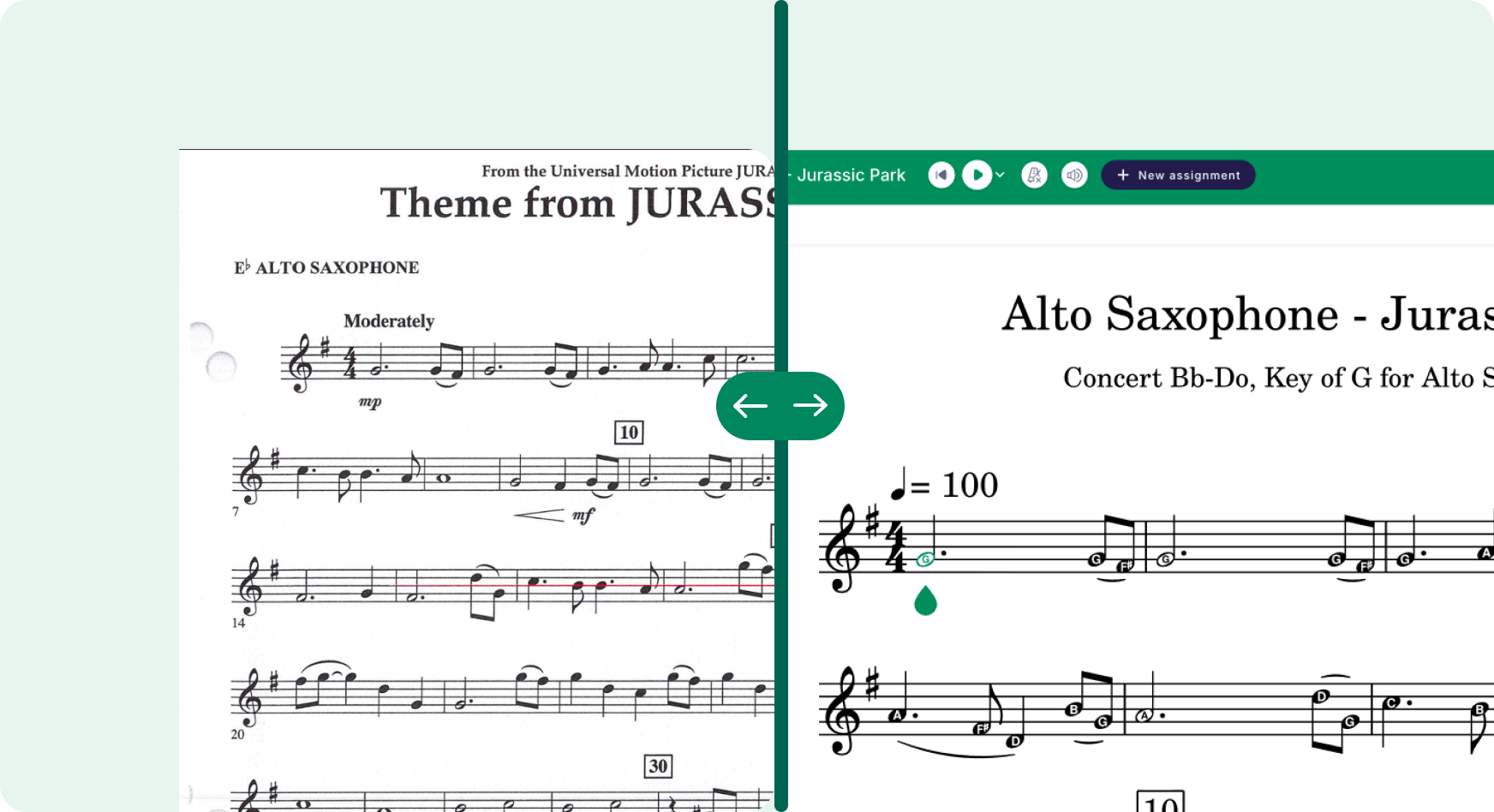
With Flat for Education's PDF import, Alanna's workflow changed entirely. She scans the purchased score, imports the PDF, and the platform converts it to fully editable notation. From there she sets the rastral size to 0 for larger noteheads, adds note names inside the noteheads, and spreads the measures out. The result is a version a 9-year-old can actually read rather than decode.
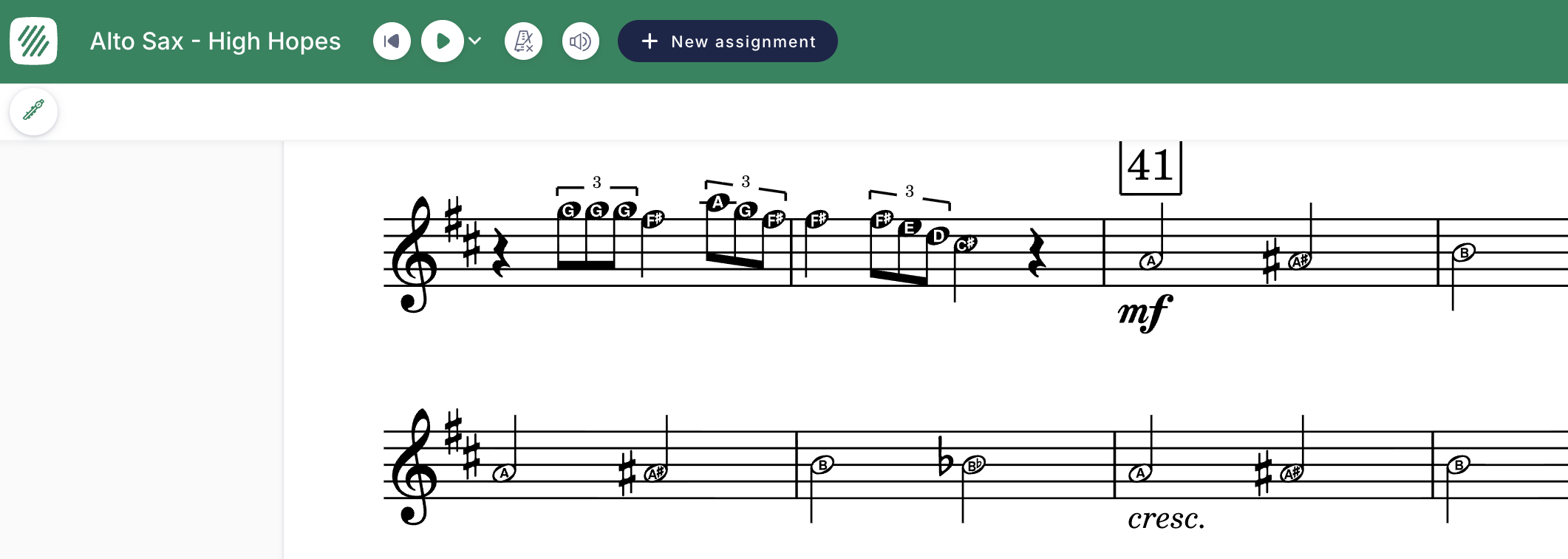
The conversion is accurate on pitch. The main issues she runs into are multi-measure rests commonly displaying incorrectly, and text elements like composer credits sometimes needing to be re-entered by hand. Both are quick fixes. The time saved versus manual note entry in Sibelius — where PDF translation errors made it faster just to type every note yourself — is significant.
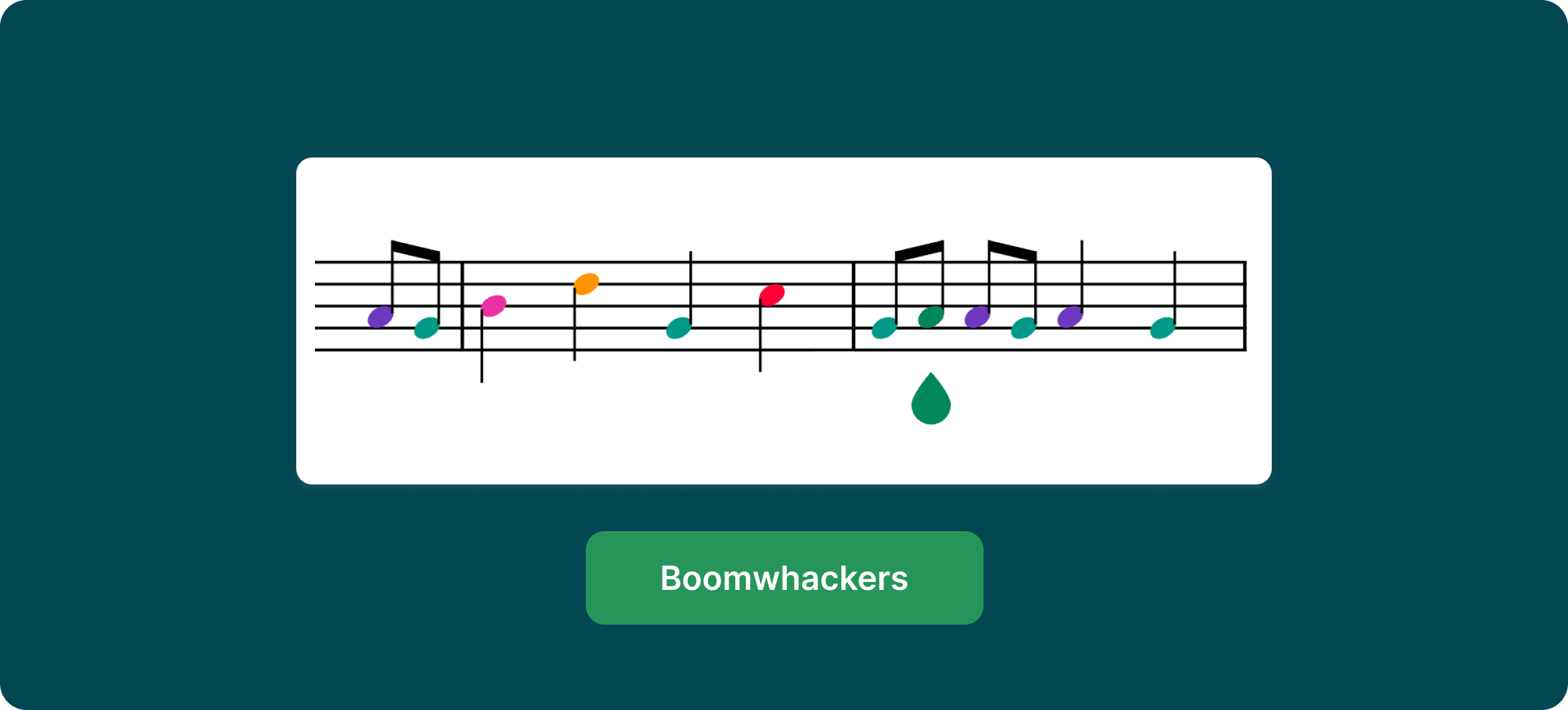
For her fourth graders working on the Jurassic Park theme, she goes a step further. She produces two versions from the same PDF import: a solfege version first, for students who are still building pitch literacy, and a standard notation version with note names inside the noteheads once they're ready. Same original score, same import, two different teaching tools.
There is one scenario Alanna describes that captures what this feature means in a real beginning band classroom. A student arrives and wants to play tenor saxophone instead of their usual alto. No notice. She doesn't have the tenor part ready.
She scans the part into Flat for Education and makes a few quick edits while she's still teaching. The part is ready. The student plays.
"I just want to clarify that I always buy the original scores from the publisher. I use Flat for Education to create a more beginner student-friendly notation practice version essentially. I've only been using it for less than a year now, but I have seen a big improvement in student understanding of reading music notation and note names."
— Alanna D., Band Director, Paddy Hill Elementary School, Greece Central School District, NY
Her students don't take school devices home — district policy — so the Flat for Education versions stay in the classroom. But she projects them on her box light technology during rehearsal. The kids see large, clear notation on screen while they play. It's not just a preparation tool. It's part of how the lesson runs.
What She Uses Most
PDF import is the foundation of her workflow. Every piece she teaches starts with a purchased score she adapts for her beginners. Larger noteheads, note names or solfege inside, more breathing room between measures. The import is accurate enough that she's editing an existing score, not rebuilding one from scratch.
The notation editor handles everything else: transposing parts on the fly, adjusting rastral size, switching between note names and solfege depending on where her students are in the literacy sequence, and producing printable versions her students can take home as paper copies.
She accesses Flat for Education multiple times per day. The cloud-based workflow means she can work on an arrangement at home and have it ready on her classroom screen the next morning — something that was never possible with Sibelius on a school hard drive.
Start Your Own Trial
If you are not using Flat for Education yet, this might be your sign!