The Teacher
This band director has been using Flat for Education since 2017, which puts him in a rare category: someone who has watched the platform grow from a workaround into the primary notation tool for his entire music department. He teaches multiple high school band classes, conducts some and assists others, works with students preparing for solos and auditions, runs sectional rehearsals, and conducts regular individual performance assessments. He also teaches a music theory class that he has rebuilt over the last two years into something genuinely unusual: a full-year arc from traditional Western harmony and aural skills in the first semester, to project-based digital composition, looping, video, and podcast theme music in the second.
He started using Flat for Education the same way a lot of teachers discover it: by necessity, and with almost nothing to work with.
"I really just wanted to find something that would bypass most of that," he says of his school's IT approval process. "I know that doesn't sound great, but back in 2017-2018 this was a huge benefit." No approved devices. No budget. He paid for the first three months out of pocket and booked the school library computer lab on specific days of the week. Since then, it has become the standard notation platform for his entire staff.
The Challenge
There is a specific problem that every high school band director running a solo programme knows well. A student is preparing a piece for a festival or audition. The piece has a piano accompaniment. There are two ways to practice with the accompaniment: hire a pianist, or go without. Most students go without, which means they spend weeks developing a solo in a musical vacuum, then sit down with a live accompanist one or two times before the performance and discover that the tempos, the transitions, and the musical decisions they made in isolation don't quite fit.
The other platform he had been using for assessments, MakeMusic Cloud, had a catalog but it didn't reflect the range of composers he wanted his students to be playing. He needed a way to create practice resources from the actual repertoire his students were performing, not from a pre-built catalog that didn't serve his curriculum.
He also needed to solve a simpler daily problem: writing parts when an instrument is missing. No bassoon player this year. The bassoon part needs to be redistributed. That used to mean manual note entry. It was slow.
The Solution
The workflow he built with Flat for Education's PDF import changed all three problems at once.
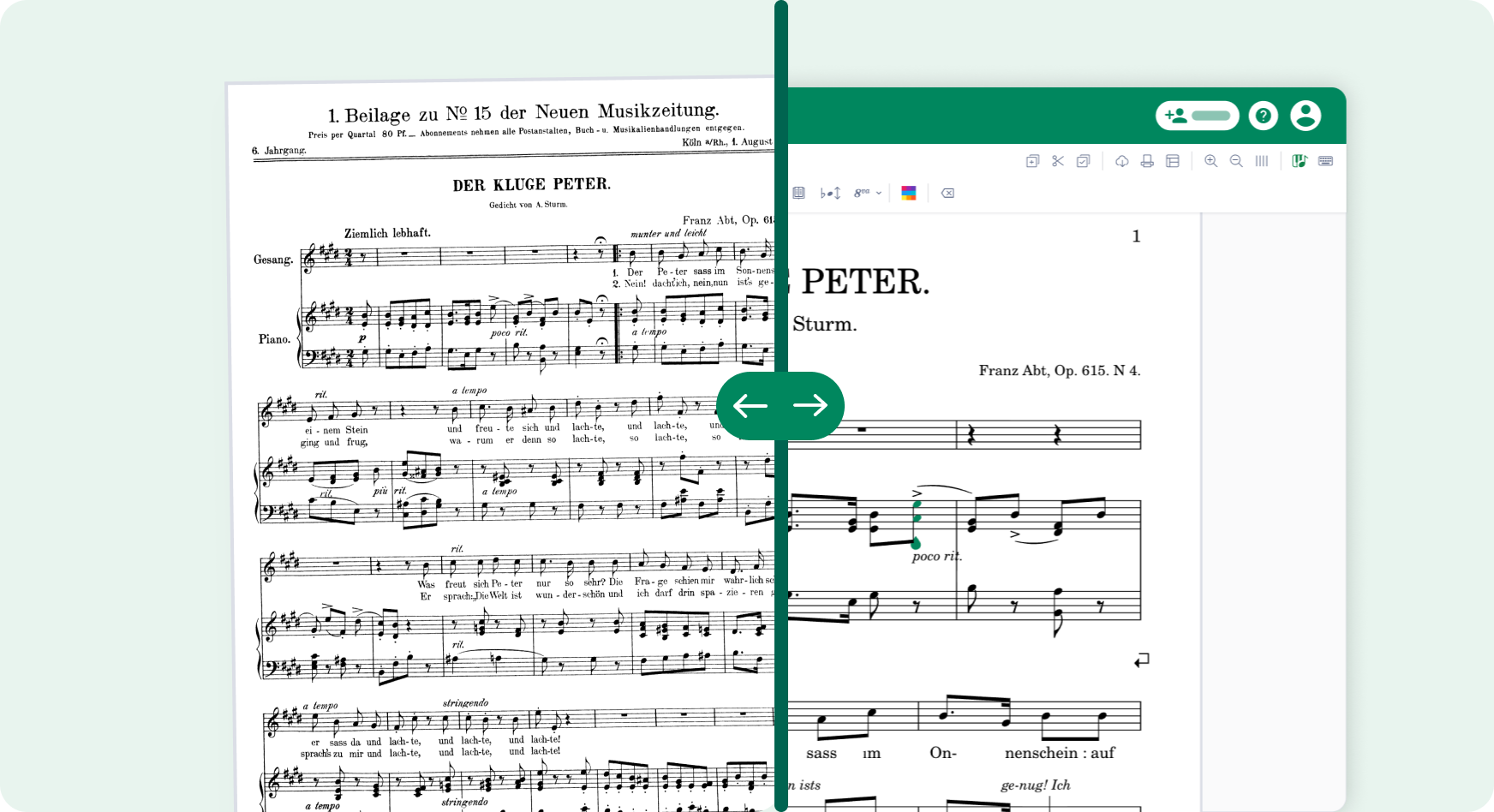
For solo accompaniment, he scans the piano part as a PDF, imports it, and edits it inside Flat for Education: simplifying complex passages, adjusting the tempo to match where the student currently is in their preparation, and adding or removing a click track depending on what the student needs. Then he exports the whole thing as an MP3 and sends it to the student. The student now has a full accompaniment track they can practice with independently, at the right tempo, as many times as they need, before they ever sit down with a live pianist.
"I really love the ability to scan piano parts as PDFs to create accompaniment tracks for students working on solos. I can simplify the accompaniment, alter tempos, make it a click track and send it to them as an mp3. Often I even end up using the mp3 for the student's actual solo performance."
The impact runs deeper than convenience. Students arrive at their limited rehearsal time with a live accompanist having already internalized what the piano is doing. They've heard the harmonic rhythm, the rhythmic interplay, the places where the piano leads and the places where it follows. The limited practice time with a real pianist becomes productive rather than introductory.
For performance assessment, he replaced MakeMusic Cloud entirely. He scanned individual concert band parts for all of the ensemble's repertoire, creating practice tracks and play-along tracks for assessments using music that reflected the diversity of composers he wanted in his curriculum. It also ended a recurring frustration with MakeMusic Cloud: not being able to adequately change tempos. Tempo control is the foundation of his entire practice track workflow, so this was not a small thing.
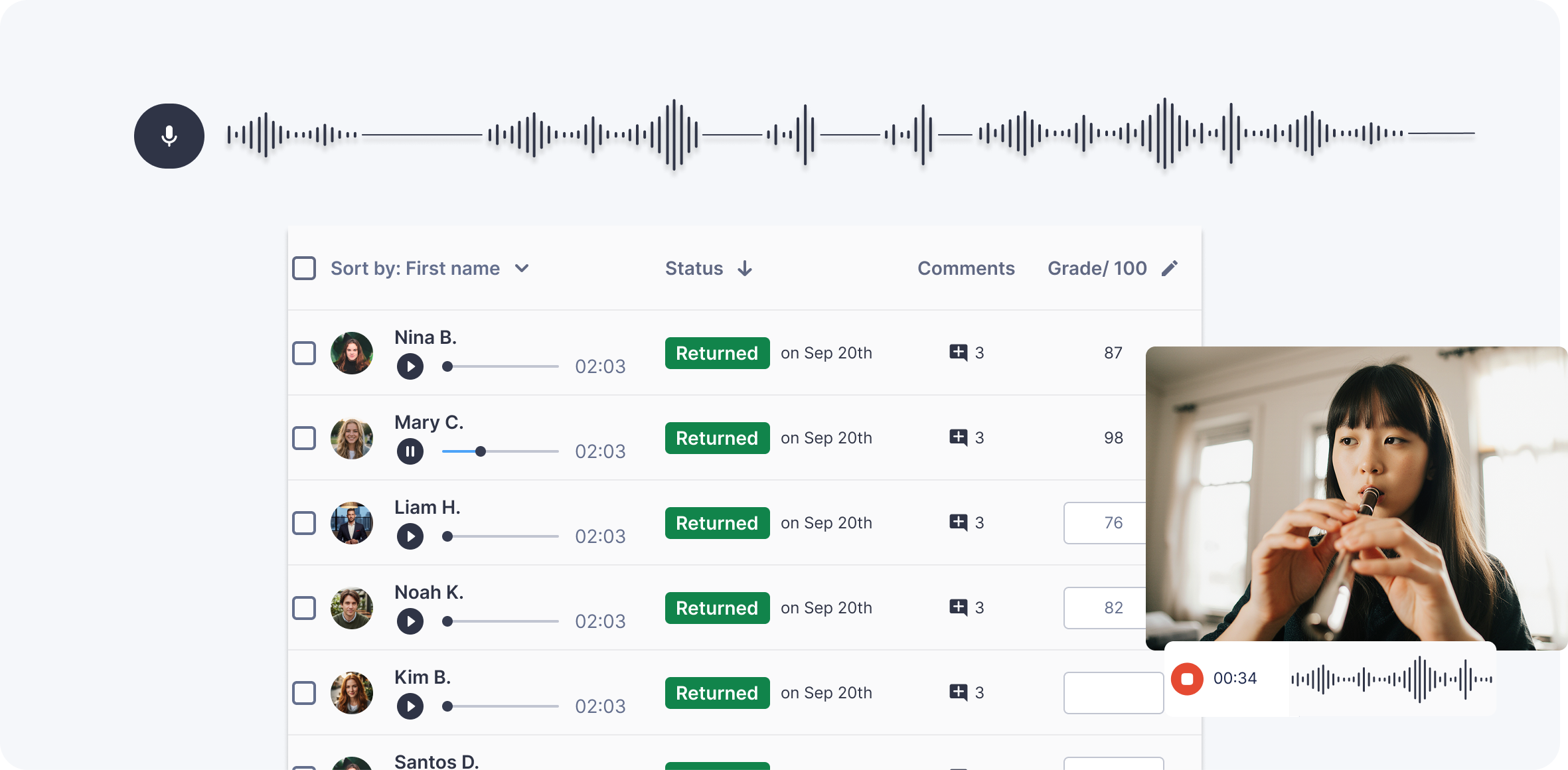
Students practiced with those tracks at home, knew exactly what to expect when they sat down with a director for their assessment, and performed accordingly. For group work, Free Record also lets a section or full ensemble record together with no score attached and submit one take.
"I truly believe that this was a big part of what helped our sub non varsity band earn the highest ratings they have ever received!"
For part redistribution, the workflow is straightforward: scan the PDF of the missing instrument's part, import it, transpose or combine it into the target instrument's part. What used to require entering every note by hand now takes a fraction of the time.
Device numbers shape how his students interact with the platform, since there are not enough for individual use in band class. So he connects his own device to the projector and inputs notation in real time for the band to play. A new rhythm pattern for the warm-up routine goes up on screen, gets adjusted live, and the band plays it. Faster than passing out paper copies, and no papers ending up on the floor.
What He Uses Most
PDF import is the engine of his workflow. The conversion is accurate enough on pitch that he's editing an existing score rather than rebuilding one. The most common fixes are articulations, occasional text directives, and meters in sections that changed without a written time signature change. Quick work once you know to look for them.
The notation editor and MP3 export handle the practice track pipeline. Import, edit, export. The ability to adjust tempo inside the platform means he can produce multiple versions of the same accompaniment at different tempos as a student works up to performance speed.
Collaborative scores are where his workflow becomes genuinely unusual. Collaboration starts with colleagues: "Hey, we need to get this into notation, can you input the bass line and I will input the chord changes into the treble staff?" Two teachers, one score, half the time.
And because his music theory students learn Flat for Education in class, the most capable among them can assist with notation work on concert band scores. He shares the score with them, they input sections or clean up scans, and he reviews in real time. His colleague calls them his ghostwriters.
"I can often have them work on items that are in my workflow. Because I can share the score with them, it means I can check their work in real time and give them feedback on what I need. It's like I'm their project manager."
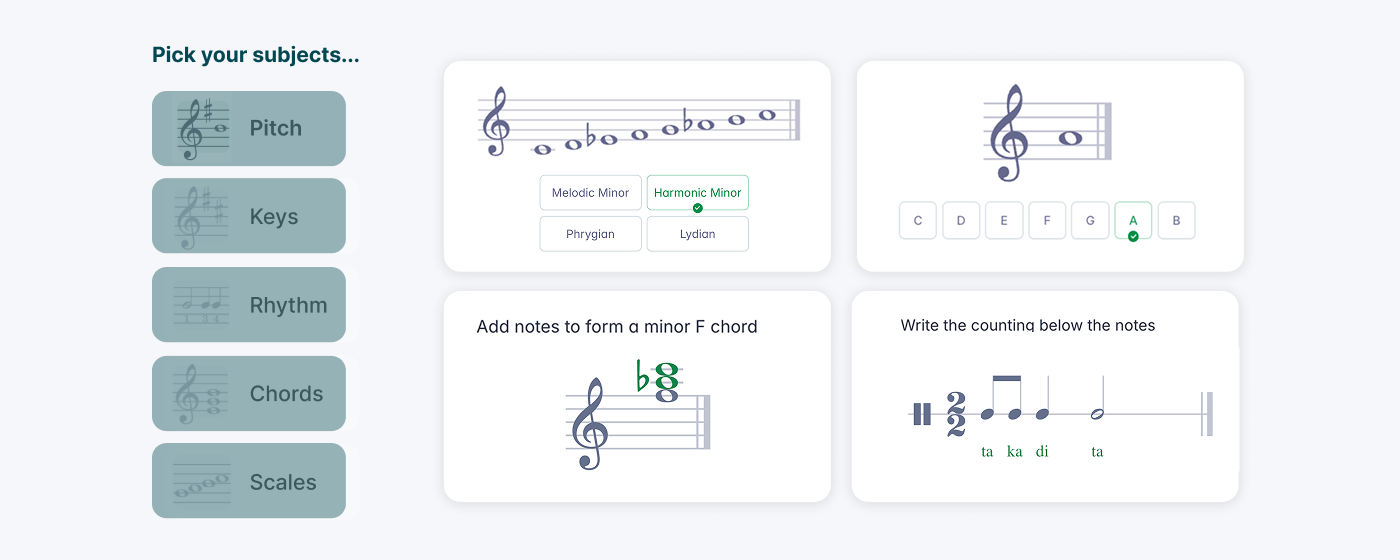
Worksheets run his theory class. Auto-graded assignments save the time he used to spend making copies and marking. For band assessments, his play-along tracks do double duty: students practice with them at home, then perform with the same track live for a director, who gives feedback in real time. Nothing about the assessment is a surprise, because students have rehearsed with the exact track they will be assessed against.
Start Your Own Trial
If you are not using Flat for Education yet, this might be your sign!