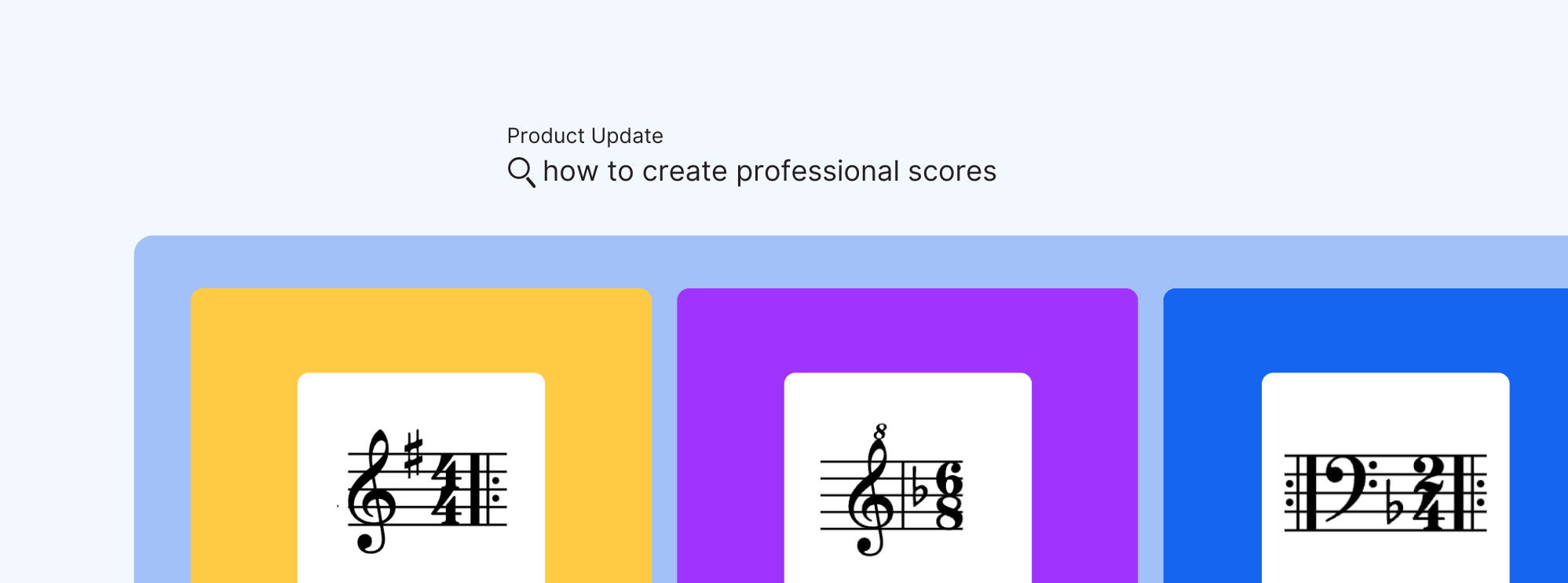
Over the past few weeks, we’ve been rolling out quiet but meaningful improvements to how your scores are displayed on the page. It’s part of a shift in focus—from making Flat faster, to making your music look better the moment you write it.
This update brings two major upgrades to the Editor: sharper notation and smarter formatting. Repeat barlines, clefs, and key or time signature changes now follow standard layout rules automatically. And thanks to improved vertical spacing logic, your scores make better use of the page—less cleanup, more music per screen, and a layout that just feels right.

Whether you’re sketching a short idea or formatting a full ensemble piece, this is about keeping your scores clear, balanced, and ready to play—right from the first draft.
If you’d like to learn more about the performance improvements that made this update possible, you can read the dedicated article here:
 Tutteo Team
More accurate notation
Repeat barlines are now correctly placed
Repeat barlines now appear after clefs, key signatures, and time signatures, exactly as they do in professionally engraved editions. For composers and arrangers, this means your scores immediately match publishing conventions, with no need for manual adjustments or workarounds. The layout feels familiar to anyone who has worked with printed sheet music, making your projects look polished right from the start.
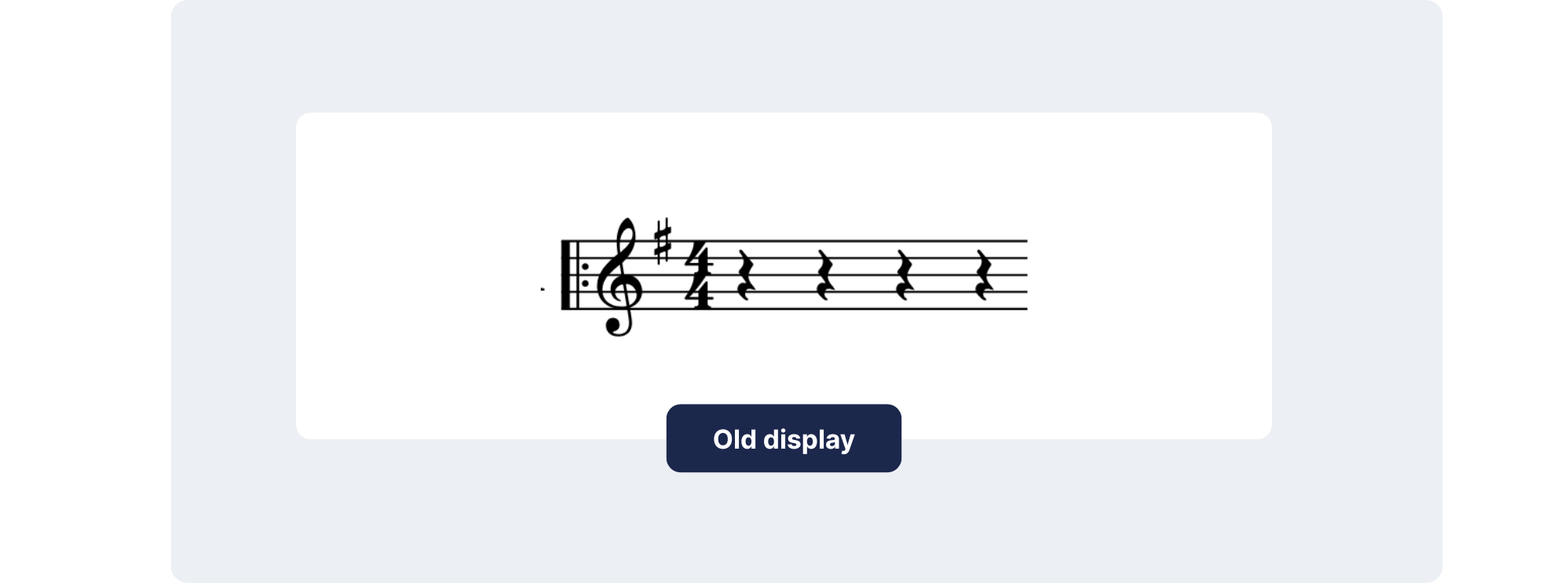
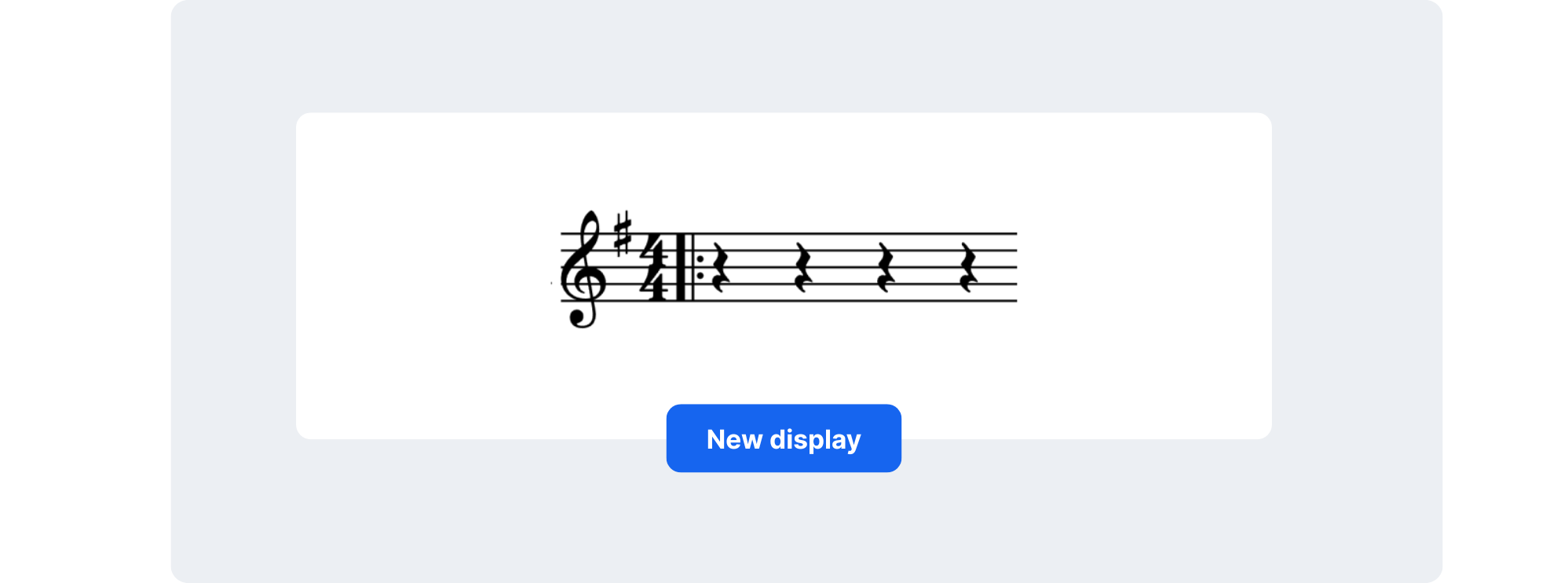
Update in music notation software showing correct repeat barline placement after clef and key signature for improved readability.
💡 Learn how to add barlines to your scores in this guide.
Attributes at the end of systems
Key and time changes are now shown at the end of the previous system as well as the start of the next. This detail has a direct impact on rehearsals and live performance: musicians can anticipate changes in advance, rather than being surprised mid-line. Whether it’s a sudden key shift or a tricky meter change, players have the visual cue they need to stay prepared, saving time in practice and rehearsal settings.
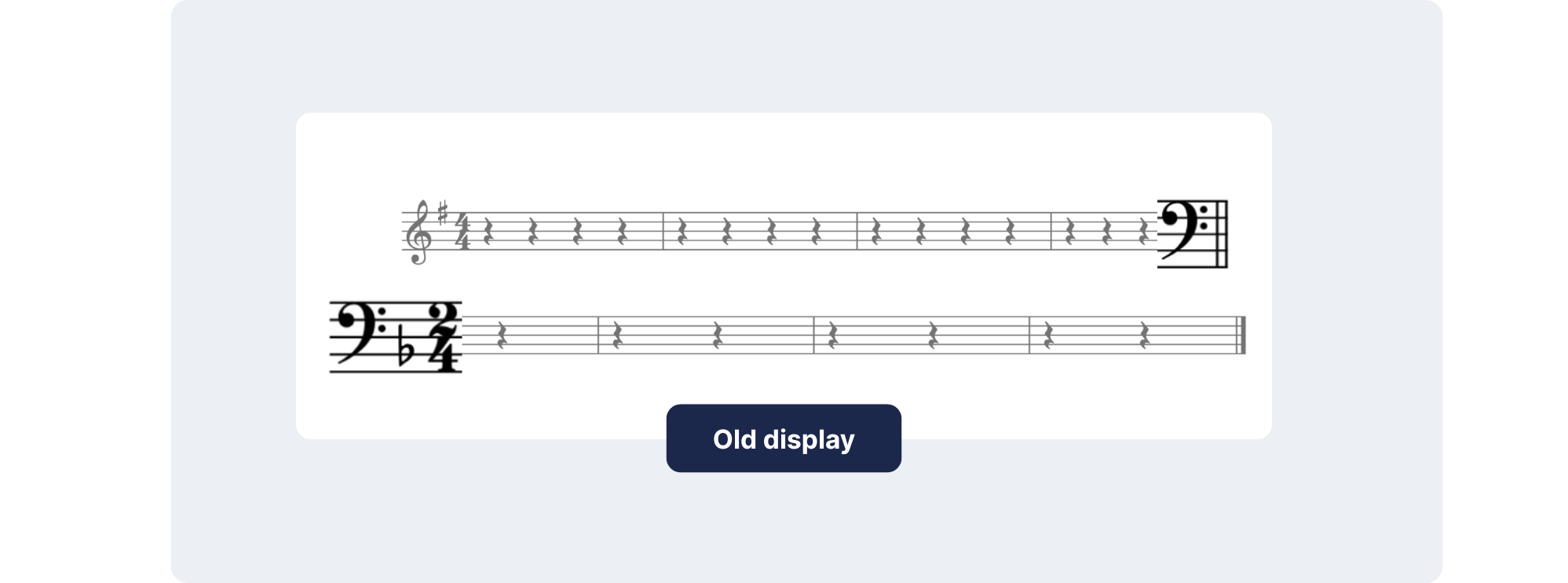
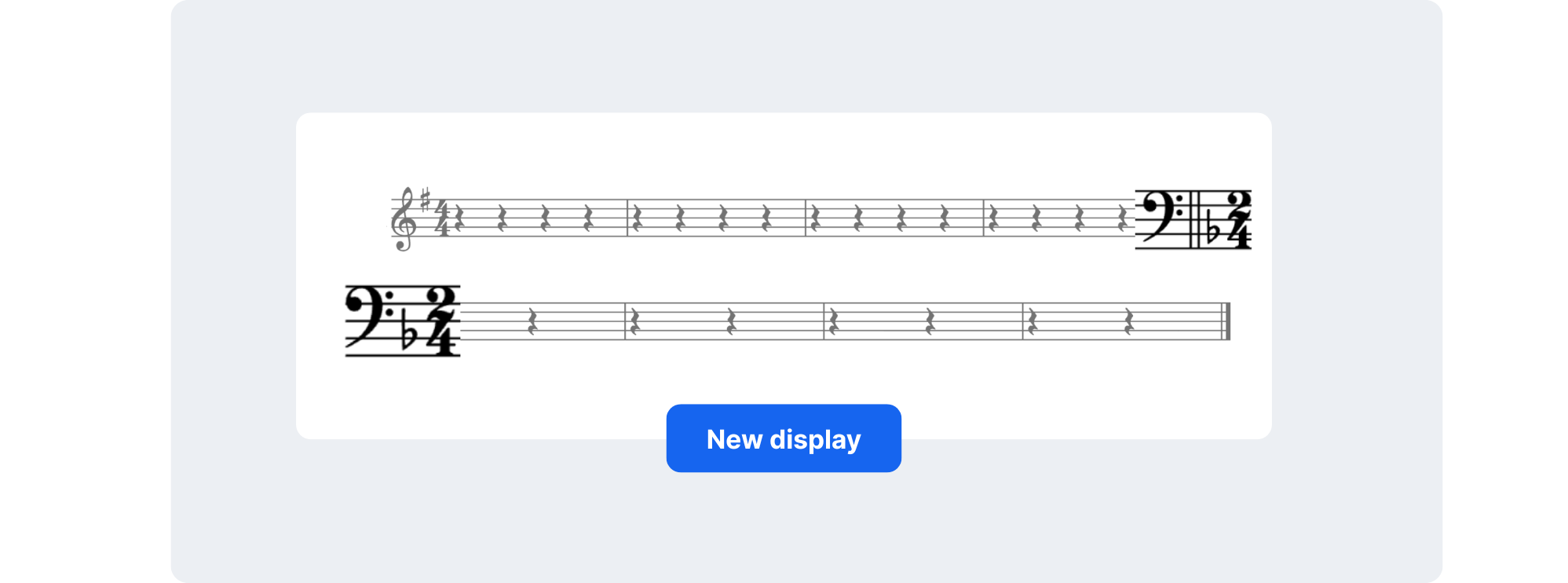
Improved attribute placement in digital sheet music: key and time signatures now shown before line break for better performance prep.
💡 Learn how to change the key signature, time signature, and clefs in our guides.
Attribute changes inside repeats
When a clef, key, or time signature changes within a repeat section, Flat now places the update between the repeat barlines. This refinement is especially helpful for students and learners, who often rely on notation software to reinforce proper reading habits. Seeing changes where they belong builds confidence and ensures that young musicians develop a solid foundation in score reading.
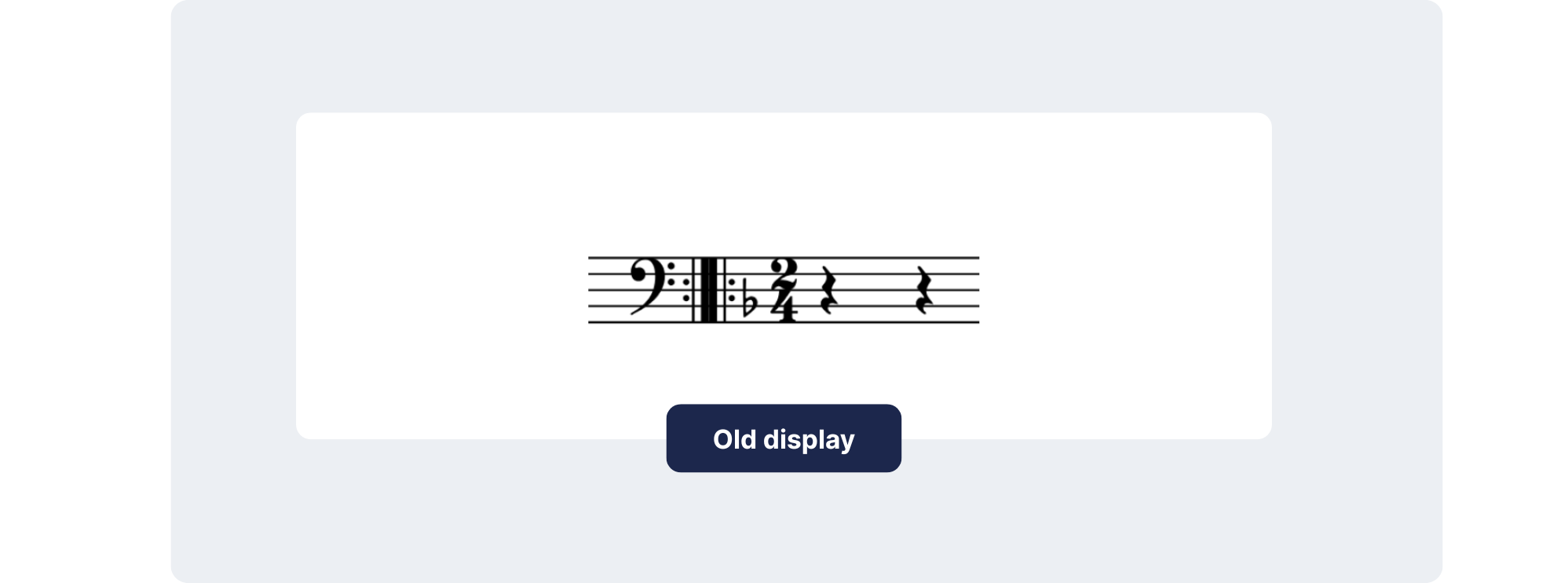
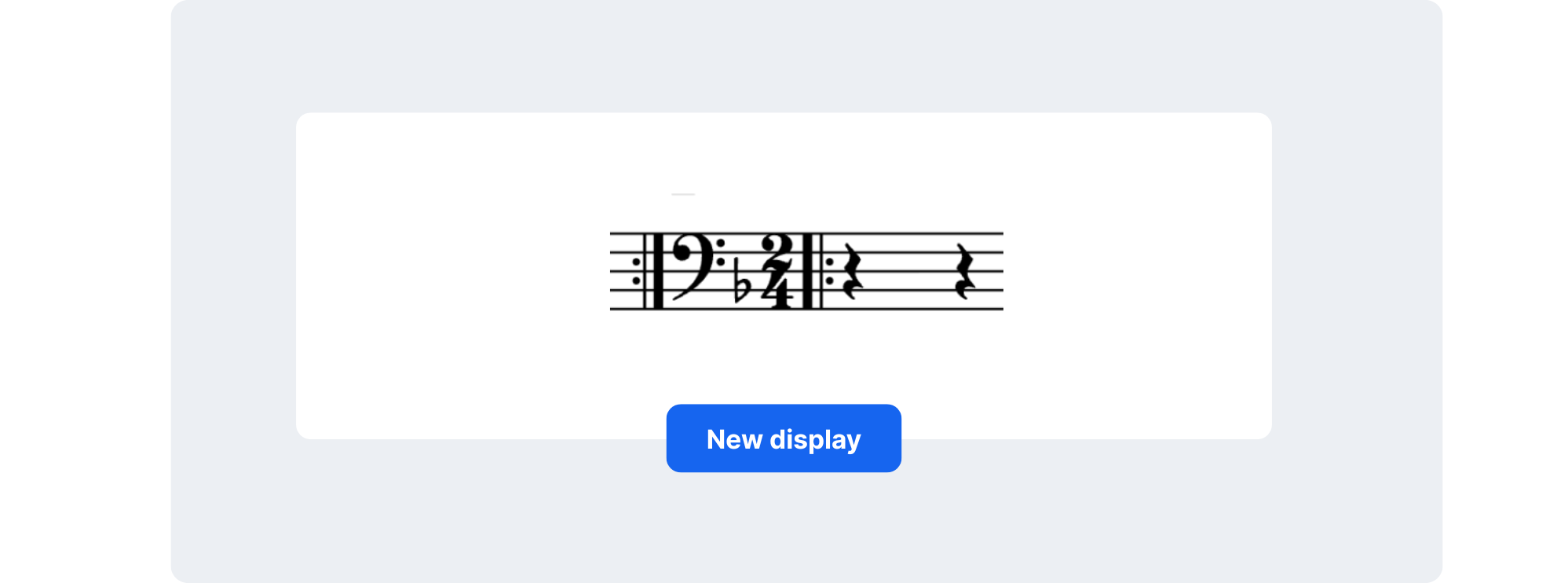
Comparison of music score display showing attribute changes correctly placed between repeat barlines in new Flat Editor update.
💡 Learn how to add repeat barlines here.
Cleaner scores with smarter formatting
Make the most of your page space
At the heart of this update is a smarter vertical spacing between systems and staves. In previous versions of the Editor, you may have noticed that the space between staves could feel overly generous or inconsistent—especially in large ensemble pieces. This often led to unnecessary white space or scores that spilled across more pages than needed.
With the new vertical spacing logic, the Editor automatically finds the right balance between clarity and compactness. It detects where elements like lyrics, articulations, or dynamics might cause a collision and adjusts spacing accordingly. When there's room to tighten the layout without compromising readability, it does so automatically. The result? Fewer empty gaps, more music per page, and a layout that looks both efficient and polished.
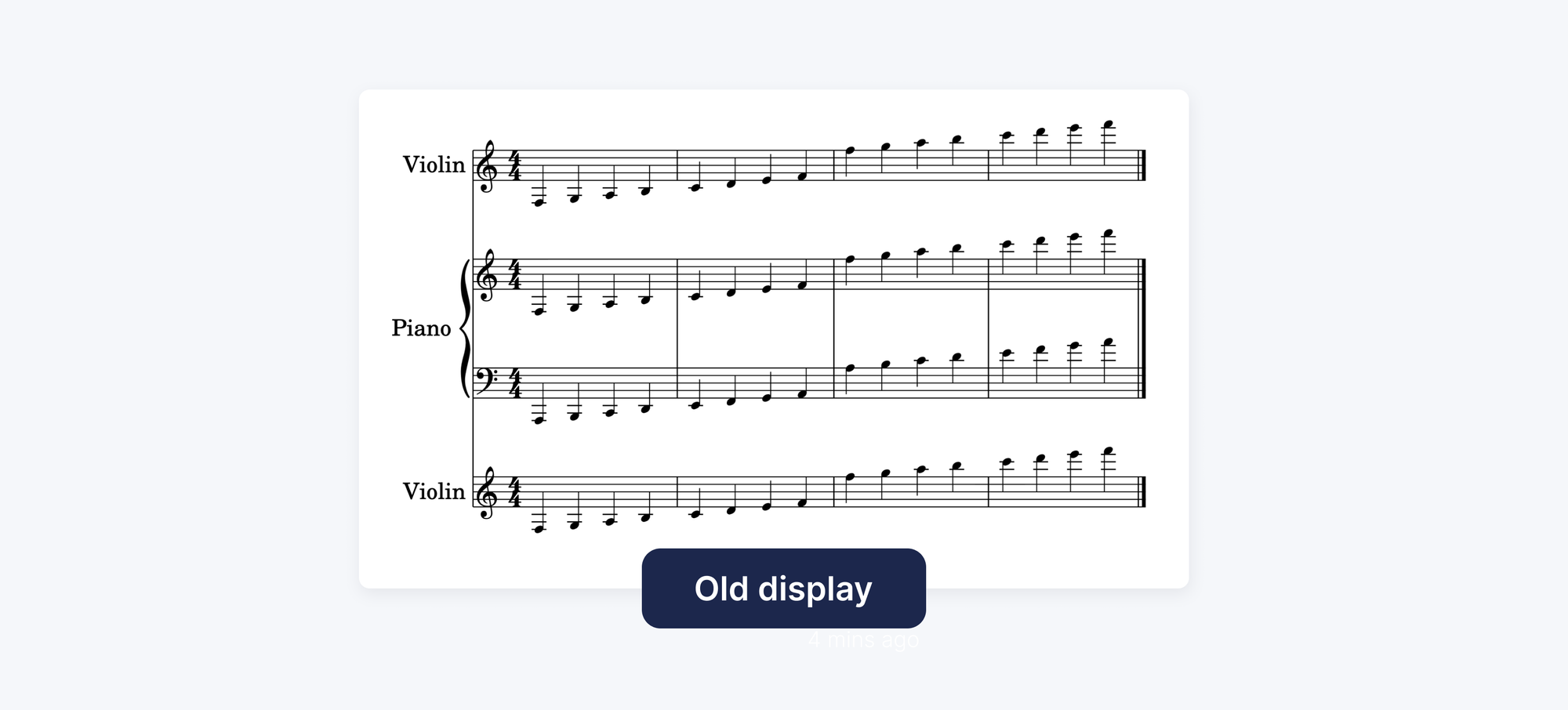
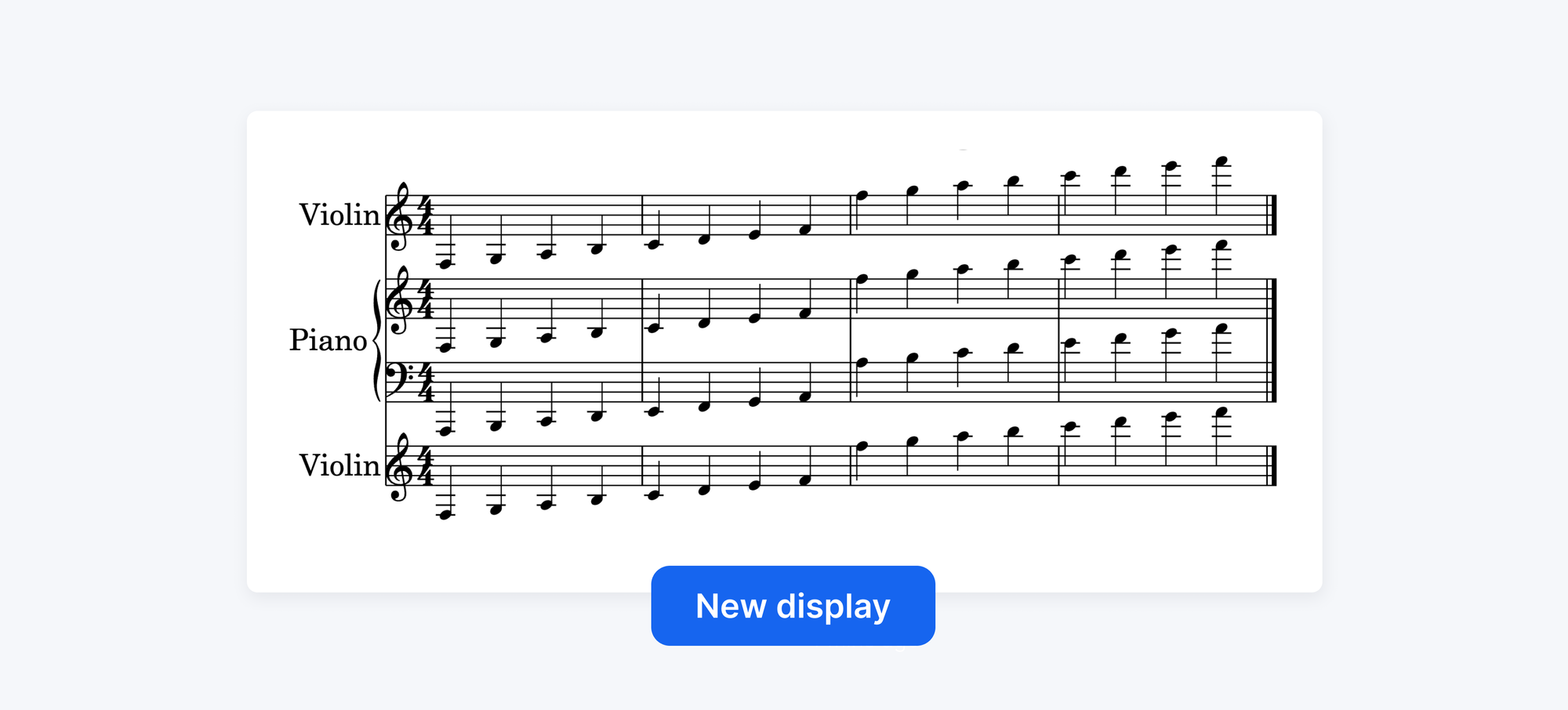
This is especially useful for educators, ensemble arrangers, and anyone preparing printed scores. It helps save paper when printing, and makes it easier for performers to follow the music across systems, without their eyes jumping across inconsistently spaced staves.
Articulations that flow with your music
We’ve also reworked how elements like dynamics, accents, and other markings are positioned within each system.
Previously, these elements were arranged into fixed "lanes" above or below the staff, which could sometimes create awkward gaps or misalignments. Now, thanks to a smarter stacking engine, elements are placed based on their alignment with the notes they belong to. That means accent marks and dynamics sit closer to the notes they affect, keeping everything visually tighter and more intuitive to read.
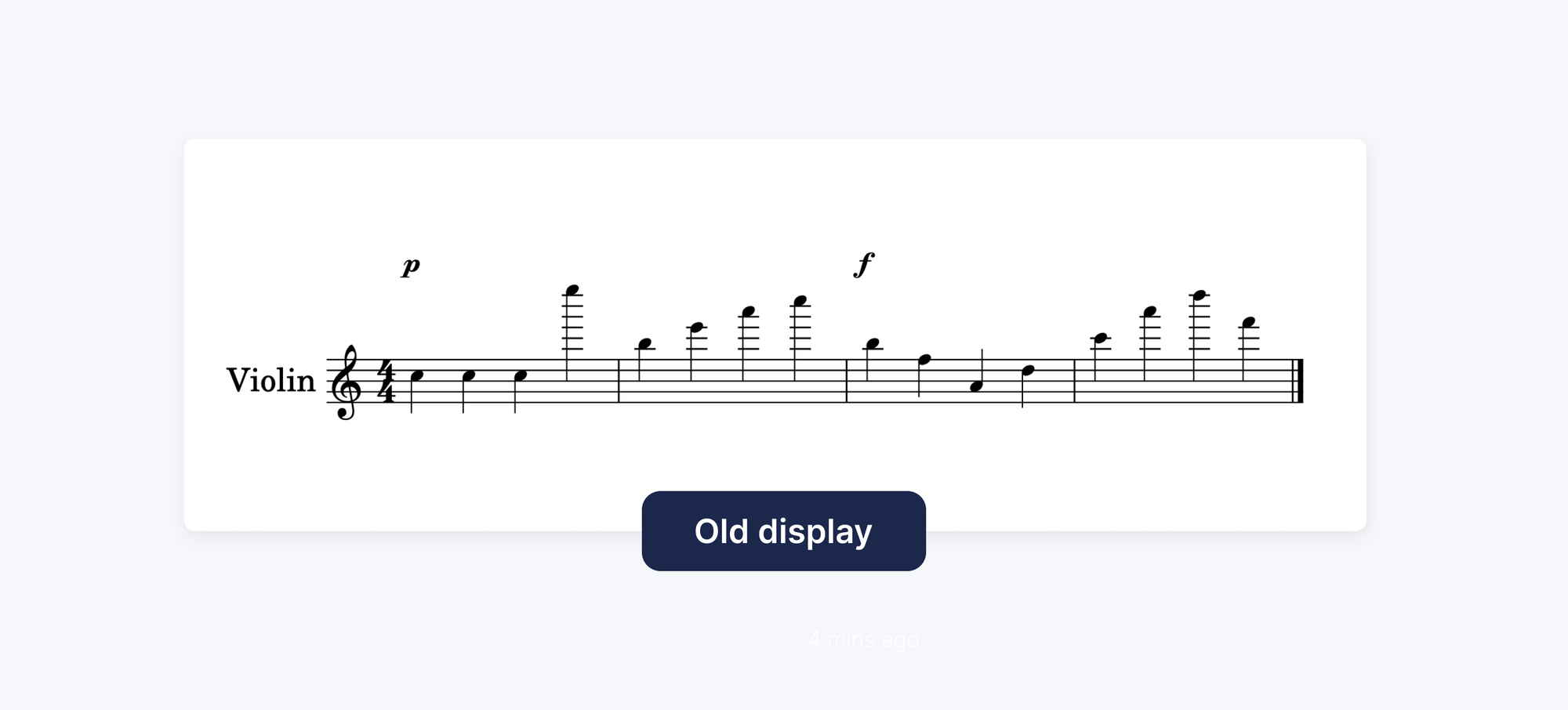
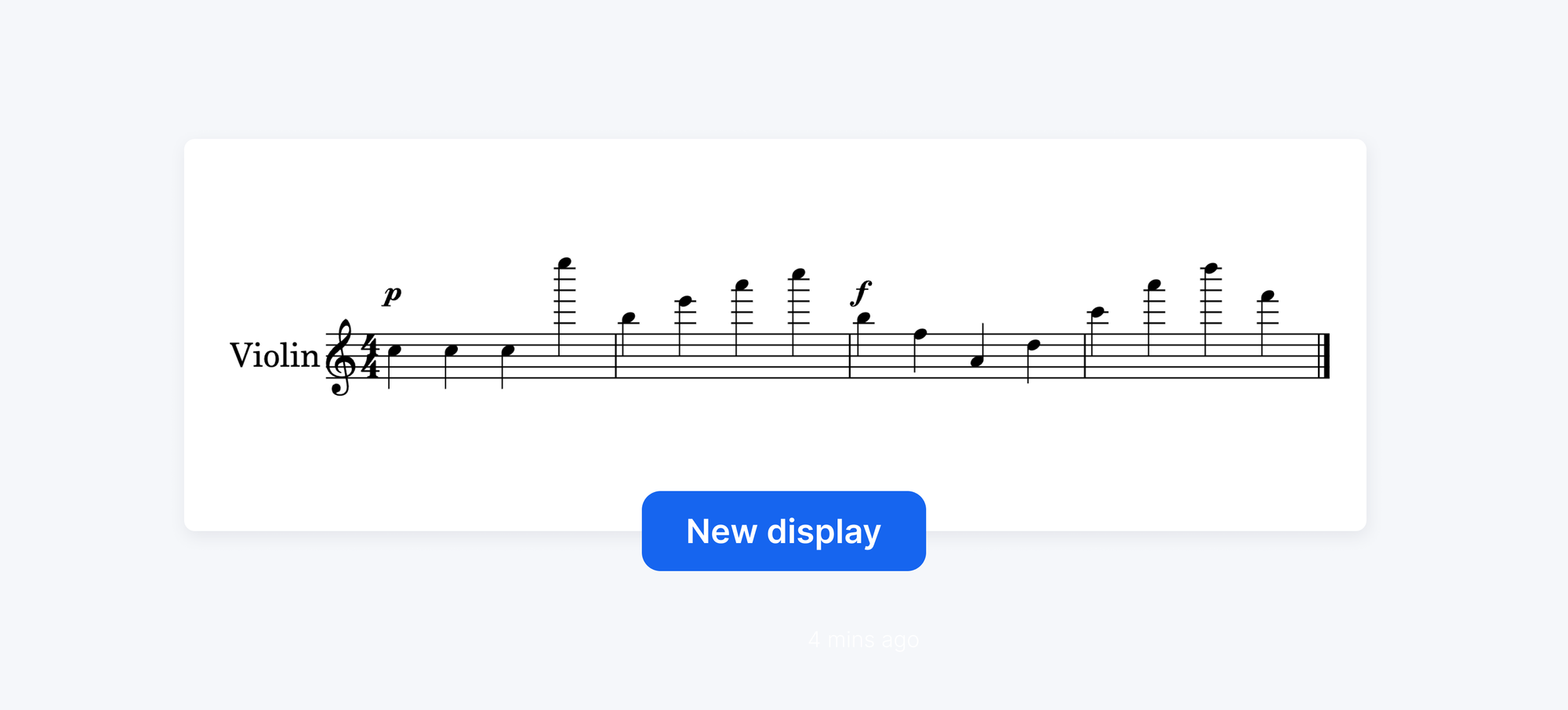
Sheet music display update with better placement of musical elements like accents and dynamic markings based on note alignment.
💬 Tell us what you think
Engraving accuracy is part of a bigger journey: making Flat a place where musicians can create, collaborate, and share scores with confidence. This release focuses on the details that shape how music is read but it’s also a signal of what’s to come:
- More Rendering Improvements: Flat currently uses SVG to keep scores crisp at any zoom level, and we’re already experimenting with technologies like WebGL—the same graphics engine behind tools like Figma. By shifting more rendering work to your device’s GPU, even large orchestral scores can remain smooth and responsive.
- A New Toolbar: We’re rebuilding the toolbar to reduce clutter and better match your workflow, making tools easier to find with fewer clicks and a cleaner workspace.
Here is a first look at the redesigned toolbar and the new collapsible side panel:
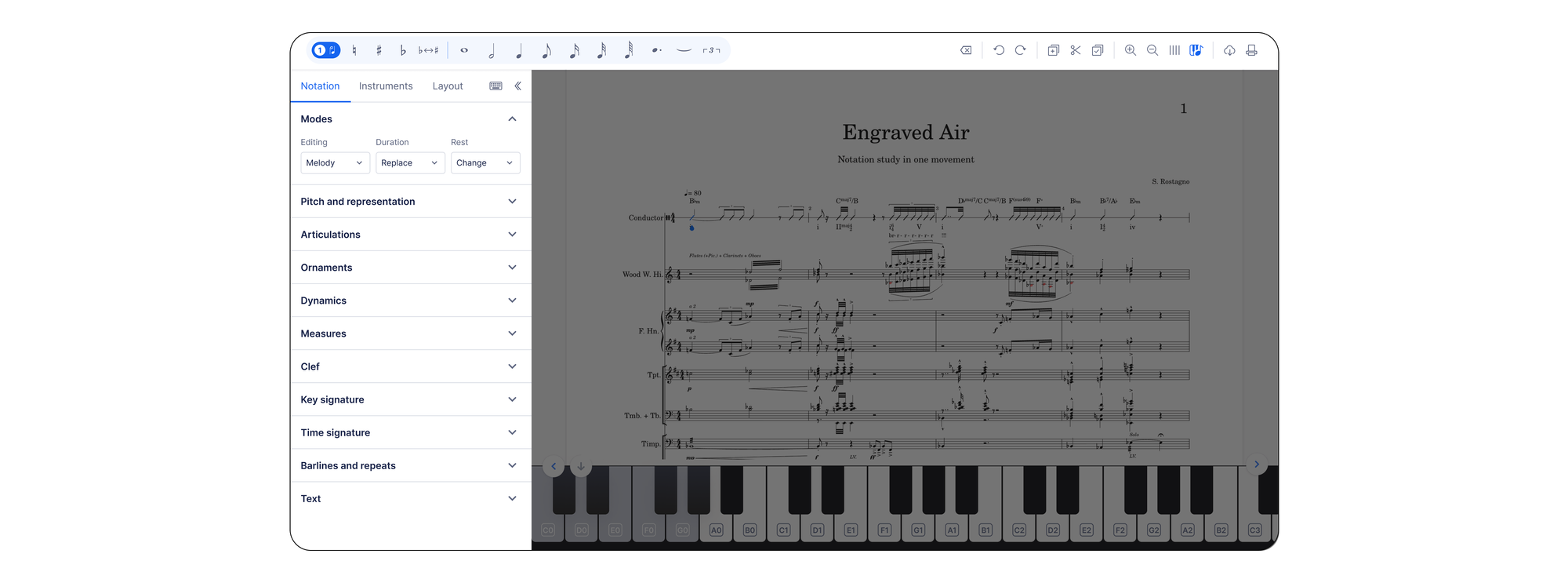
This redesign will roll out first on the web, with mobile updates following shortly after.
- New notations: 16th-note tuplets, and ''a tempo'' marking.
Our focus remains the same: evolving our editor so every update makes your music clearer, your workflow smoother, and your scores easier to share.

Send us your thoughts at hello@flat.io. Every detail you share helps us continue improving Flat’s music notation software for the entire community.
Professional engraving is no longer a finishing touch—it’s part of every score you create with Flat.
Thanks for growing with us!