Whether you're writing your first melody or arranging for a full ensemble, the right music composer software makes a real difference. But with so many options — free, paid, browser-based, desktop — it's hard to know where to start.
This guide covers the best tools available in 2026, what each one is actually good for, and how to pick the right one for your workflow. All options below have a free tier.
1. Flat — best online music composer
Flat is the most accessible full-featured music composer available in a browser. You open it, pick your instruments, and start writing — no download, no setup, no account required to get started.
What makes it stand out from other online options is the combination of real-time collaboration and cross-device sync. You can invite someone to edit the same score simultaneously, from different devices, on any plan including free. Start a score on your desktop, continue on your phone, share a link with a collaborator who doesn't even have an account — they can play it back in their browser instantly.
Notation coverage: Full standard notation — dynamics, articulations, ties, slurs, trills, grace notes, multiple voices, chord symbols, lyrics, guitar tabs, transposing parts, MIDI input. Covers the full range for student composition, arranging, lead sheets, and ensemble writing. If you write mainly for one instrument, Flat has focused guides too, like the piano sheet music maker.
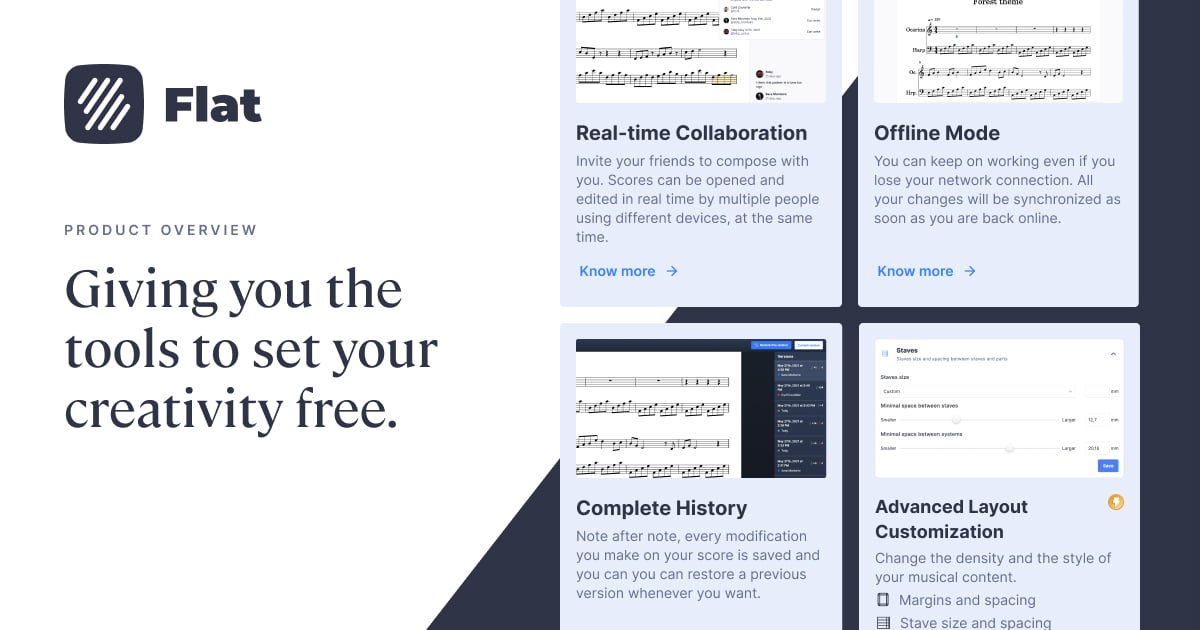
Instruments: 30 instruments on the free plan. Flat Power ($9.99/month, $49/year, or $299 lifetime) adds 180+ instruments, cloud sync, inline comments, version history, and advanced export.
Best for: Anyone who wants to compose online — students, hobby composers, arrangers, educators, and anyone working across multiple devices or with collaborators.
2. MuseScore Studio — best free desktop composer
MuseScore Studio is the strongest free desktop notation tool available. It's open-source, runs on Windows, macOS, and Linux, and has no subscription — everything is free, including the full notation feature set.
The Muse Sounds library (installed separately via MuseHub, also free) produces high-quality orchestral playback that rivals paid tools. For a solo composer working from a single desktop machine who needs deep engraving control and professional-level playback at zero cost, MuseScore is hard to beat.
The trade-offs: no real-time collaboration, no browser version, no mobile editor, and a steeper learning curve than Flat. On Chromebook, it can be installed via the Linux app but requires setup and has known stability issues.
Best for: Composers who work solo on a desktop, need advanced engraving, and want completely free software.
3. Sibelius — professional standard for orchestral composers
Sibelius is the long-standing professional notation tool used in film scoring, orchestral publishing, and conservatoire education. It runs on macOS and Windows as a desktop app, with a mobile app for iOS, Android, and Chromebook.
Sibelius First is free but limited. Sibelius Artist costs $99/year (up to 24 staves). Sibelius Ultimate costs $199/year (unlimited staves, complete engraving features, video sync and timecode, educational worksheet creator). A perpetual license bundle is available at $899 one-time.
Sibelius has no real-time collaborative editing and no browser version. For professional composers with demanding engraving requirements and a Pro Tools studio setup, it remains the industry reference. For most other use cases, it's more complex and expensive than necessary.
Best for: Professional film/orchestral composers, conservatoire-level work.
4. Dorico — best-in-class engraving
Dorico, made by Steinberg, is widely considered the most sophisticated notation software available for professional engraving. It handles complex contemporary notation, advanced layout control, and high-quality playback with more depth than any other tool on this list.
Dorico SE is free. Dorico Elements is a one-time purchase at $99.99. Dorico Pro is a one-time purchase at $579.99 — there is no subscription option for the desktop version. There's no browser version and no collaboration.
For composers who need the absolute highest level of engraving control — complex contemporary scores, publication-ready output — Dorico is the professional benchmark. For everyone else, the complexity and price are hard to justify.
Best for: Professional engravers and composers with complex, publication-level needs.
Every tool on this list has its own strengths. The right choice depends on where you work, who you work with, and how much you need. If you're not sure, start with the free options — most of these tools will tell you within an hour whether they fit your workflow.
FAQ
What is the best free music composer software?
For online use, Flat is the strongest free option — full notation editor, real-time collaboration, and no download required. For desktop-only use, MuseScore Studio is completely free with professional-level features and an excellent orchestral sound library.
Is there a music notation software that works in the browser?
Yes. Flat works entirely in the browser across all devices, including Chromebook. Noteflight is also browser-based. Most other professional notation tools (MuseScore, Sibelius, Dorico) require a desktop install.
What music composer software do professionals use?
Film and orchestral professionals most commonly use Sibelius or Dorico for notation-heavy work. Many also use DAWs like Logic Pro or Pro Tools alongside notation software. Flat is widely used by educators, ensemble composers, and working arrangers who value speed and collaboration.
Can I compose music online for free?
Yes. Flat's free plan includes the full notation editor, real-time collaboration, and playback — no account required to get started. Noteflight also has a free tier, though it's more limited.
What's the difference between music notation software and a DAW?
Notation software (Flat, MuseScore, Sibelius, Dorico) is designed for writing music on a staff — the output is sheet music that musicians read and perform. A DAW (Logic Pro, Ableton, FL Studio) is designed for producing recorded audio — the output is an audio file. Many composers use both: notation for writing and arranging, a DAW for final production and audio export.
Does Flat work offline?
Yes. Flat Desktop (available for Mac and Windows) works fully offline, with scores saved locally on your device. With Flat Power, your scores sync automatically to the cloud when you're back online.