Most grooves don't fit in a single bar. A drum pattern, a bass vamp, a rhythm section figure - these settle into a two-bar phrase, and until now there was no clean way to notate that in Flat. You had to duplicate bars, use workarounds, or leave the chart looking messier than the music deserved.
That changes today. The 2-measure repeat is now in Flat: one symbol, two bars of repetition, accurate playback.
What's new
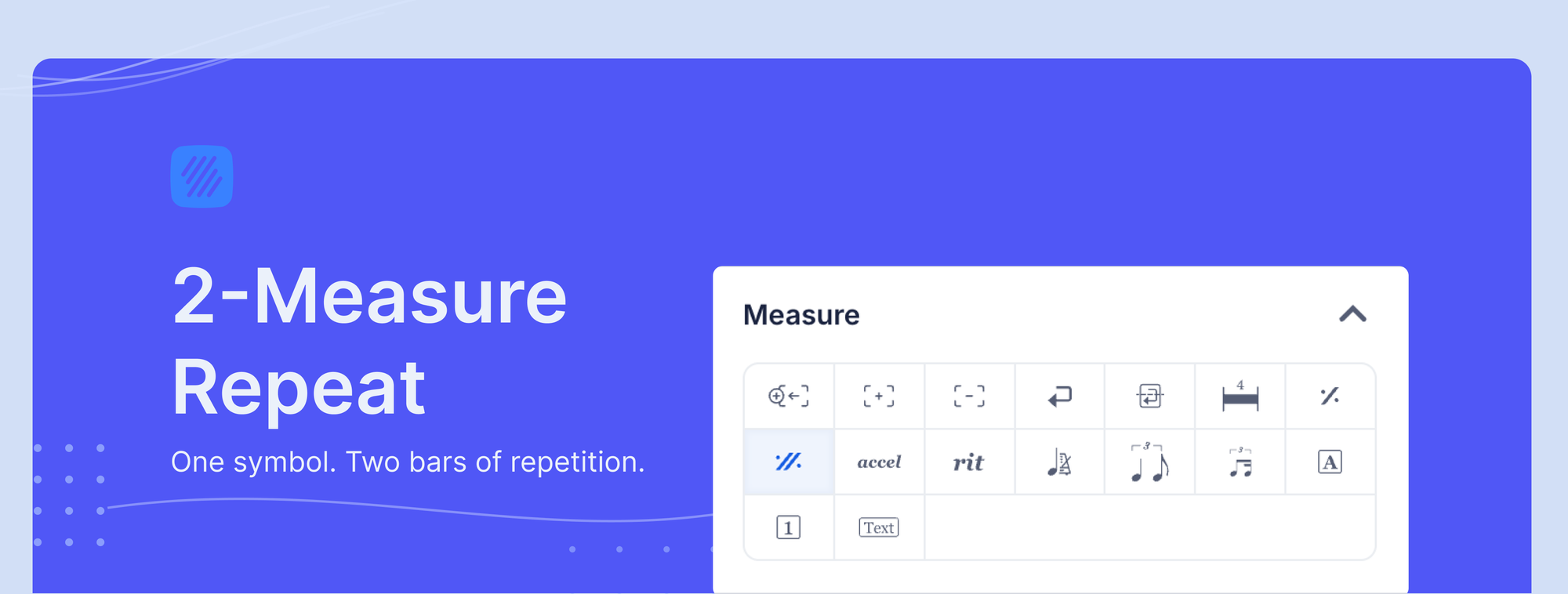
The Measure toolbar now has two distinct tools side by side: the existing 1-measure repeat and the new 2-measure repeat. Apply the new tool and Flat:
- Renders a distinct two-bar glyph, centered on the barline between the repeated measures
- Plays back the previous two measures as a unit
- Treats the repeat as a single object - clicking either bar in the span selects the whole thing, and deleting it clears both bars at once
- Exports cleanly via MusicXML, so the symbol survives to other notation tools or DAWs
No setting to enable. Open the Measure toolbar and the new tool is there.
Why it matters
Drum charts, lead sheets, and rhythm section parts live and die by readability. When a bass line or comping pattern spans two bars, duplicating it across every repetition creates visual noise - more ink, more reading, more room for errors in performance.
The 2-measure repeat is the standard solution in handwritten and engraved charts. It signals to the player: this two-bar phrase repeats exactly. No guessing, no counting back through duplicated bars. Flat now handles it the same way.
When to use it
Reach for the 2-measure repeat when your pattern is a two-bar unit with internal variation - drum grooves, bass lines with a turnaround, rhythm guitar comping with a hit on beat 4 of bar 2 - and it repeats exactly, with no dynamic shifts, fills, or changes.
Use the 1-measure repeat when your pattern fits in a single bar. Use barline repeats when you need to repeat a longer section that doesn't divide neatly into two-bar units. For repeat endings (first and second endings), see the repeat endings help page.

How to use it
- Write your two-bar pattern in measures 1 and 2
- Click measure 3, open the Measure toolbar, and click the 2-measure repeat tool
- The symbol appears centered on the barline between measures 3 and 4, and playback replays measures 1 and 2
To extend the repeat further, apply it to measures 5 and 6, 7 and 8, and so on. To remove: click anywhere in the two-measure span and hit delete. Both bars clear together.
Not sure where to find the Measure toolbar? Use Quick Search - press / in the editor and type "measure repeat" to jump straight to it.
Try it now
Open your next arrangement in Flat and put the 2-measure repeat to work. Your rhythm section will thank you.