If you use Flat regularly, you know that composing isn’t just about getting notes down — it’s about staying in the flow. Small interruptions add up: fixing spacing after a deletion, nudging markings into place, double-checking which voice a slur belongs to.
This update is about smoothing out those moments.
We’ve made a series of focused improvements to the Flat Editor that remove friction from everyday writing and editing — the kind of refinements you notice immediately, without changing how you already work.
Whether you’re composing quickly, editing dense scores, or teaching notation, the editor now behaves more like you expect it to.

🧠 Smarter editing that keeps you in the flow
Smart back-fill: scores reorganize themselves
If you’ve ever deleted a measure and then had to manually clean up empty bars or broken systems, you know how quickly that pulls you out of the creative mindset. To solve that, we’ve introduced smart back-fill.
When you remove a measure or even an entire line, the rest of your score slides back automatically to fill the space. You won’t be left with awkward blank measures or misaligned systems.
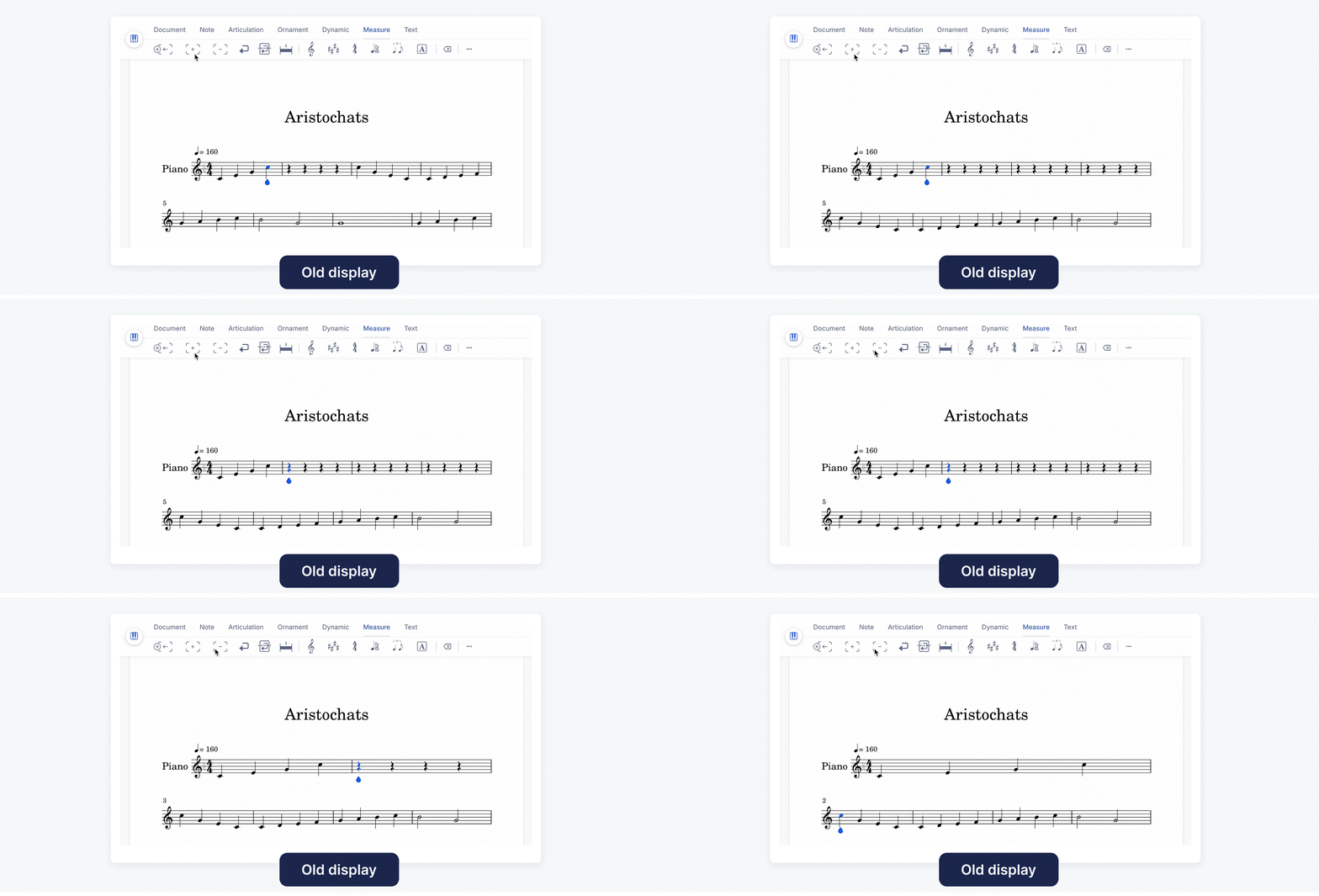
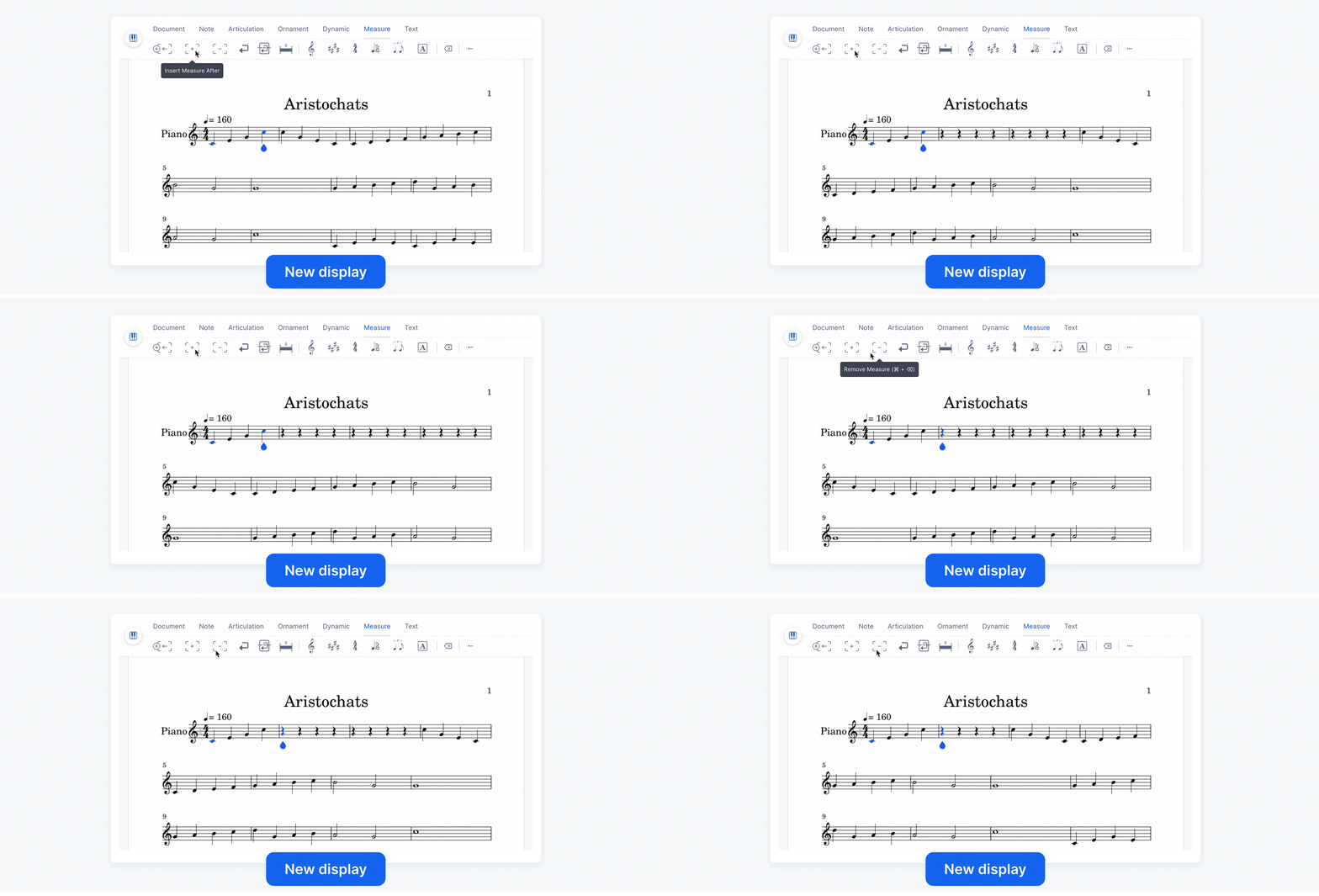
This seemingly small improvement has a big impact:
- Your scores stay visually clean and consistent without extra manual editing.
- You save time when rearranging phrases or restructuring your piece.
- The creative process stays focused on composition, not formatting.
Visual clarity for multi-voice writing
If you write for multiple voices, visual clarity is everything. One of the trickiest parts of editing polyphonic scores is keeping track of which slur belongs to which voice.
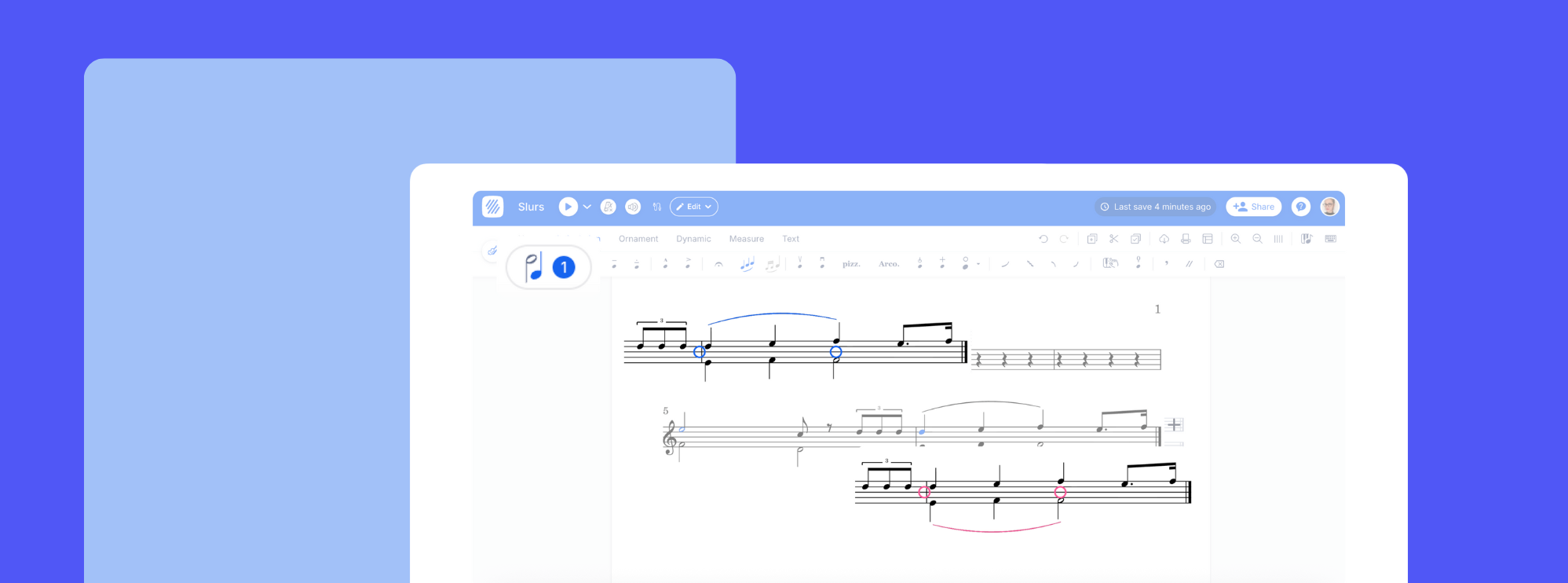
Slur now automatically match the color of the voices they belong to. Each slur automatically takes on the same color as its voice, giving you an instant visual cue.
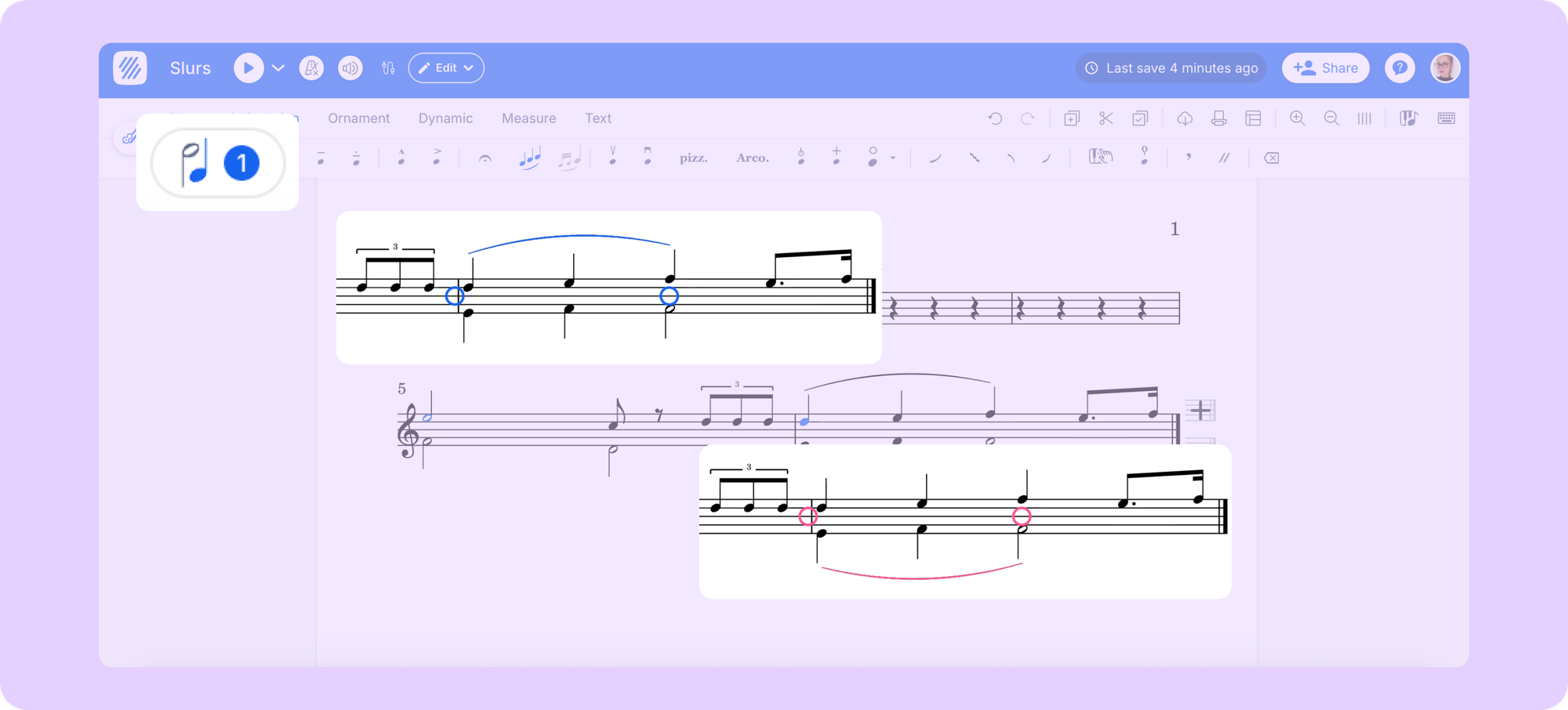
This update is especially useful for:
- Teachers and students, who can more easily distinguish parts during analysis or feedback sessions.
- Arrangers and orchestrators, who often work with overlapping voices and complex phrasing.
- Collaborators, ensuring consistency when several people edit the same score.
It’s a subtle change — but once you notice it, it’s hard to go back.
🎯 Precision tools for confident placement
The next two improvements are all about giving you immediate visual feedback while editing—so you can place dynamics, articulations, or text exactly where you want them.
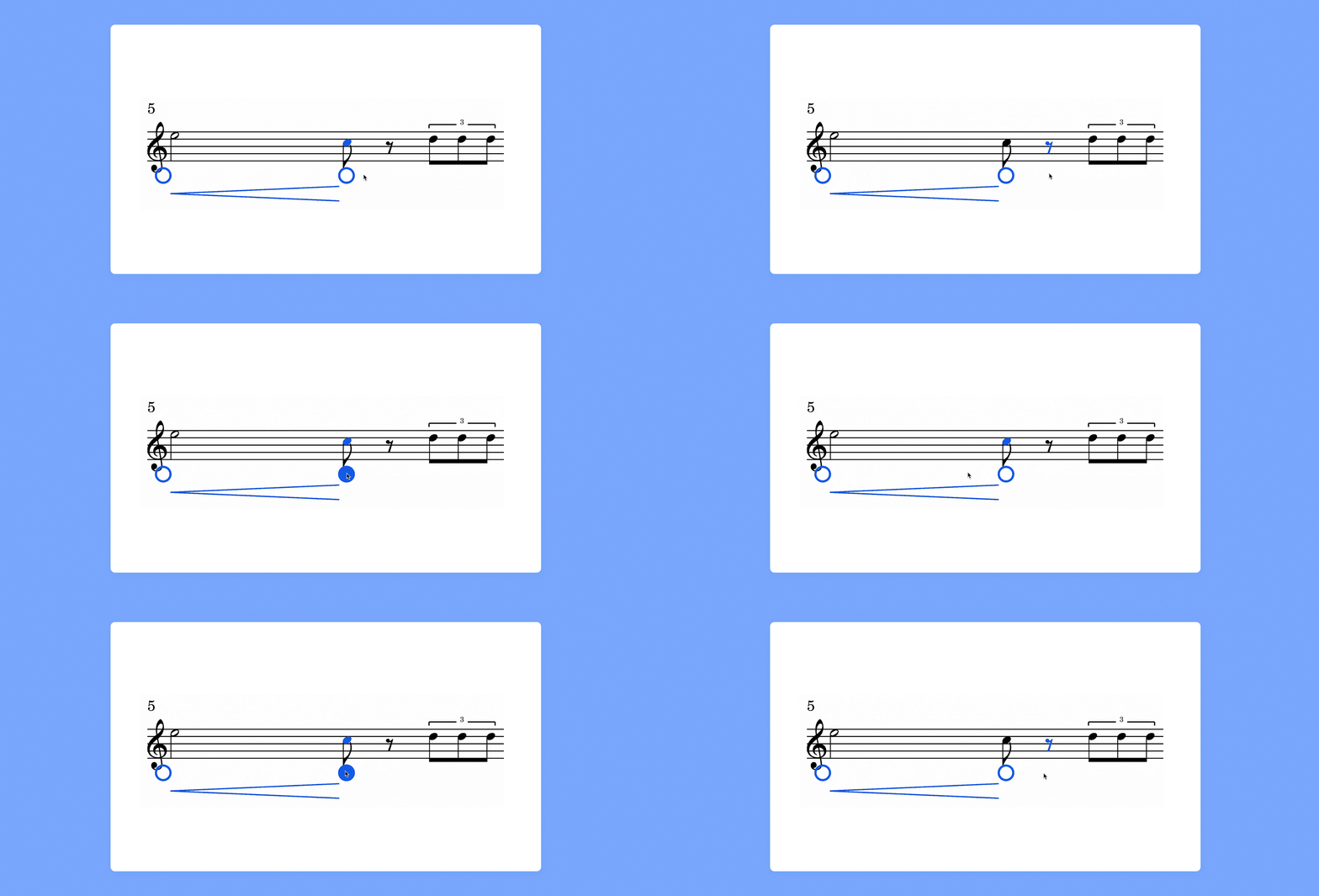
Live Hover Anchors
When you add a symbol, articulation, or dynamic marking, Flat now shows you a live preview anchor—a small blue guide that appears before you confirm placement. This lets you see, in real time, where the element will attach.
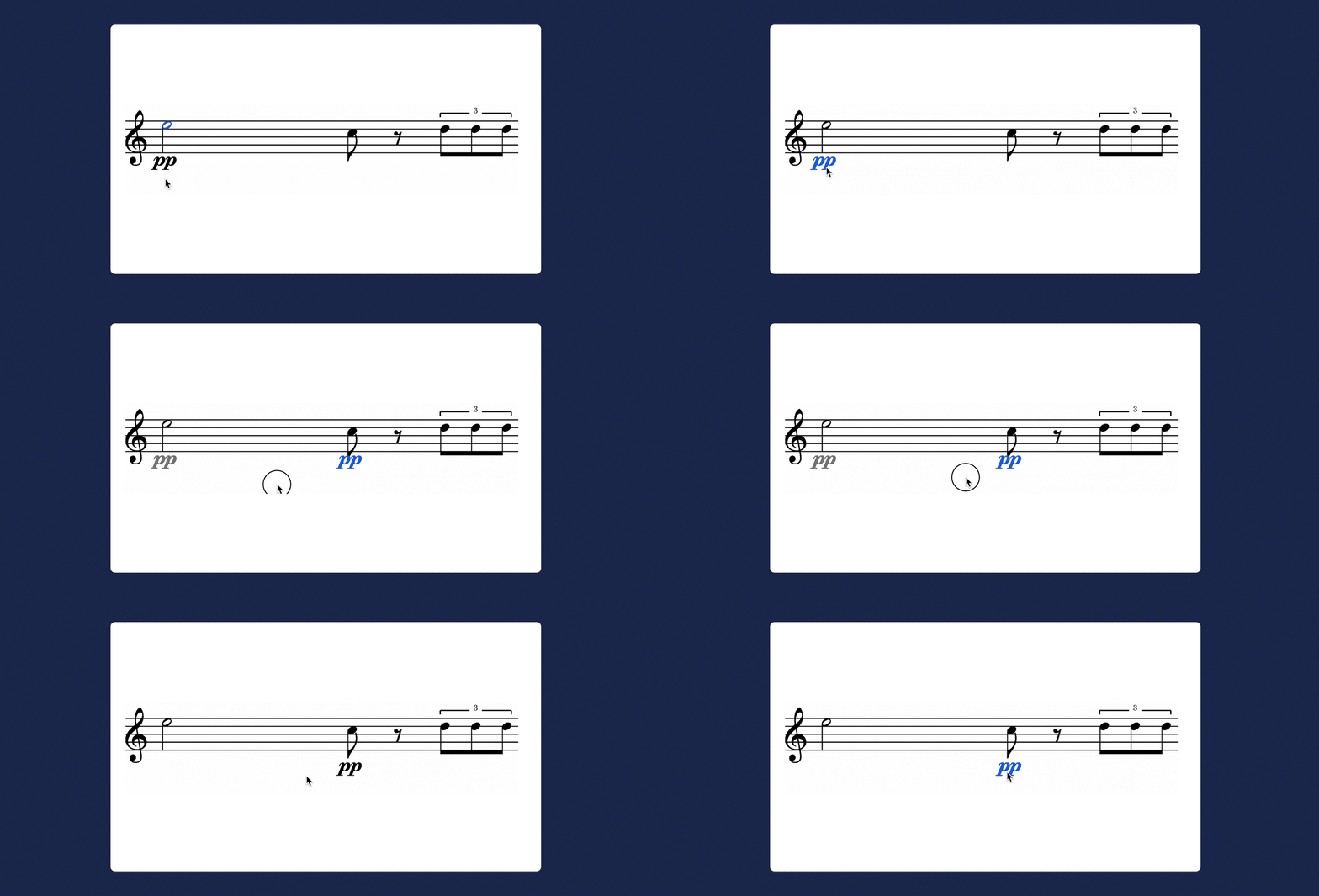
Drag ghost position
When moving any element, you’ll now see a faint “ghost” of its previous location. This helps you keep track of what’s changed and judge spacing at a glance. You’ll always know how far something moved and can visually compare both positions. It’s a small visual cue that adds a lot of confidence while editing.
Easier note input in dense arrangements
Composing for piano, strings, or large ensembles often means working with tight multi-staff layouts. Before, adding notes near another staff could sometimes feel imprecise—you had to zoom in or reselect the staff manually.
Now, Flat recognizes your intended staff area more intelligently, so you can input notes smoothly even when staves are close together.
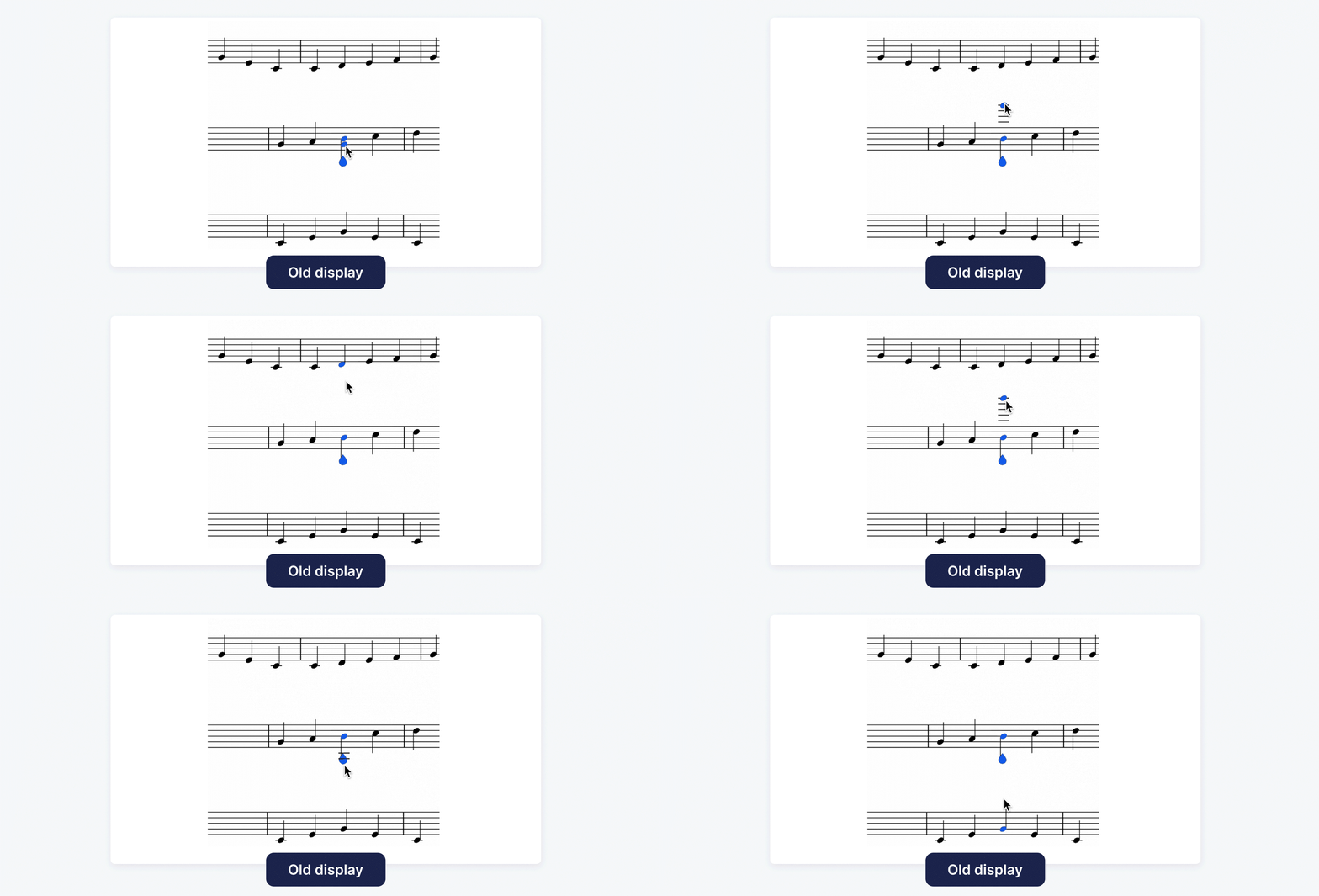
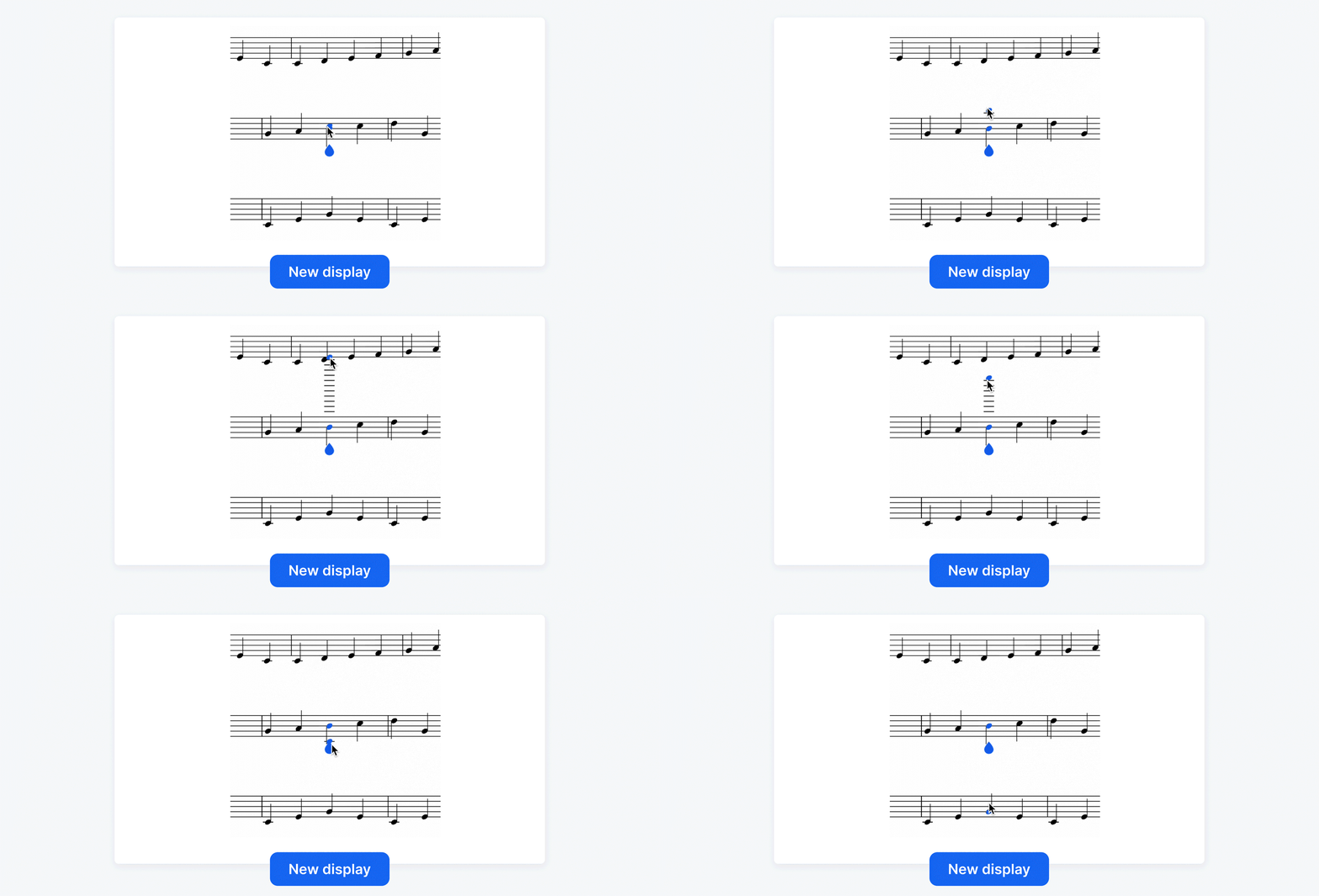
That means:
- Smoother note input in dense layouts
- Less zooming and fewer corrections
- Faster writing when working across multiple staves
The editor stays out of your way — even in complex scores.
🌍 Built for how you actually use Flat
This update was crafted with every user in mind. Whether you’re a music teacher creating exercises, a student learning notation, or a composer arranging a film score, these improvements serve the same goal: make writing music faster, clearer, and more enjoyable.
The refinements also strengthen Flat’s mission to bring professional-quality engraving and real-time collaboration into an accessible, cloud-based environment. You can work anywhere—on any device—and still rely on the same precision you’d expect from desktop notation software.
This update is part of an ongoing effort to smooth out the small details that matter most when you’re writing music.
🚀 What’s Next: A Smarter, Cleaner Toolbar (Coming Soon!)
We’re almost ready to launch a brand-new toolbar for the Editor — and you’ll be among the first to try it. 🎉
This redesign is all about simplicity — fewer tabs, fewer clicks, and far less clutter. Tools will appear right when you need them, adapting to your workflow so you can stay focused on writing music, not hunting for options.
Here is a first look at the redesigned toolbar and the new collapsible side panel:
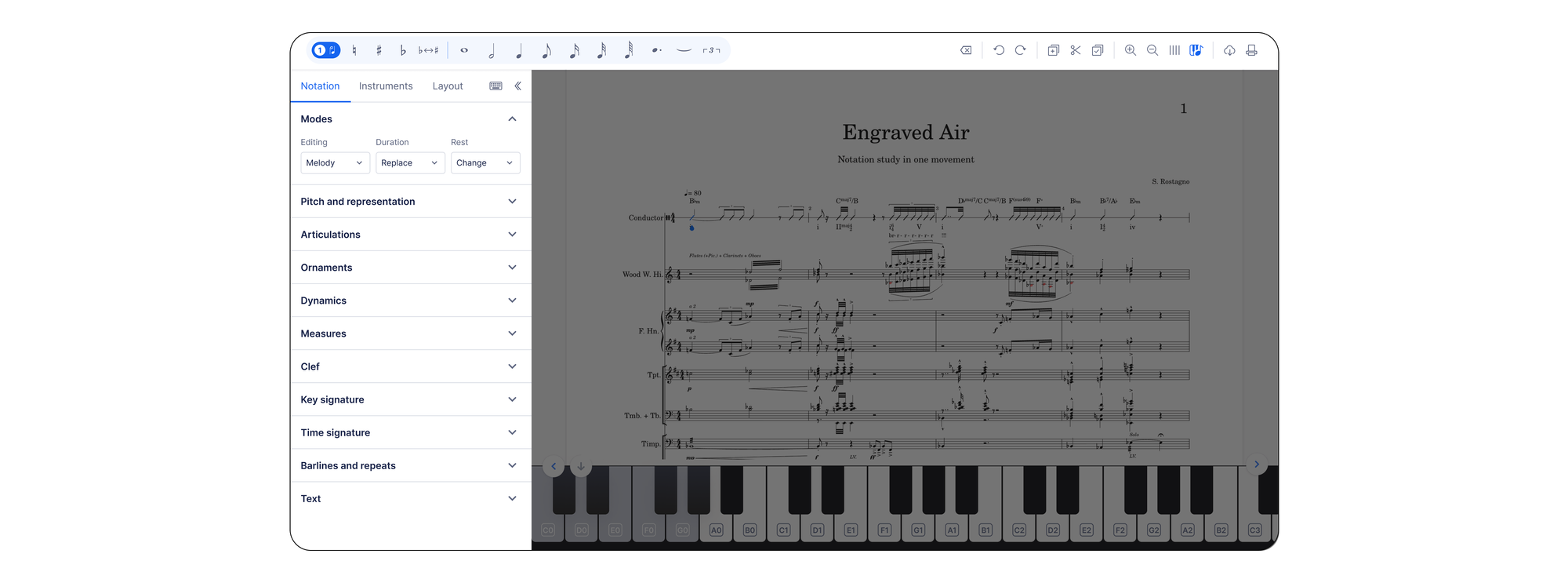
The new toolbar will roll out in beta on the web version very soon, with mobile updates following shortly after. And here’s where you come in:
🗣️ We’ll be counting on your feedback to help us fine-tune it. Once it’s live, tell us what feels faster, what could be smoother, and what would make it even better.
Together, we’ll shape a tool that works the way you compose.
💬 Keep the feedback coming
Many of these changes came directly from how you use Flat — and from the friction points you’ve shared with us.
If something feels noticeably faster, clearer, or still a little rough around the edges, we want to hear about it. Your feedback genuinely shapes what we improve next.
Thanks for composing with Flat — and for helping us make the editor better with every update.