Unlock creativity with custom instruments
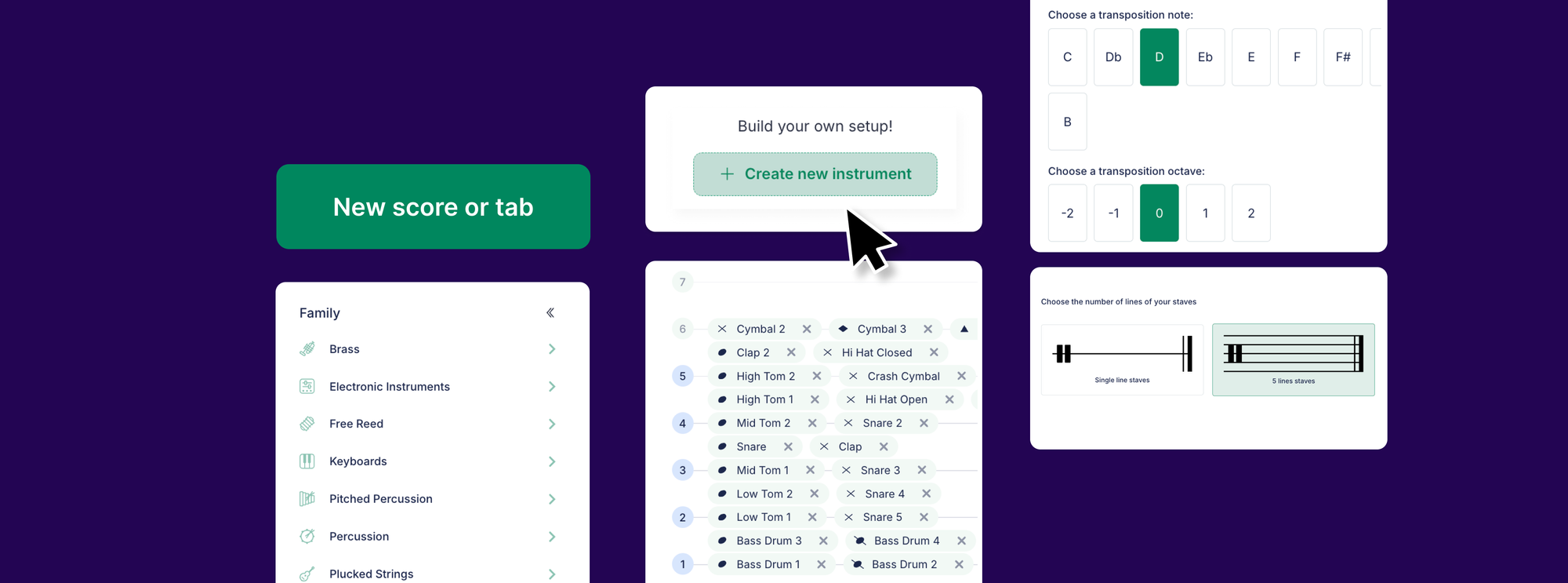
What if you could bring entirely new sounds into your classroom? With Flat for Education's Custom Instruments feature, both educators and students can design original musical tools from scratch.
What Are Custom Instruments?
This feature lets users create entirely new instruments from the ground up, whether pitched (like flutes or guitars) or unpitched (like snares or cymbals). You can customize details like instrument name, pitch range, clef, and sound family.
⚠️ Important Note: This feature does not allow you to upload your own audio files. You design instruments using Flat's built-in tools and sound libraries.
How to Create a Custom Instrument in Flat for Education
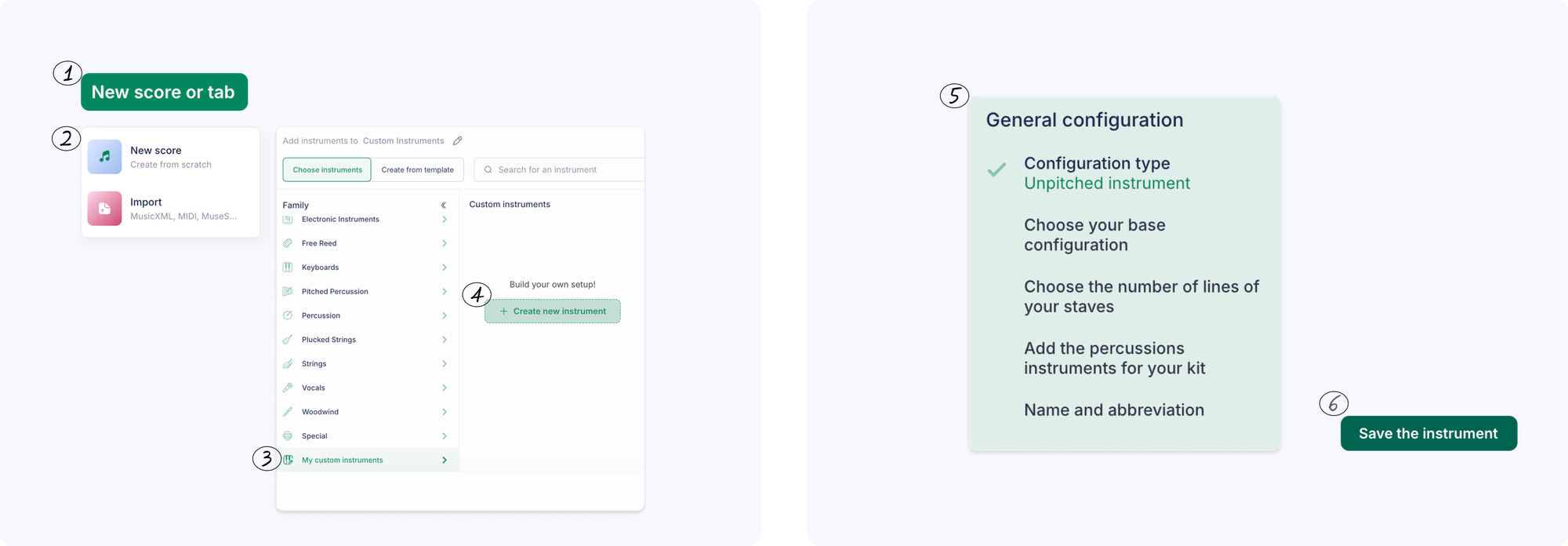
- Go to the Score Library and click on "New Score"
- Head to the instrument selection panel, "Choose Instruments"
- Choose "Create a custom instrument" at the bottom of the list
- Set your instrument's pitch range, name, and sound family.
- Save it to your account for future projects!
Why educators love it
- Foster creativity: Give students the freedom to invent sounds.
- Personalized assignments: Challenge students to compose using only their own instruments.
- STEAM crossover: Perfect for lessons on acoustics, sound design, and digital music creation.
Benefits for students
- Build confidence: There's no "wrong" way to make an instrument.
- Interactive learning: Designing instruments makes students more active participants.
- Collaborative fun: Students can use each other's custom instruments.
- Own their sound: Every score becomes more meaningful with original instruments.
Flat for Education's Custom Instruments makes music education more creative, inclusive, and engaging. So go ahead and invent the "Thunder Harp" or "Bubble Bass." Let your classroom sound like nothing else out there.
Not on Flat for Education yet? Join thousands of teachers using Flat for Education. Try it free for a month!

Musically Yours,
Flat for Education