How to create, assign, and inspire creativity in your digital music classroom
Technology is transforming how students learn music, even in the earliest grades. From rhythm practice to composition projects, digital music teaching tools help young learners understand musical concepts while staying engaged and creative.
In this guide, you’ll learn how elementary music teachers can use Flat for Education to create classes, assignments, and fun music projects that make learning interactive. Whether you teach in person or online, these step-by-step examples will help you bring creativity and confidence to your classroom.
1. How to Bring Technology into Your Elementary Music Classroom
Before your students start composing, you’ll want to create your class inside Flat for Education. Setup takes just a few minutes and connects seamlessly with your existing tools.
Step-by-Step: How to Create a Class
- Log in to your Flat for Education teacher account.
- Click “Classes.” on the left hand-side menu and then "Create a new class".
- Choose how you’d like to connect:
- Google Classroom, Canvas, Schoology, or Moodle: Your roster syncs automatically.
- Manual setup: Add students with a join code or by email.
- Set your class name, grade level, and any specific settings for your students
- Click Create, and your class is ready to go!
Your students can now join instantly, and you’ll have a central space to manage every assignment, track progress, and collaborate on music activities.
2. The Best Digital Tools for Teaching Elementary Music
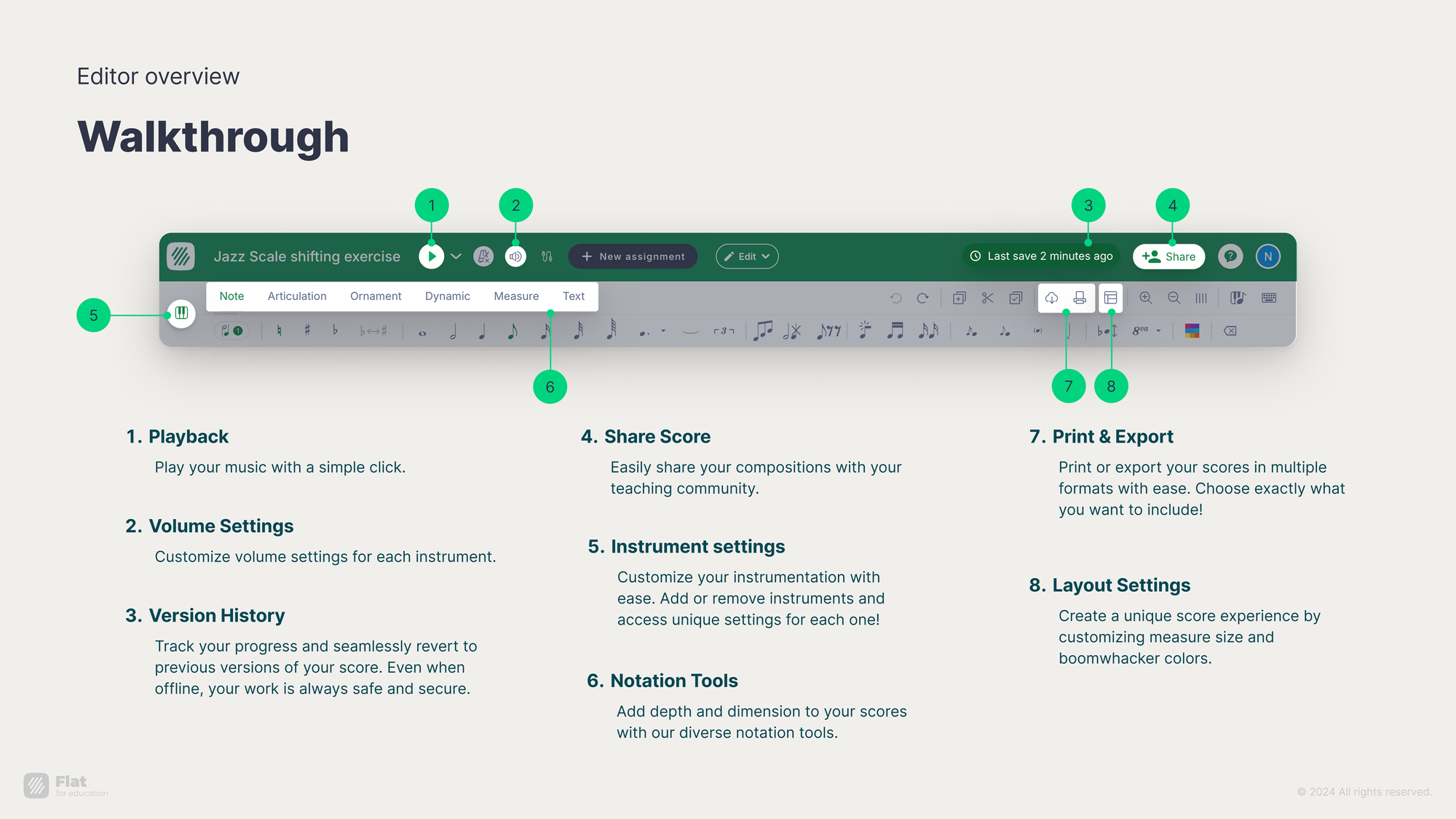
The Flat for Education notation editor is at the heart of the platform. It’s designed to be simple enough for young learners while powerful enough for professional music educators.
Here are 10 essential features that make teaching elementary music intuitive and fun:
1. Color Notes and Boomwhackers Mode
The color-note display helps students connect pitch and color, ideal for early learners and color-based classroom instruments.
2. Fingering Charts
Students can view recorder or string fingering charts directly in the editor, linking notation to technique and instrument learning.
3. Simplified Note Entry
Teachers can hide advanced tools so young learners only see what they need, keeping the interface simple and age-appropriate.
4. Built-in Playback
Students can instantly hear their compositions, improving rhythm, pitch recognition, and musical independence.
5. Kodály Notation
Teachers can display pitches as solfege syllables to support singing accuracy and pitch literacy in early music education.
6. Customizing DO type
Choose between movable or fixed “Do” to align solfege instruction with your teaching approach or district curriculum.
7. Midi Compatibility
Students can connect a MIDI keyboard to record melodies, expanding creative and performance-based learning.
8. Collaboration Tools
Students can compose together in real time, while teachers follow progress and provide instant feedback.
9. Create custom instruments
Available to both teachers and students, this feature lets you create custom instruments from scratch, whether pitched (like flutes or xylophones) or unpitched (like drums or cymbals).
10. Accessibility and Cloud Sync
Flat for Education works in any browser, on Chromebooks, tablets, or computers. No installations or complex setup, just log in and start composing.
3. How to Create Interactive Music Assignments That Engage Elementary Students
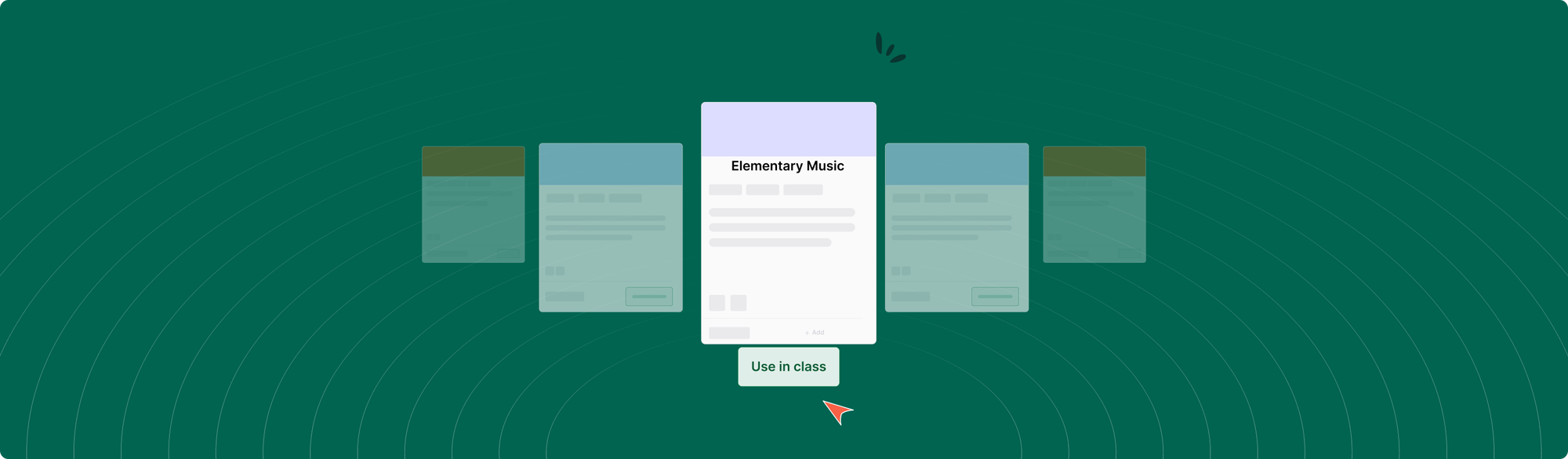
Once your class is set up, it’s time to assign lessons and projects. The Flat for Education Assignment Library gives you templates and examples you can adapt for your classroom.
How to Access the Assignment Library
- From your dashboard, click My Assignments → New Assignment.
- Browse by category: Worksheets (music theory), Composition, Performance, and Shared Writing.
- Preview assignments and customize them for your grade level or class focus.
Assignment Ideas for Your Elementary Music Classroom
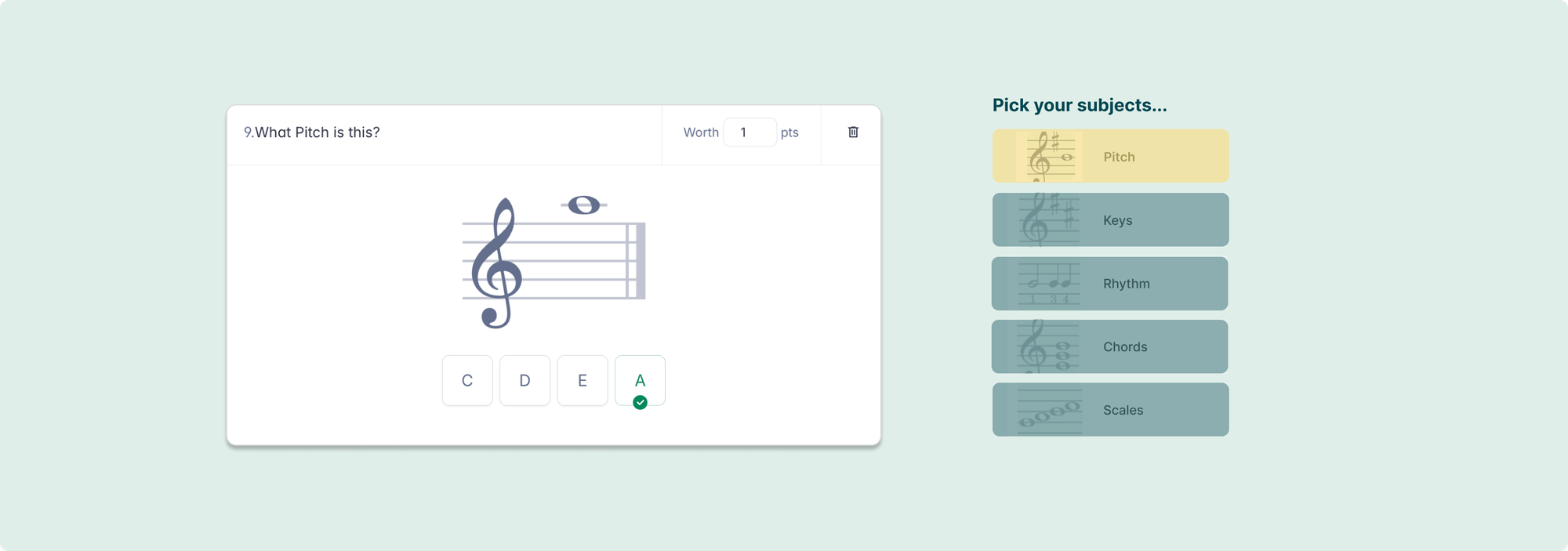
A. Music Theory Worksheet
- Goal: Reinforce music theory and symbol recognition.
- Example: Select the correct note name, rest, or symbol that matches the question.”
- Why it works: Auto-graded worksheets provide instant feedback, freeing up class time for creative work.
B. Composition Assignment
- Goal: Encourage creativity and reinforce theory concepts.
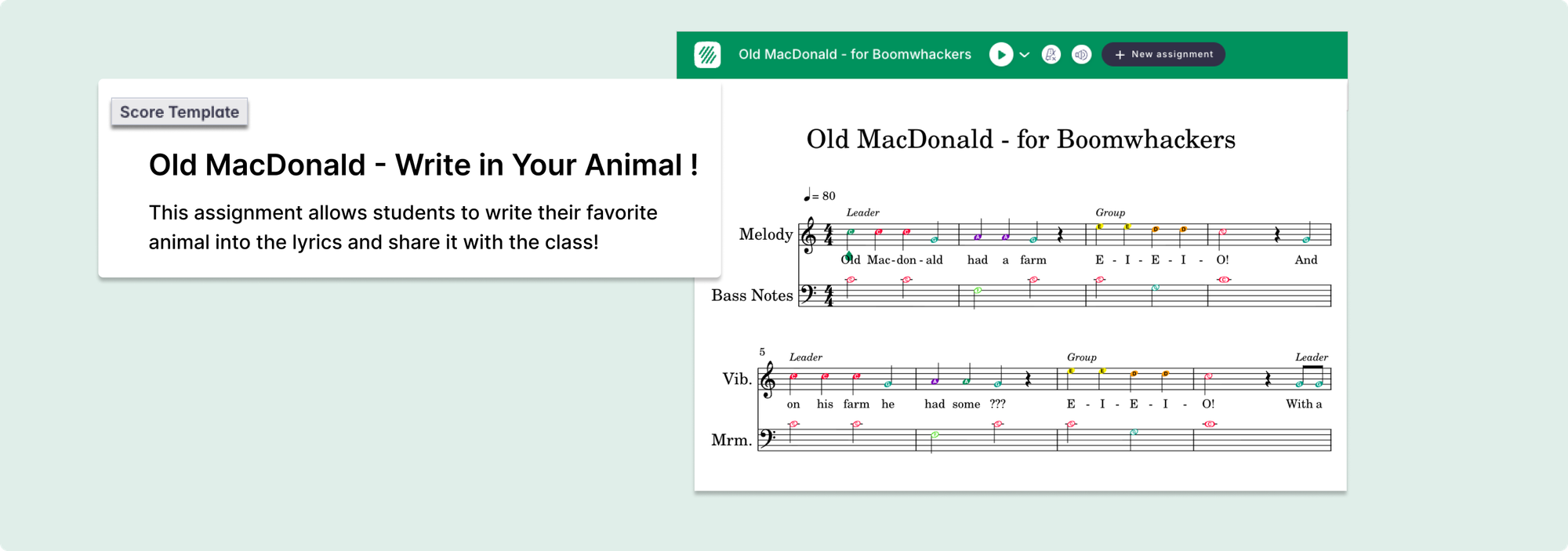
- Example: “Compose your own four-measure melody using quarter and eighth notes. Try writing something that could fit after Old MacDonald!”
- Why it works: Short creative tasks let students apply theory skills while feeling proud of creating something original.
C. Shared Writing Project
- Goal: Build collaboration and musical imagination. Possibility to divide students into groups.
- Example: “As a class, write a new verse for The Wheels on the Bus. Each student adds one musical phrase or lyric idea.”
- Why it works: Cooperative songwriting helps students listen, share ideas, and understand musical structure together.
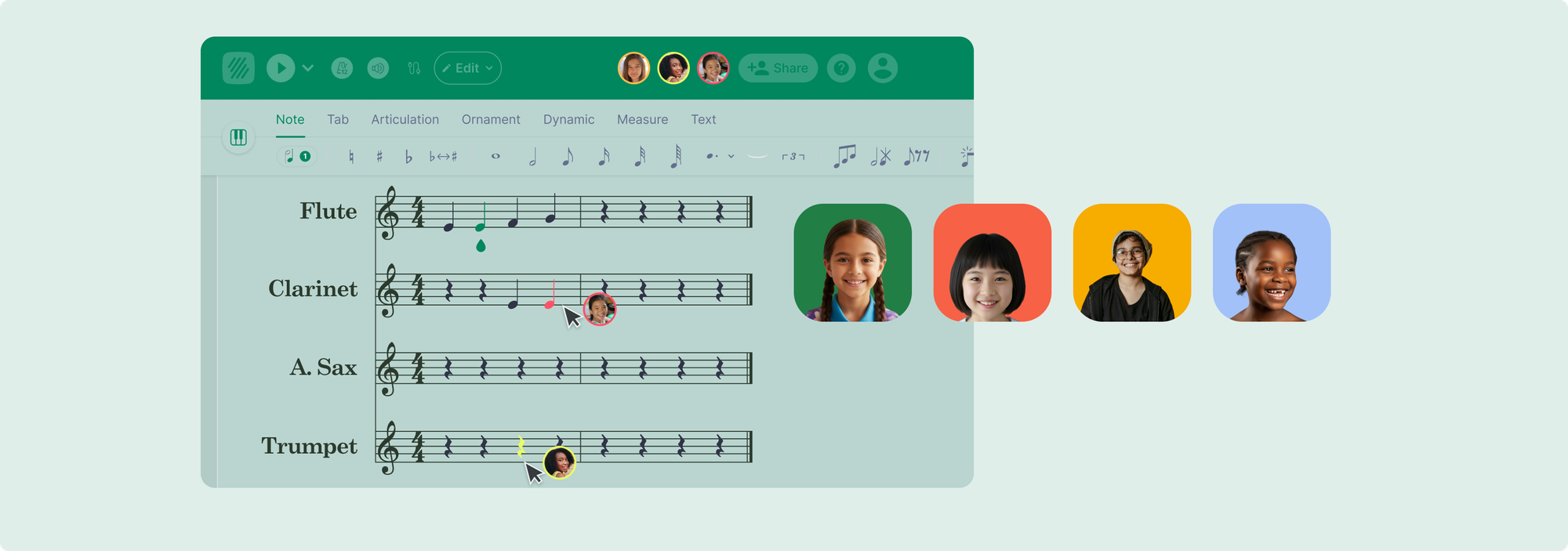
D. Performance Task
- Goal: Connect notation to performance in a fun, familiar way.
- Example: “Perform Old MacDonald Had a Farm using the notes shown on your score. You can sing it, play it on classroom instruments, or clap the rhythm.”
- Why it works: A familiar song keeps young students confident and engaged while reinforcing rhythm, pitch, and notation reading through performance.
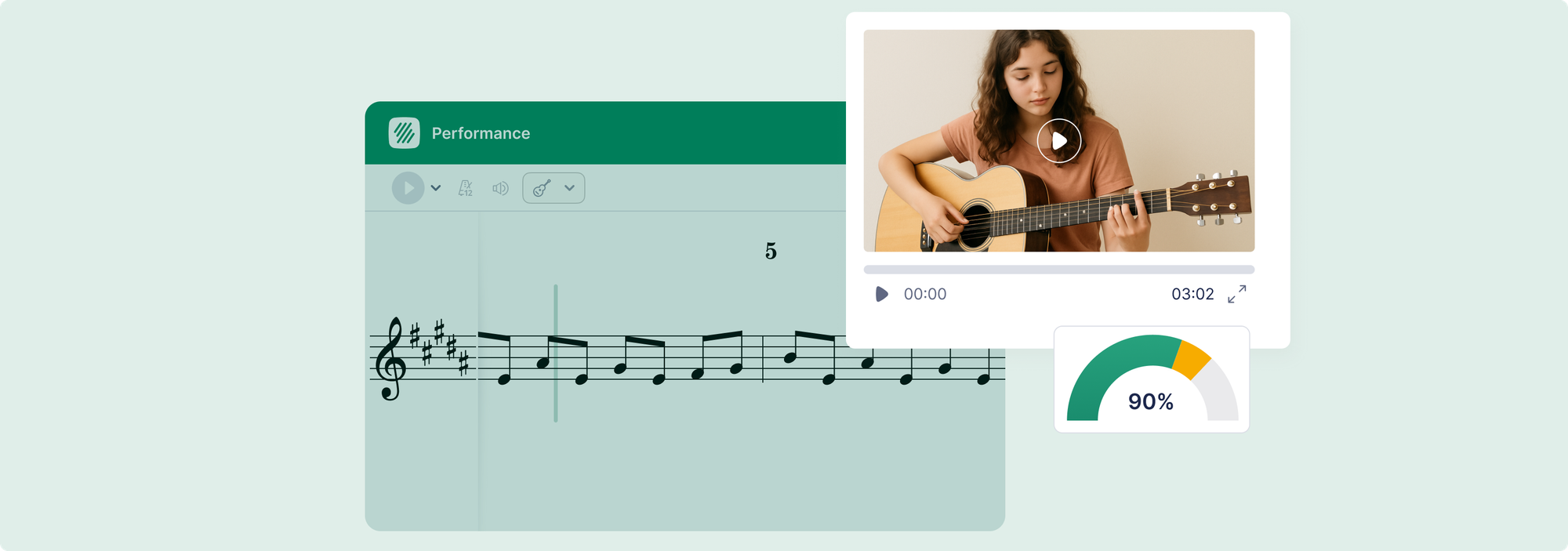
Flat for Education automatically collects and organizes submissions, so you can easily provide feedback, grade, and track growth over time.
Each pre-made assignment from your FFE Assignment Library can be customised to your needs and assigned to your classes.
👉 Learn more
4. How Music Teachers Can Collaborate and Share Lessons Digitally
Collaboration isn’t just for students. Flat for Education also supports teacher collaboration, making it easy for educators to share assignments, templates, and ideas across schools or departments.
How to Share an Assignment
- Go to My Assignments
- Select the assignment you want to share.
- Click “Share” (lock icon). That's it!
Your colleagues can use your assignment as-is or adapt it for their own students. This feature supports department alignment and curriculum consistency, especially useful for schools or districts with multiple elementary music teachers.
5. The Future of Classroom Music: Technology, Creativity, and Connection
Music education is evolving rapidly, and technology is no longer a luxury, it’s an essential part of the classroom. Today’s students are digital natives who expect interactive, hands-on learning experiences.
Platforms like Flat for Education make it possible for even the youngest musicians to compose, collaborate, and explore music with confidence. Teachers gain tools that streamline grading and organization while amplifying creativity and engagement.
The future of music education will continue to blend musical literacy, creativity, and technology. By integrating Flat for Education into your classroom, you’re not just keeping up with the change, you’re leading it.
Ready to bring technology to your music classroom or district? Start your free 30-day trial of Flat for Education and explore interactive teaching tools built for K–12 music programs.
About Flat for Education
Flat for Education is an online music notation and collaboration platform used by thousands of schools worldwide. It empowers students to compose, collaborate, and perform music directly from their browsers. With full LMS integration, flexible assignments, and built-in accessibility, Flat for Education supports music learning at every level—from elementary to high school.
Curious how Flat for Education supports music teachers in the classroom? Read our case studies to learn from real success stories.
Musically Yours,
Flat for Education