Count the tabs. Before class, a music teacher opens the platform for composition assignments. Then a browser tab for a metronome. Another for a tuner. A third for sight-reading exercises. A PDF to print for ear training. By the time students arrive, there are five things open and none of them talk to each other.
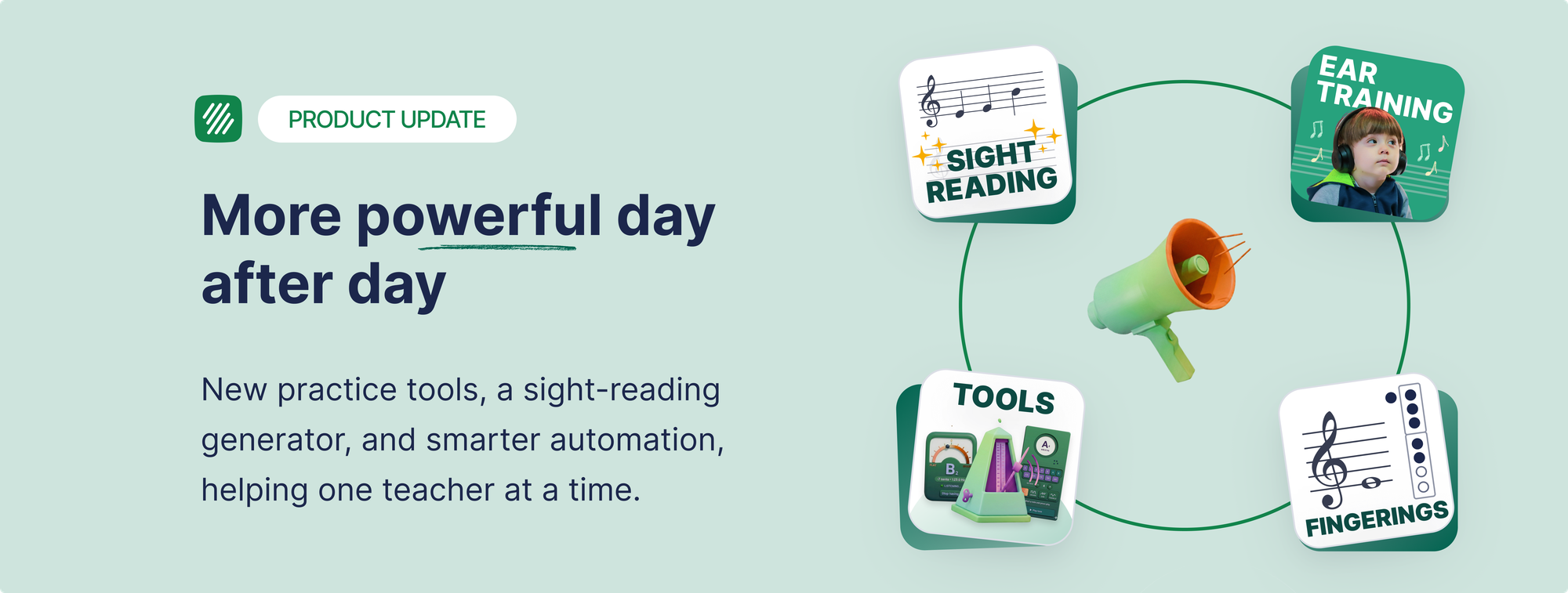
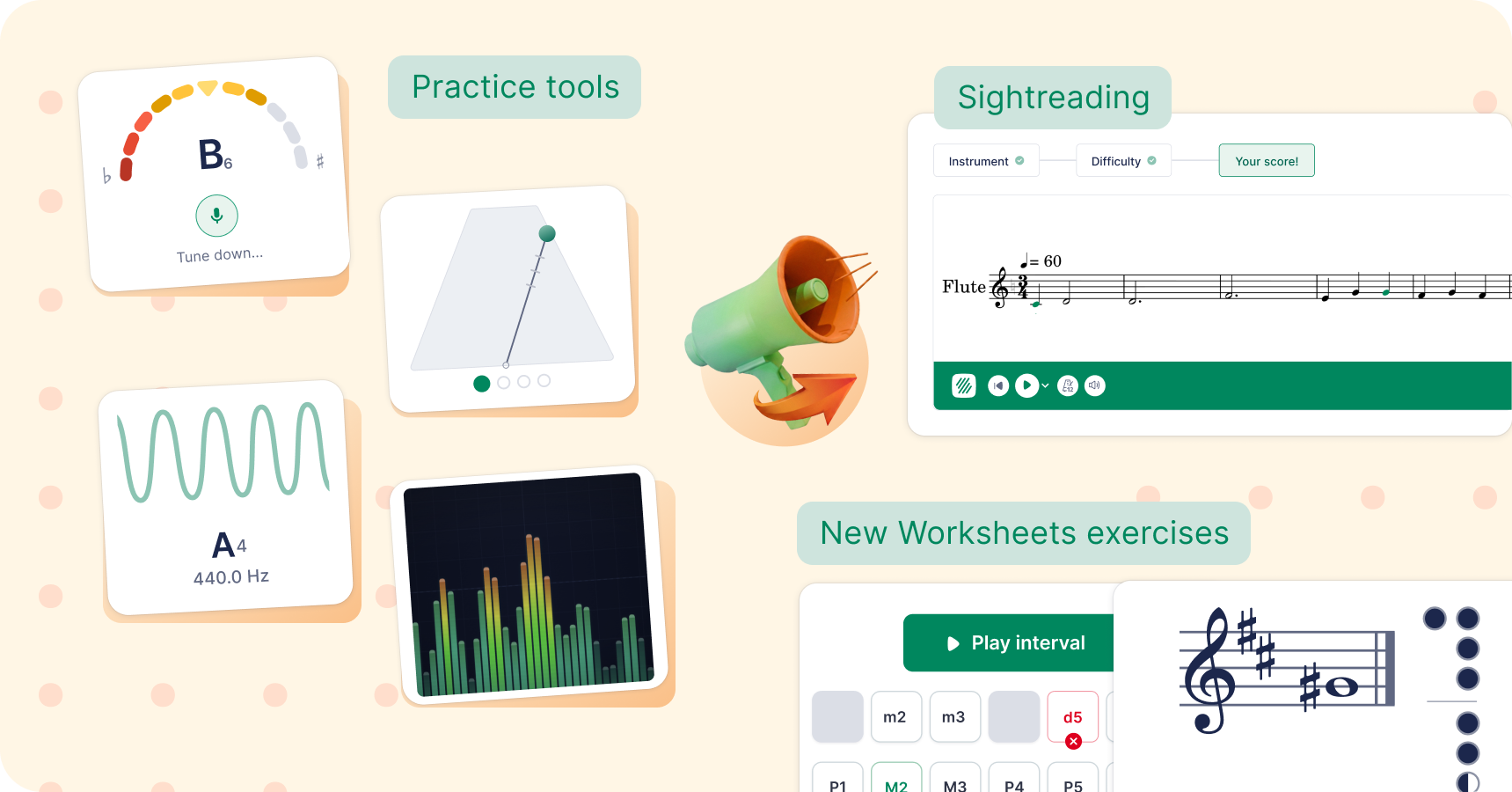
That's the problem this update addresses. Flat for Education now includes seven tools built directly into the platform: a sight-reading generator, a tuner, a metronome, a tone generator, sound analysis, ear training worksheets, and fingering worksheets. All of them live alongside the notation editor, assignments, and gradebook you already use.
The platform pricing has also changed to match. Here's what's new, what it means for your classroom, and what happens if you're already a Flat for Education user.
The seven new tools
Sight-Reading Generator
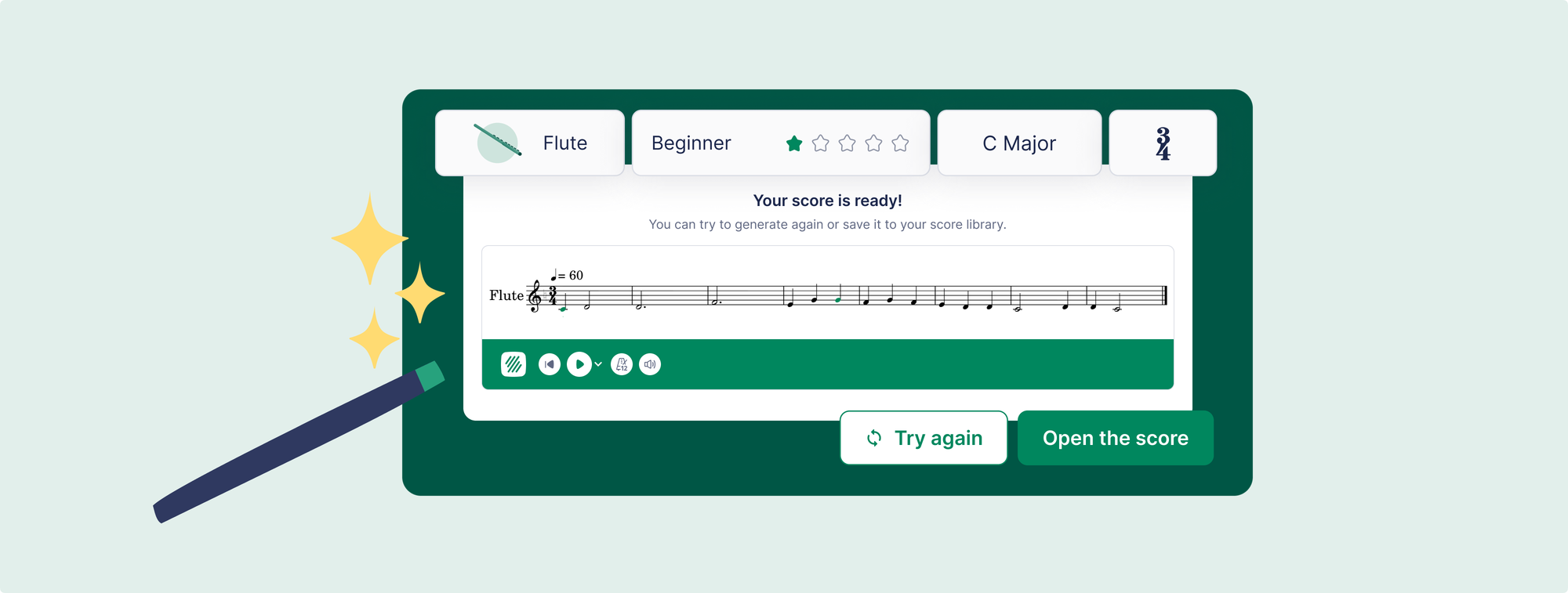
Create a sight-reading exercise in about thirty seconds. Choose the instrument, clef, and difficulty level. The platform generates a unique 8-measure exercise instantly. You can print it for paper practice or use it as a warm-up during class without any preparation the night before. Assigning it to students depends on your plan — more on that in the plans section below.
The practical difference: sight-reading preparation currently takes time that most teachers don't have. A usable exercise requires selecting appropriate repertoire, checking the difficulty, formatting it for the class, and distributing it. The generator removes every step except choosing the settings.
Tuner
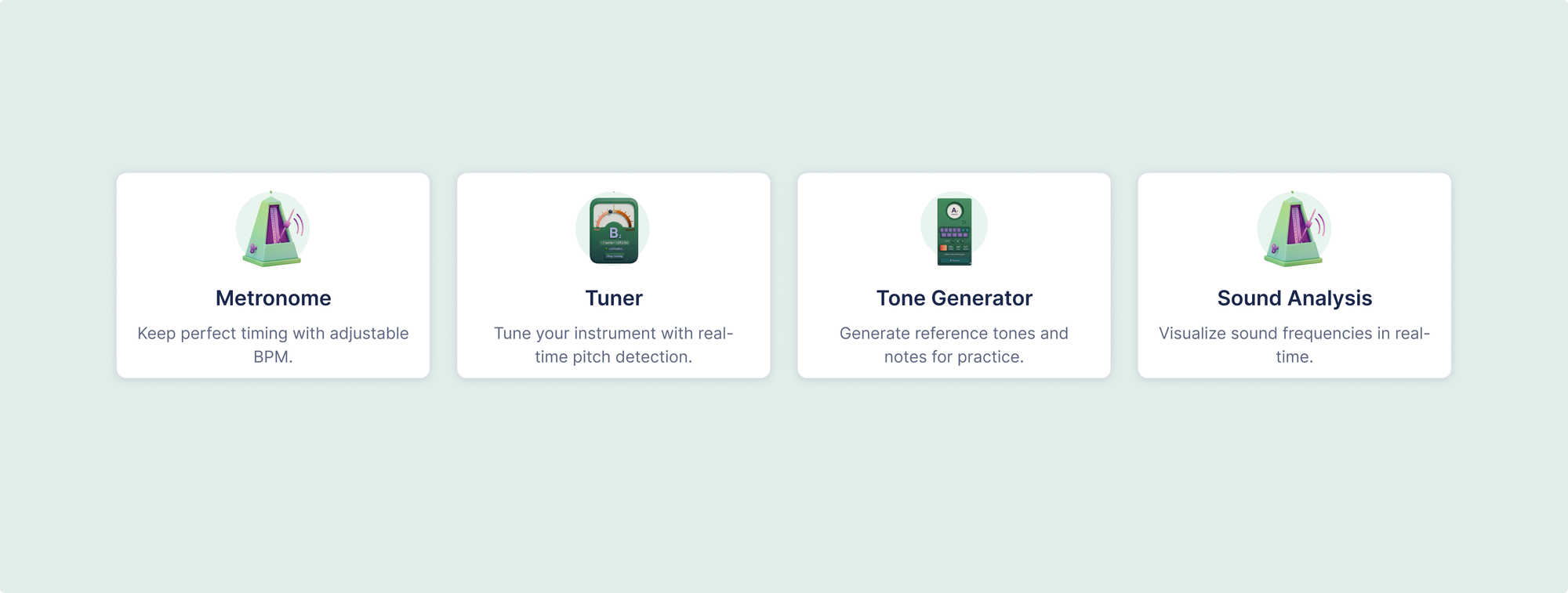
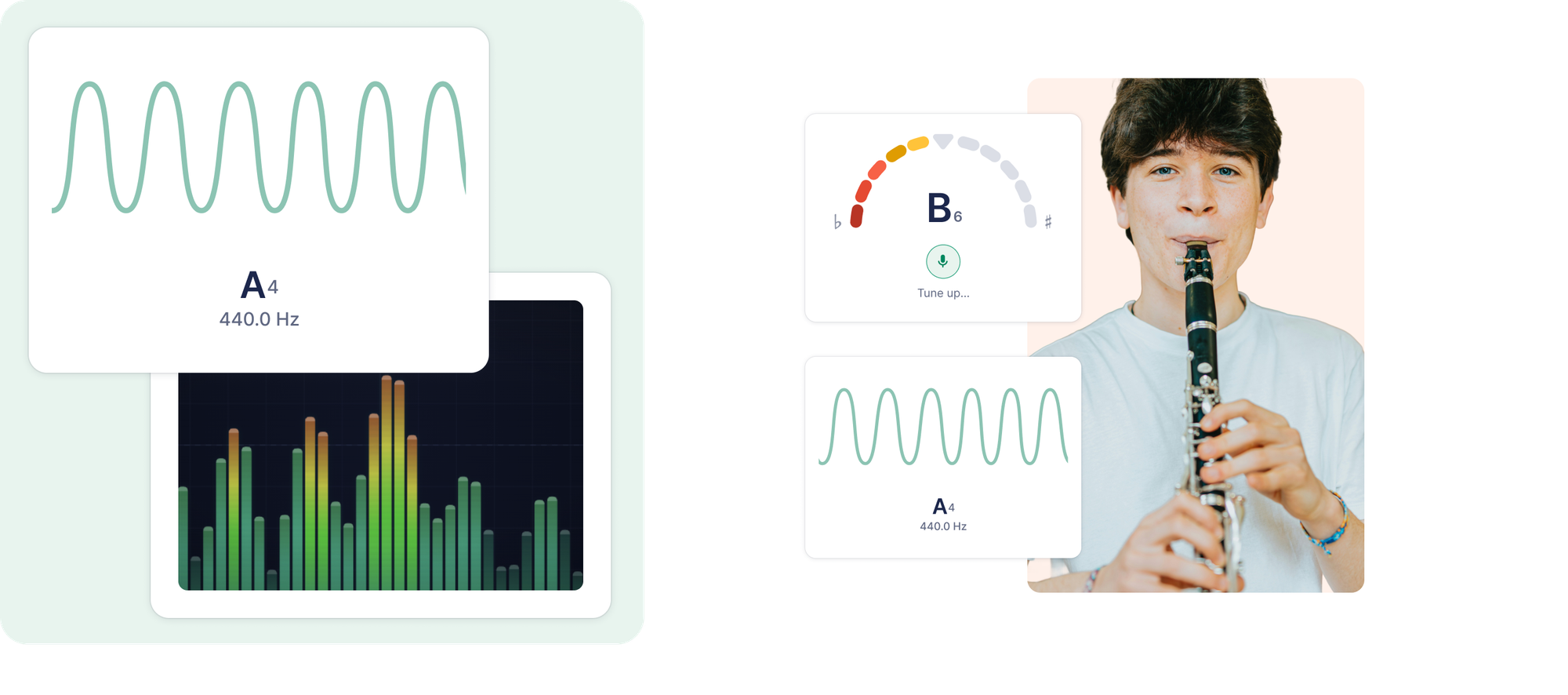
A chromatic tuner that runs directly in each student's workspace, using their device microphone. Students check their pitch independently, before class, during warm-up, or at home. No separate app download. No phone balanced on a music stand. It's there when they open Flat for Education.
Metronome
A full metronome inside the platform. Students set their own tempo and practice at pace. For any teacher who has watched students practice without a click, then perform with one, the value is immediate. The metronome being inside their regular workspace, rather than a separate app they might forget to open, is the meaningful change.
Tone Generator
Produces a sustained reference pitch for tuning or ear training. Teachers can set a tone for the whole class to tune from. Students can use it independently to check intonation or work on interval recognition. Replaces the tuning fork, the piano chord, the separate tone generator app.
Sound Analysis
Gives students a visual representation of their sound: a waveform and spectral view of what they're actually producing. This is different from a tuner. The tuner tells students whether they're in pitch. Sound Analysis shows them the structure and timbre of their tone, which is useful for tone quality work and self-assessment in a way that a needle-and-dial can't replicate.
Ear Training Worksheets
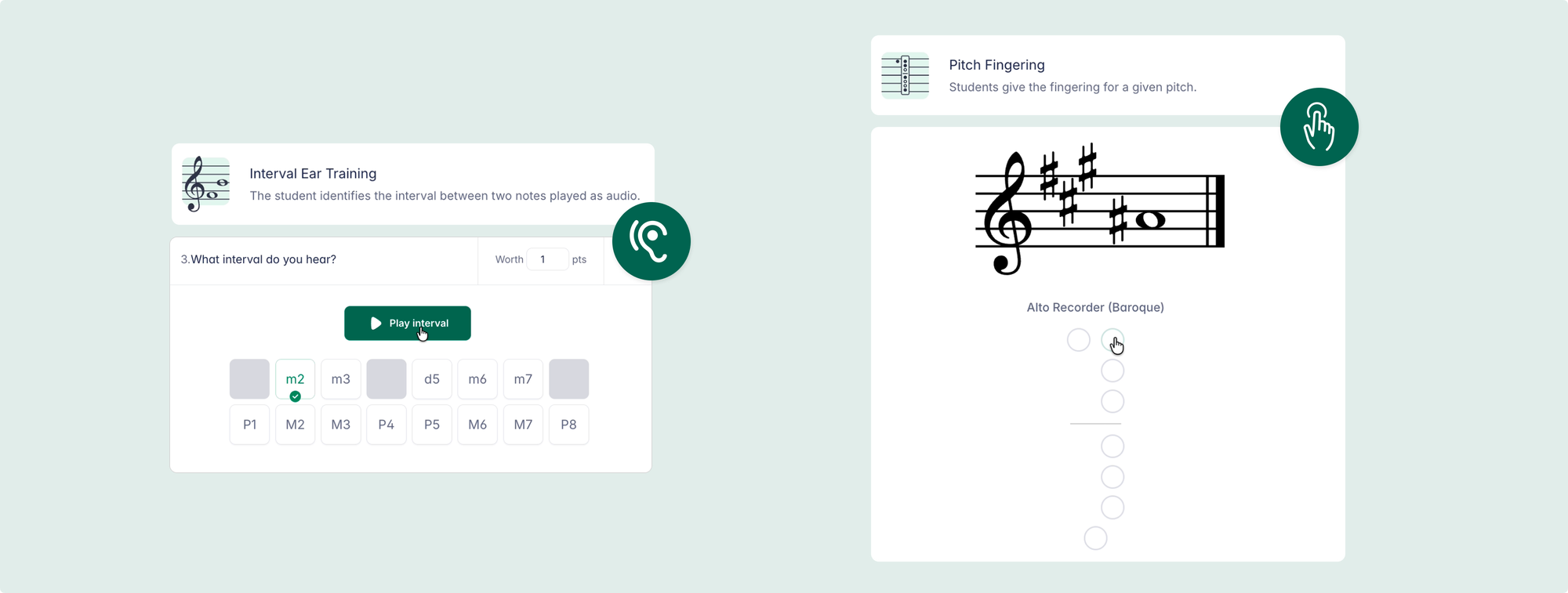
Auto-graded interval identification worksheets. Students complete them inside Flat for Education and get instant feedback. Teachers see results in the same dashboard as composition assignments and performance submissions. No separate grading, no separate platform.
Fingering Worksheets
Auto-graded recorder fingering exercises, currently supporting Soprano Recorder (Baroque) and Alto Recorder (Baroque). Covers the mechanics that take repeated explanation: which fingers, which holes, which positions. Students can revisit at their own pace and the result goes into the gradebook like any other assignment.
Student interface language
Students can choose the language in which assignments and the platform interface are displayed. This isn't a tool or an assignment type, just a practical detail that matters in multilingual classrooms, international schools, and programs where students are learning in their second language.
What this means for how class works
Before this, running a music classroom with digital tools required assembling a collection of apps and platforms that were never designed to work together. Notation in one place, practice tools somewhere else, theory assessment in a third place. Each transition point was an opportunity for a student to get lost, a grade to go unrecorded, or a teacher to spend Tuesday evening managing logistics instead of preparing music.
The new tools don't replace what Flat for Education already does. Composition assignments, performance assessment, in-score feedback, and LMS grade sync all work exactly as before. The tools extend the platform into daily practice: the tuning that happens before rehearsal, the metronome work that happens during practice, the ear training that happens between assignments.
For students, this matters because the practice tools live in the same environment as their schoolwork. A student who opens Flat for Education to work on a composition assignment is one click from the metronome, the tuner, or a sight-reading warm-up.
The updated plans
The seven new tools are included in Flat for Education's Teacher Plan and School or District Plan. Pricing has also moved to a per-student model.
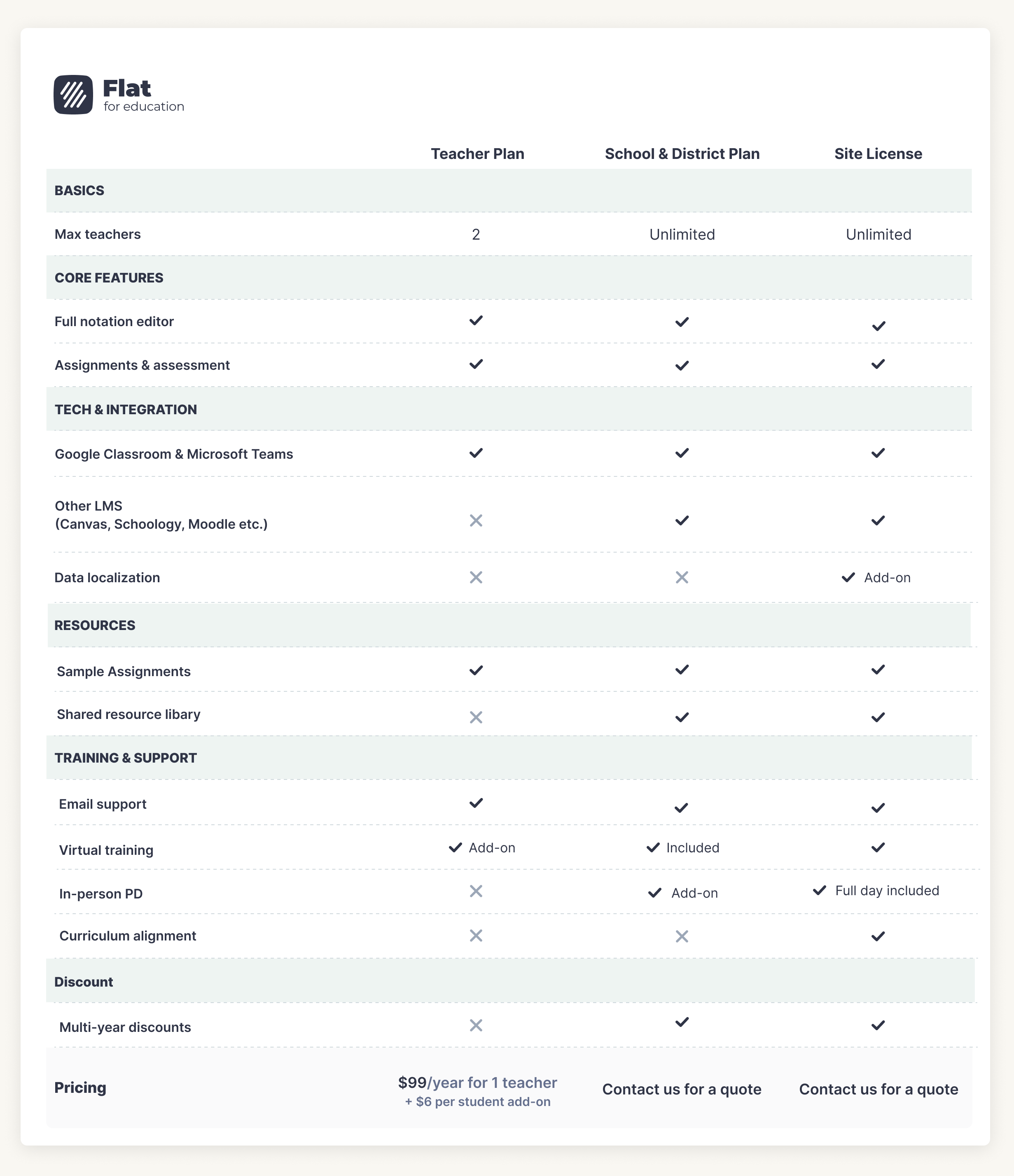
Teacher Plan: $99 per teacher per year, plus $6 per student per year
Designed for one or two teachers working independently. Fully self-serve: buy, renew, and manage your account directly without approval processes. Stays under the $100 purchase order threshold that many schools require for credit card purchases, which means most teachers can buy directly without waiting for administrative approval.
Includes: the full notation editor, all seven new tools, composition and performance assignments, auto-graded theory worksheets, Sight-reading and practice tools, Google Classroom and Microsoft Teams integration, Canvas, Schoology, Classlink, and LTI integrations, score library, and PDF import.
Two teachers on the same Teacher Plan each have their own independent workspace. They can access assignments shared within their classes and share music with each other, but they do not have a shared assignment library. If you need a shared resource library across your department, that's part of the School or District Plan.
School or District Plan: starting at $599 per year
Includes three teacher licences. Additional teachers at $79 per year. Student pricing from $4 to $6 per student, depending on volume.
Includes everything in the Teacher Plan, plus a shared assignment library that all teachers in the school can access and contribute to, onboarding support, three hours of virtual training, and access to our education team for training, professional development, and usage insights beyond standard support channels.
District Site License: custom pricing
Unlimited teachers and students. Dedicated onboarding, implementation support, and full-day in-person training.
👉 Read more about the new pricing plans here.
If you're already on a Flat for Education plan
If you have an existing plan, your setup stays exactly as it is. Nothing is taken away. You can renew at your current rate for as long as you like on the "legacy plan".
The new tools are part of the updated Teacher Plan and School Plan. If you want to access them, you'll need to move to one of the new plans. Once you do, that becomes your plan going forward. There's no separate trial period for the new tools on a legacy plan.
If your current workflow is working well and you don't need the new tools, staying put is a completely reasonable choice.
Frequently asked questions
Do two teachers on the same Teacher Plan share assignments?
Not a shared library, no. Two teachers on the Teacher Plan each have their own independent workspace. They can access assignments distributed within their shared classes and share individual scores and music with each other. What they don't have is a shared resource library where both teachers can browse, contribute to, and reuse each other's assignments. That collaborative library is part of the School or District Plan, which is designed for departments of three or more teachers working together.
If I stay on my legacy plan, can I renew at the same rate?
Yes. Legacy plan users can renew at their current rate for as long as they like. Your existing features stay in place and nothing is removed. The new tools (sight-reading generator, tuner, metronome, tone generator, sound analysis, ear training worksheets, and fingering worksheets) are available on the Teacher Plan and School Plan only. Moving to a new plan to access the new tools is a permanent change, not a trial, so it's worth taking the time to decide whether the new tools are worth the switch for your program.
What does the School or District Plan include in terms of support?
Beyond standard customer support, the School or District Plan includes access to our education team for onboarding touchpoints, training sessions, professional development, usage reports and insights, and support for deeper pedagogical questions about integrating Flat for Education into your curriculum. Site License plans include additional in-person training and implementation support. If you want to understand what level of support is right for your school, reach out to edu@flat.io.

Flat for Education offers a free 30-day trial with no credit card required. The trial includes access to all seven new tools, so you can see the full platform before making any decisions. Start at flat.io/edu.
Related articles: