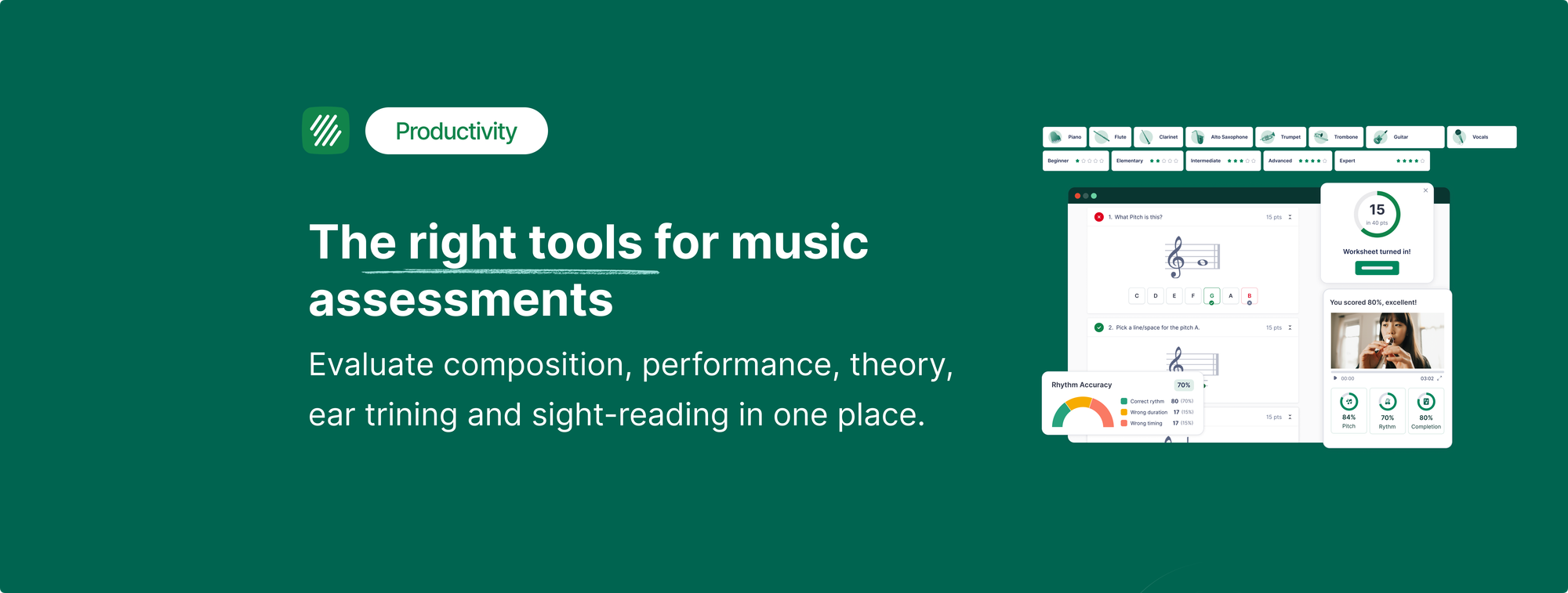
Most music teachers are running more tools than they should. Notation software for composition. A separate recording app for performance assessment. Something for theory worksheets. A spreadsheet to track who submitted what. An LMS on top of all of it. When every piece works together, the classroom runs. When one fails, the whole chain breaks.
The more honest question is not whether you need technology to assess your students. It's whether the tools you're using are actually suited to what music assessment requires, or whether you've assembled a set of workarounds that gets the job done at the cost of significant teacher time.
This post looks at the main categories of music assessment tools available in 2026, what each one genuinely does well, and what to look for when deciding whether your current setup is working or whether something needs to change.
What music assessment actually involves
Before comparing tools, it helps to be clear about what music assessment covers, because it spans more ground than most subjects.
Performance assessment is the most time-consuming. Hearing individual students play or sing, evaluating against a rubric, and returning useful feedback at scale has historically required either sacrificing class time or limiting how often it happens. Most teachers end up doing it less than they should because the logistics cost too much.
Theory assessment is closer to a conventional academic subject. Students answer questions about notation, intervals, rhythm, key signatures, and harmony. These have right and wrong answers, which means they can in principle be auto-graded. The challenge is finding tools that handle music notation properly rather than treating theory questions as plain text.
Composition assessment is the hardest. Student work is subjective, arrives in many formats, and requires feedback specific enough to be useful. The tool problem here is not grading itself but the workflow around submission, review, and return.
Ear training sits alongside all three. Interval identification, chord recognition, melodic dictation. These are assessable, but historically require either in-person testing or specialist software.
Any tool that genuinely helps needs to work across at least some of these categories and connect to the LMS the school already uses.
LMS tools: Google Classroom, Canvas, Microsoft Teams
Most schools have one. Google Classroom dominates in K-12 in the United States. Canvas is the most common at district and university level. Microsoft Teams has grown significantly in schools running Microsoft 365 environments.
These tools handle assignment distribution and grade return well. They are not built for music. Submitting audio through Google Classroom works in the sense that a file can be attached, but there is no connection between the audio and any score. Feedback is a comment in a thread, not a timestamped note anchored to the moment in the recording where the intonation dropped. Theory assessment through a Google Form works for multiple choice but cannot render notation.
LMS tools are the infrastructure layer. They are not music assessment tools. The right approach is to use a music-specific platform that connects to whichever LMS the school uses, rather than trying to do music assessment inside the LMS itself.
Notation software: Sibelius, MuseScore, Noteflight
Sibelius and MuseScore are professional notation tools, excellent for a teacher's own arranging and resource creation. Neither is designed for classroom assignment workflows. There's no student account management, no LMS integration, and no mechanism for students to submit work and receive feedback inside the same environment. Sibelius requires installation. MuseScore is desktop-based, which rules it out for Chromebook classrooms.
Noteflight Learn has a classroom tier that includes assignment distribution and some gradebook functionality. It works on Chromebooks and has been used in school music programs for over a decade. The interface is older than newer alternatives and real-time collaboration is limited, but for schools with an established Noteflight workflow it provides a functional base.
None of these tools handle performance assessment, ear training, or sight reading generation. They cover notation and composition and stop there.
Practice and assessment platforms: MakeMusic Cloud, Sight Reading Factory
MakeMusic Cloud (formerly SmartMusic) is built around home practice with repertoire. Students practice concert pieces against professional accompaniment tracks, and the platform assesses pitch and rhythm accuracy in real time. For band and orchestra directors whose primary assessment need is monitoring individual practice between rehearsals, this is a genuinely strong tool. The catalog depth is its defining feature.
What MakeMusic Cloud does not cover is composition, theory worksheets, ear training, or the full range of classroom assignment types. It is a practice monitoring platform, not a complete music education system.
Sight Reading Factory generates sight reading exercises on demand with a high level of parameter control: key signature, time signature, rhythmic patterns, range, and tempo. It covers a wide instrument range including strings and percussion. For a program whose primary digital need is sight reading material, it is the specialist tool.
Neither connects to Microsoft Teams. Both require student accounts separate from whatever a teacher uses for composition or theory work.
Flat for Education: one platform across all assessment types
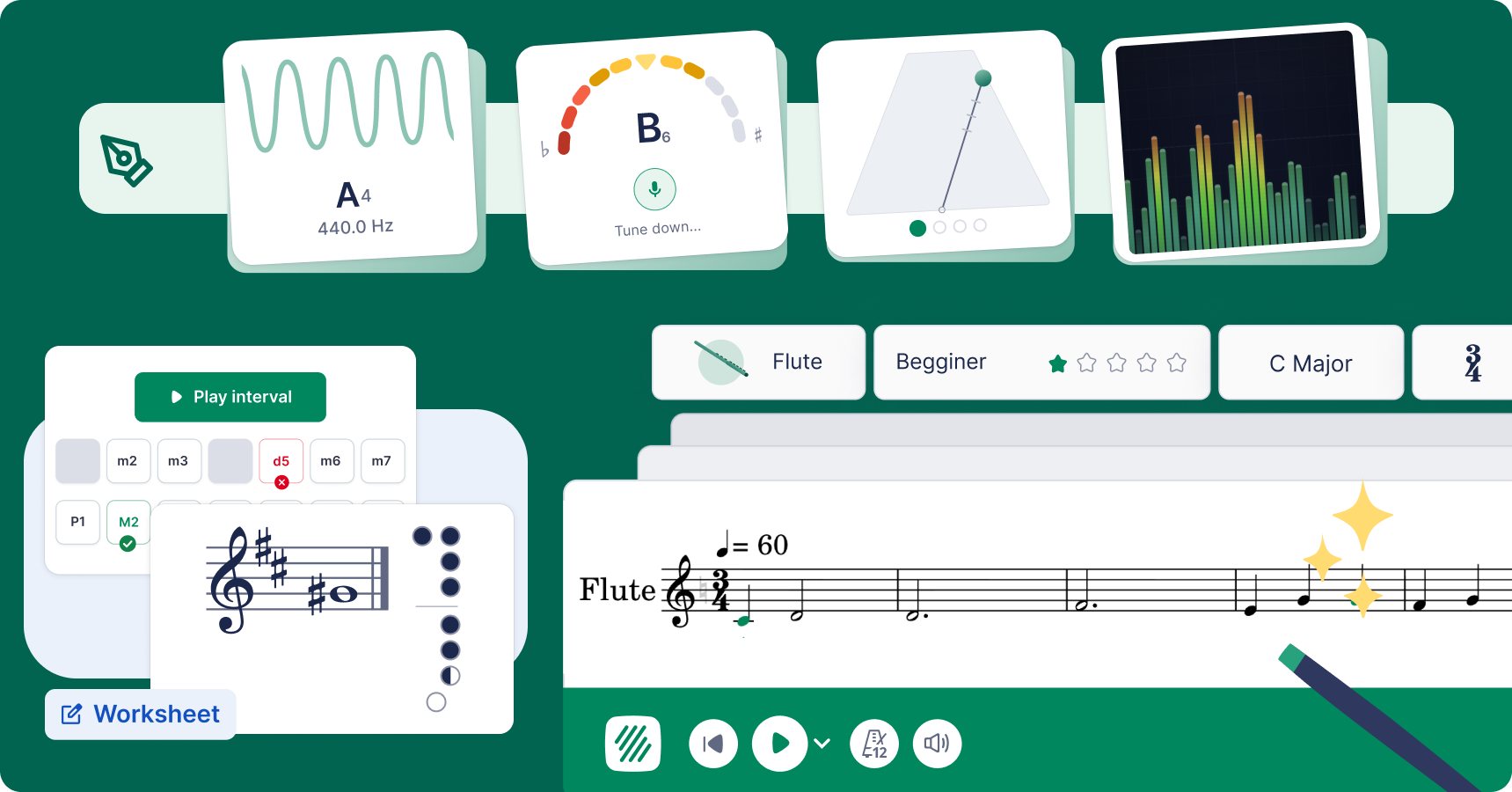
Flat for Education is built specifically for classroom music education rather than for composers or solo practitioners. That distinction shapes everything about how it works.
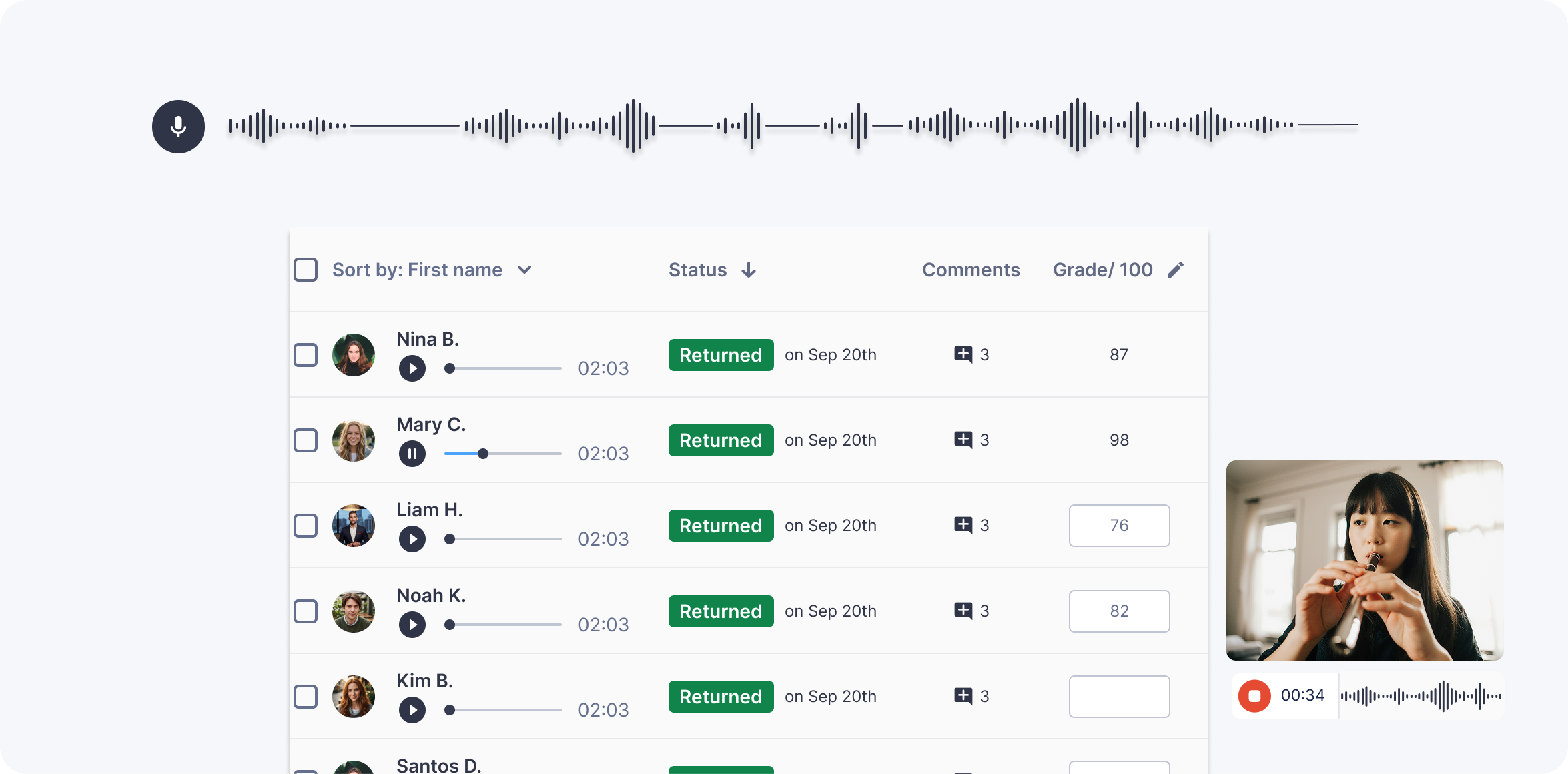
For performance assessment, students record themselves against a score directly inside the platform using their device microphone. The audio and the notation submit together. The teacher reviews the recording while reading the score, leaves timestamped comments anchored to specific moments, and the grade returns automatically to Google Classroom, Microsoft Teams, Canvas, Schoology, or MusicFirst. No separate recording app, no file management, no manual grade entry. Performances that don't map to a single score are covered too: with Free Record, students record with nothing attached, for ensembles, mixed repertoire, or improvisation.
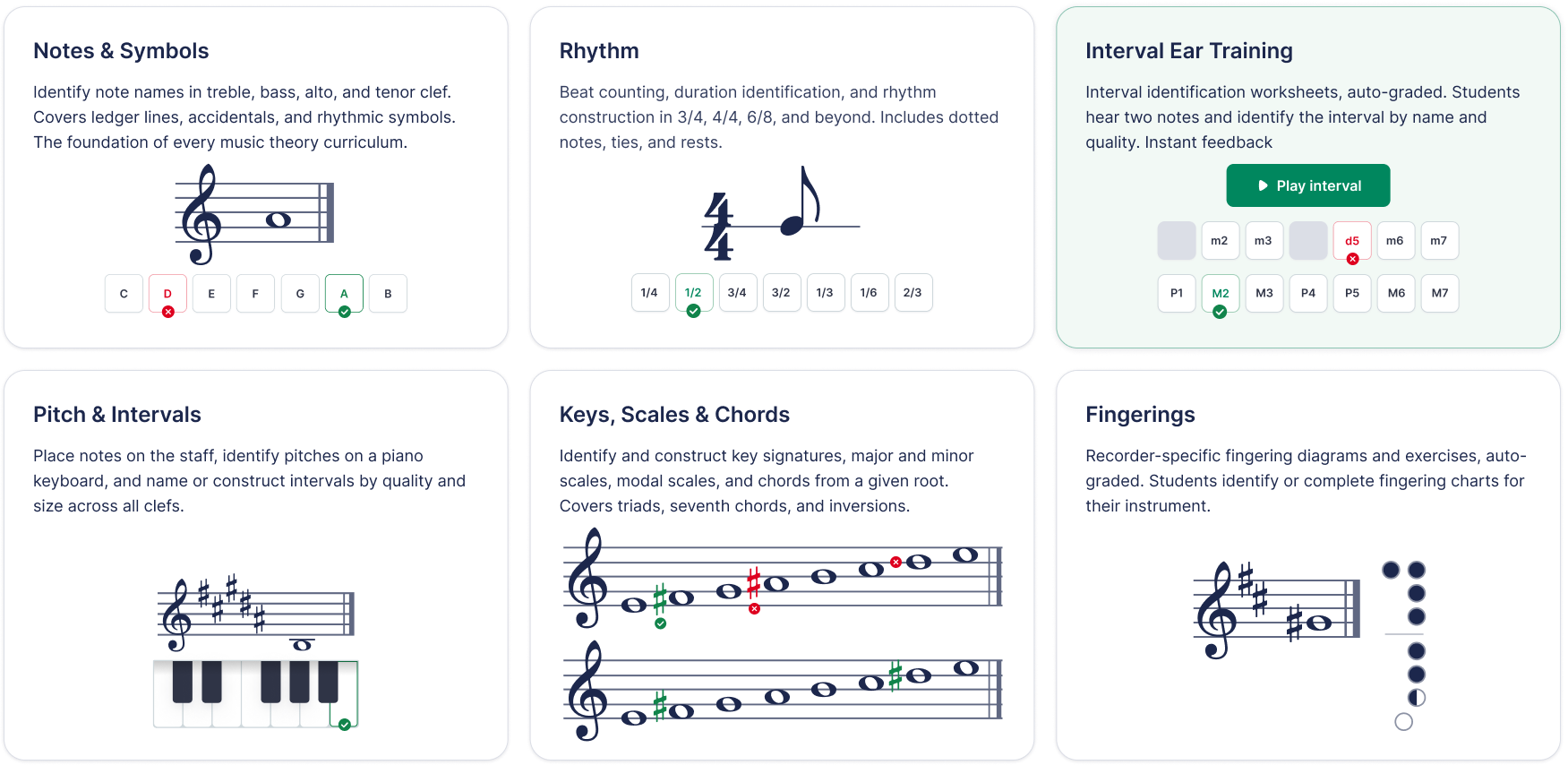
For theory assessment, Flat for Education generates auto-graded worksheets automatically. Students complete them digitally and get instant feedback. The teacher sees class-level data on which concepts produced the most errors. Ear training worksheets (interval identification, auto-graded) and recorder fingering worksheets (Soprano and Alto Recorder, Baroque fingering, auto-graded) are both available as of 2026. Other topics include notes, chords, intervals, scales identification and construction as well as rhythmic practice.
For composition, students work directly in a professional-grade notation editor that runs in the browser on any device including Chromebooks. Submissions arrive organised by class and student. The teacher leaves in-score comments on specific notes and measures. Grades return to the LMS automatically.
For sight reading, a built-in generator creates unique 8-measure exercises in seconds. Select the instrument (Piano, Flute, Clarinet, Alto Saxophone, Trumpet, Trombone, Guitar, or Vocals) and the difficulty level. Exercises can be projected for class use, printed, or attached to a performance assignment for recorded individual submission.
A chromatic tuner, metronome, tone generator, and sound analysis tool are built into the student workspace. Students access them in the same place they do their assignments, without switching apps or tabs. Everything connects to the same five LMS platforms. Nothing requires installation.
Questions worth asking about your current setup
If you're evaluating whether your current tools are working, these questions get to the point quickly.
How many separate systems are your students logging into to complete music work? Each additional system is a point of friction where students get lost, forget passwords, or submit to the wrong place. The more systems, the more time you spend on logistics that have nothing to do with music.
Does performance feedback connect directly to the recording? Comments in a separate document that reference measure numbers require students to cross-reference two things at once. Timestamped feedback anchored to the specific moment in the recording is significantly more actionable.
Are you entering grades into your LMS manually? If yes, that is administrative overhead that accumulates across every assessment cycle across the year. Automatic grade passback is a practical time saving, not a luxury feature.
Does your assessment setup work on school Chromebooks without installation? If it requires IT involvement to deploy to students, you are not assessing as often as you should be.
Are you assessing composition, performance, and theory through the same system, or through three different ones? Multiple systems mean multiple logins, multiple submission points, and no unified picture of an individual student's musical development over time.
Comparison
| Tool | Performance | Theory worksheets | Composition | Ear training | Sight reading | LMS integration | Chromebook |
|---|---|---|---|---|---|---|---|
| Flat for Education | Yes, timestamped feedback | Yes, auto-graded | Yes, in-score feedback | Yes, auto-graded | Yes, built-in | Google Classroom, Teams, Canvas, Schoology, MusicFirst | Yes |
| MakeMusic Cloud | Yes, real-time pitch/rhythm | No | Basic | No | Yes, configurable | Google Classroom, Canvas, Schoology | Yes |
| Sight Reading Factory | Yes, recording | No | No | No | Yes, highly configurable | Google Classroom, Canvas, Schoology, MusicFirst | Yes |
| Noteflight Learn | Limited | Limited | Yes | No | No | Google Classroom | Yes |
| Google Classroom alone | File only | Text/form only | File only | No | No | Native | Yes |
| MuseScore | No | No | Yes, desktop | No | No | None | No |
Flat for Education offers a free 30-day trial with full access to performance assignments, auto-graded worksheets, the notation editor, sight reading generator, and all built-in practice tools. No credit card required. Start at flat.io/edu.
Related articles:
- How to Run Individual Music Performance Assessments for a Full Class
- How to Grade Music Composition Assignments Without Losing Your Weekends
- The Best Music Notation Software for Music Teachers in 2026
FAQ
What tools do music teachers use for assessment?
Most music teachers use a combination: an LMS for assignment distribution and grade return, a notation tool for composition, and sometimes a separate platform for performance recording or theory worksheets. The practical problem is that these systems rarely talk to each other. The 2026 trend is toward consolidation, and Flat for Education covers performance recording, auto-graded theory and ear training worksheets, composition with in-score feedback, and a built-in sight reading generator, all connected to five LMS platforms.
How do music teachers assess student performance digitally?
Digital performance assessment works through asynchronous recording submission: students record themselves performing an assigned passage and submit the audio alongside the score, and the teacher reviews it, leaves feedback, and assigns a grade. In Flat for Education this is fully integrated, so recording, score, timestamped feedback, and grade return to the LMS all happen inside the same platform.
Can music theory worksheets be auto-graded?
Yes. Flat for Education generates auto-graded music theory worksheets, so students complete them digitally and receive instant feedback while the teacher sees class-level results without manual marking. Ear training worksheets covering interval identification and recorder fingering worksheets are also auto-graded when completed digitally; printed versions require manual grading.
What is the best platform for music assessment in schools?
It depends on your primary need. For home practice monitoring with repertoire and real-time pitch assessment, MakeMusic Cloud is strong; for sight reading generation with deep parameter control, Sight Reading Factory is the specialist choice. For a platform that covers composition, performance, theory, ear training, sight reading, and LMS integration together, Flat for Education is the most complete option and the only one with native Microsoft Teams integration.
How do you give feedback on student music performances digitally?
The most effective digital performance feedback is timestamped and anchored to a specific moment in the recording. In Flat for Education, teachers click the exact point in the audio waveform where an issue occurs and leave a comment there, so students receive feedback tied directly to the moment it describes rather than a general note they have to locate themselves.
Does music assessment software work on Chromebooks?
Browser-based platforms work fully on Chromebooks. Flat for Education, MakeMusic Cloud, Sight Reading Factory, and Noteflight Learn are all browser-based, while desktop tools like Sibelius and MuseScore do not run on Chromebooks. For schools where Chromebooks are the primary student device, browser-based is the only practical option for classroom-wide deployment.