If you're a music teacher evaluating notation software for your school, you've almost certainly compared Flat for Education and Noteflight. Both are browser-based, both work in K-12 classrooms, and both let students compose and collaborate online without installing software. So how do you choose?
Quick Answer
Choose Flat for Education if: you use Chromebooks, Google Classroom, Canvas, or Microsoft Teams; need auto-graded theory worksheets; want real-time collaboration; teach general music, band, choir, or composition at any K-12 level.
Choose Noteflight Learn if: you want access to 80,000+ sheet music titles via Hal Leonard; want a built-in music marketplace; your program is primarily focused on individual composition.
Side-by-Side Comparison
| Feature | Flat for Education | Noteflight Learn |
|---|---|---|
| Browser-based (no install) | ✅ Yes | ✅ Yes |
| Works on Chromebooks | ✅ Excellent | ✅ Yes |
| Real-time collaboration | ✅ Full | ⚠️ Limited |
| Google Classroom integration | ✅ Native | ✅ Yes |
| Microsoft Teams integration | ✅ Native | ❌ No |
| Auto-graded theory worksheets | ✅ Built in | ❌ Not available |
| Performance assignments (audio/video) | ✅ Built in | ⚠️ Via add-on |
| Sheet music library | ❌ Not a focus | ✅ 80,000+ titles |
| WCAG 2.1 AA accessibility | ✅ Certified | ❌ Not confirmed |
| Supported Languages | ✅ 25+ languages | ❌ English only |
Feature Deep Dive
Real-Time Collaboration
Flat for Education allows students to work on the same score simultaneously — like Google Docs for music. Noteflight supports sharing and commenting but not true simultaneous editing.
Auto-Graded Theory Worksheets
Flat for Education includes auto-graded worksheets covering pitch, rhythm, intervals, key signatures, scales, and chords. Noteflight does not offer this feature.
Sheet Music Library
Noteflight's marketplace gives access to 80,000+ titles from Hal Leonard. Flat for Education has a teacher-created assignment library and school-wide sharing on the School Plan — but no licensed repertoire marketplace.
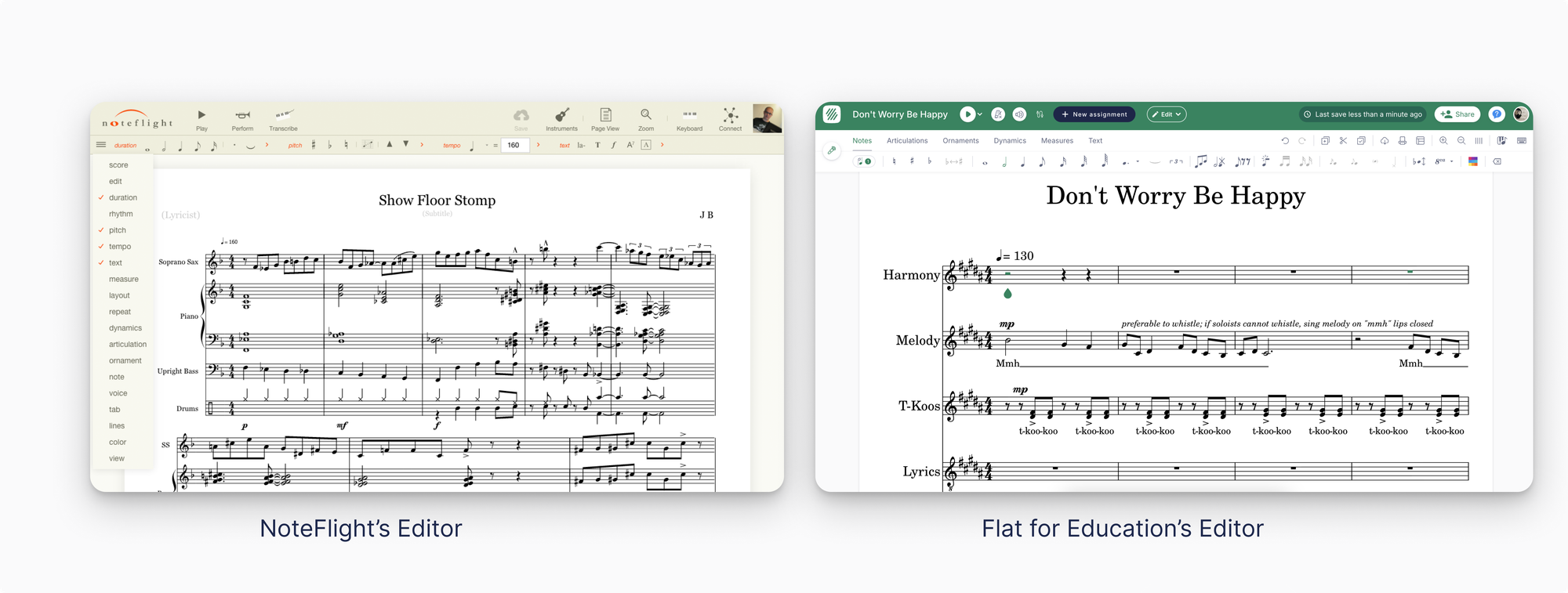
How Flat for Education compares to other tools
Still weighing your options? See how Flat for Education stacks up in our other classroom comparisons: Flat for Education vs MuseScore, Flat for Education vs Soundtrap, and Flat for Education vs Sight Reading Factory.
The Bottom Line
For most K-12 music teachers — especially those using Google Classroom, Chromebooks, or Microsoft Teams — Flat for Education offers deeper integration, better real-time collaboration, and built-in auto-graded worksheets. Noteflight is better for programs where access to published repertoire is central.
👉 Start your free 30-day trial of Flat for Education
Last reviewed July 2026.