"Best music software for K-12" is one search that hides five completely different products. One teacher means a notation editor for composition assignments. Another means a DAW for beat-making. A department head means practice and assessment tools. An administrator means scheduling and billing software. They all type the same phrase and get answers that don't fit, because most guides lump these together into a single list. This guide sorts the best music software for K-12 music classrooms into the five categories that actually matter, explains what each one is for, and helps you pick the right tool for the job you actually have, whether that's a single classroom, a 1:1 device program, or a district rollout across many schools.
The five kinds of "music software" for schools
Before you compare products, work out which category you're in. Choosing across categories is how programs end up paying for a beat-making tool when what they needed was a notation platform, or buying scheduling software when they wanted something students actually use.
| Category | What it's for | Example tools | Runs on Chromebook |
|---|---|---|---|
| Notation & composition | Writing, reading, and assessing written music; theory; classroom assignments | Flat for Education, Noteflight, MuseScore | Yes (browser tools) |
| Music production (DAW) | Recording, loops, beats, vocals, podcasts | Soundtrap, BandLab, GarageBand | Yes (except GarageBand) |
| Practice & assessment | Drilling repertoire with instant playing feedback | SmartMusic (MakeMusic Cloud), Sight Reading Factory | Yes |
| Theory drill tools | Standalone note, interval, and chord practice | ToneSavvy, musictheory.net, Musition | Yes |
| Management & scheduling | Rosters, billing, lesson scheduling (not student-facing) | My Music Staff, Jackrabbit | Yes (admin only) |
Most K-12 general and secondary classrooms need the first category first: a place where students write and submit work and teachers assess it. The other four are add-ons or serve a specific program type. Here's what each is genuinely good at.
Notation and composition software
This is the core of most classroom teaching: students write scores, arrange, learn to read, do theory, and hand work in. Three names come up for schools.
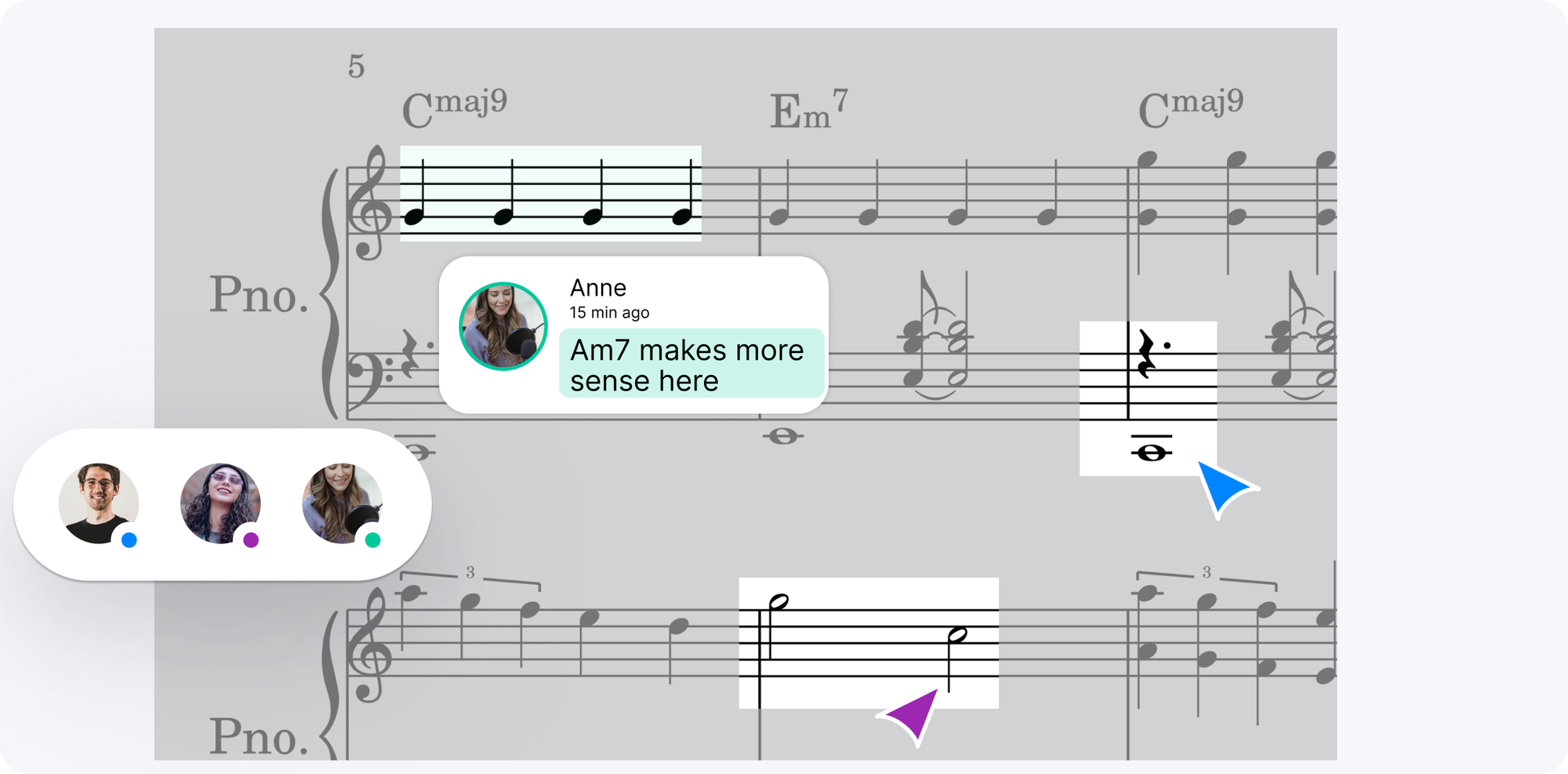
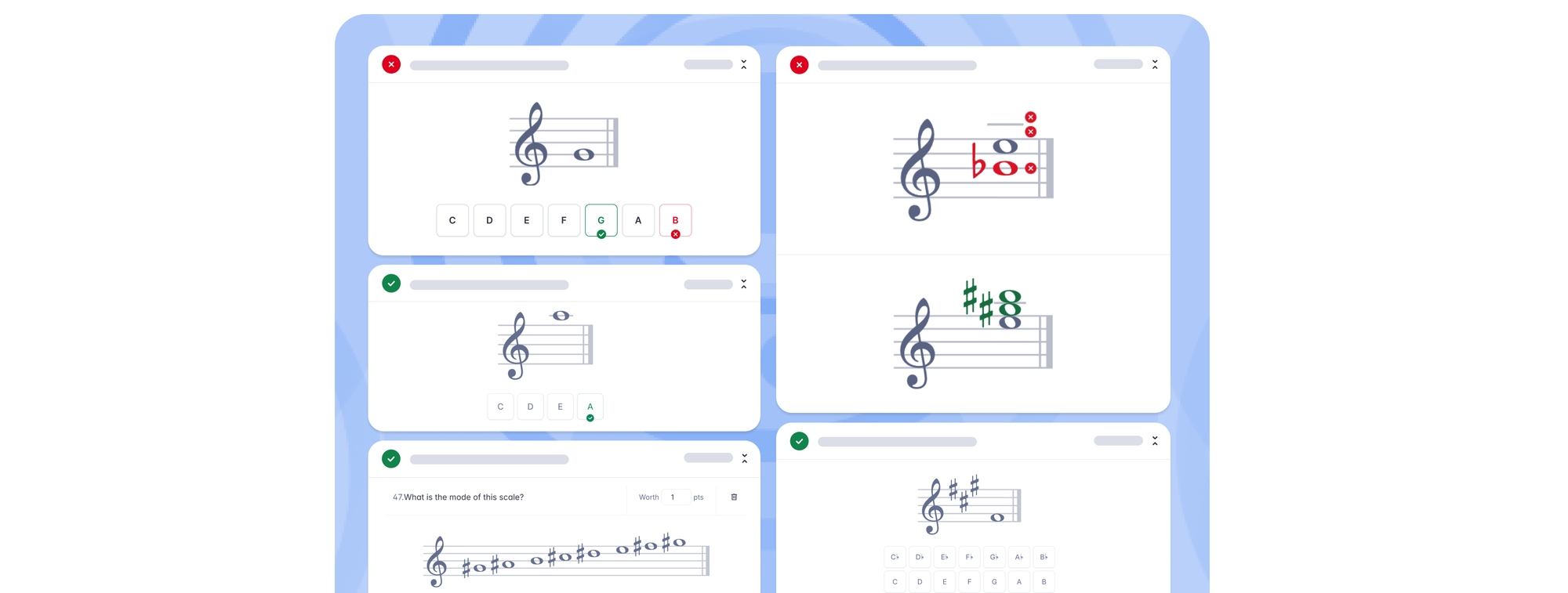
Flat for Education is built for the K-12 classroom rather than for a solo composer. It runs in the browser on any device, so it works on Chromebooks with nothing to install. Students compose, transpose, and collaborate on the same score in real time, and teachers assign, collect, give in-score feedback, and return grades. It also folds in auto-graded theory worksheets, a sight-reading generator, interval ear-training, PDF import, and recorded performance assignments, and it integrates with Google Classroom, Microsoft Teams, Canvas, Schoology, and MusicFirst. Pricing is $99 per teacher plus $6 per student per year with no seat minimum.
Noteflight Learn is another browser-based classroom option, with a large licensed sheet-music marketplace as its standout feature. MuseScore is free and powerful for writing music, but it's a desktop install with no classroom management, grading, or LMS integration, so it fits an individual student better than a class of thirty.
Music production tools (DAWs)
If your unit is about making tracks, recording vocals, or producing podcasts, you want a digital audio workstation, not a notation editor. Soundtrap and BandLab for Education are the two browser-based classroom DAWs, both running on Chromebooks. GarageBand is excellent and free, but Apple-only, so it fits a device program built on iPads or Macs rather than a mixed or Chromebook fleet. These tools don't do written notation, score-based assignments, or theory, so they complement a notation platform rather than replace it. Many teachers run both: students draft a score in a notation tool, then produce it in a DAW.
Practice and assessment tools
Band and orchestra programs often start here. SmartMusic (MakeMusic Cloud) is the best-known: students play their part into a microphone and get instant feedback on pitch and rhythm against a large accompaniment library. Sight Reading Factory generates unlimited sight-reading exercises on demand. These are strong for performance-first programs drilling repertoire between rehearsals. They're a narrower job than a full classroom platform, and they don't cover composition or written theory, so they tend to sit alongside a notation tool rather than instead of one. Flat for Education also includes recorded performance assessment and a sight-reading generator if you'd rather keep those inside one platform.
Music theory drill tools
These are focused apps for practising note names, intervals, chords, and scales. ToneSavvy, musictheory.net (and its Tenuto app), and Musition all do this well and cheaply. They're great for daily reps, but they're single-purpose: students drill in one app and compose or submit work somewhere else. If you'd rather keep theory inside your assignment workflow, Flat for Education's auto-graded theory worksheets cover the same ground and grade themselves, with results flowing to your gradebook.
Management and scheduling software
This category comes up a lot in "music software for schools" searches, and it confuses buyers because it isn't student-facing at all. My Music Staff and Jackrabbit Music handle rosters, billing, lesson scheduling, and communication. They're useful for running a program's admin, especially for private studios and lesson-based programs. They do nothing for what happens in a music lesson. If your students never open it, it's not classroom software, so keep it in its own budget line and don't confuse it with the tools students learn on.
How to choose for your K-12 program
Once you know your category, the K-12 buying questions are the same across tools. Does it run on your school's devices without installation, since Chromebooks dominate most fleets? Does it integrate with your LMS for roster sync and grade return, not just a login button? Is it priced per student without a large seat minimum that makes a small program overpay? And for a 1:1 device program, does it behave identically on every device a student might pick up?
For a district rollout, add volume pricing, a shared resource library so teachers aren't rebuilding the same assignments, and the LMS integrations your schools already run. For most K-12 music classrooms the practical starting point is a browser-based notation and assessment platform, then a DAW or practice tool added where a specific program needs it. That's the lane Flat for Education is built for, and it's why it fits the single classroom, the 1:1 program, and the district rollout without changing tools.
For a deeper head-to-head on the notation category specifically, see our guide to the best music notation software for your classroom, along with detailed comparisons of Flat for Education vs Noteflight and Flat for Education vs Soundtrap. And once you've chosen a tool, our practical guide to music technology in the secondary classroom covers how to put it to work without losing a lesson to setup.
Flat for Education offers a 30-day free trial. Set up a class, run one assignment, and see whether it fits how you teach before you commit the budget.
FAQ
What is the best music software for a K-12 music classroom?
It depends on the job. For notation, composition, theory, and assessment in one place, Flat for Education is built for K-12 classrooms and runs on any browser. For audio production and beat-making, a DAW like Soundtrap or BandLab fits better. For drilling repertoire, SmartMusic. Most general and secondary classrooms need the notation-and-assessment category first, which is where Flat for Education sits.
What music software works for a district rolling out across multiple schools?
For a district rollout, prioritise browser-based tools that run on Chromebooks with no install, integrate with your LMS for roster sync and grade return, and price per student without a large seat minimum. Flat for Education fits all three and offers a School or District plan with volume pricing, shared resource libraries, and Canvas, Schoology, and Classlink integration.
What's the best music software for a 1:1 device program?
A 1:1 program needs software that runs identically on every device. Browser-based tools are the safest choice because they work on Chromebooks, laptops, and tablets without installation. Flat for Education is browser-based and works across all of them; if your program is production-focused, a cloud DAW like Soundtrap also fits a 1:1 setup.
Does music software for K-12 work on Chromebooks?
Browser-based tools like Flat for Education, Noteflight, Soundtrap, and BandLab work on Chromebooks with nothing to install. Desktop applications like Sibelius, Dorico, and the MuseScore desktop app do not run natively on Chromebooks, which rules them out for most school device fleets.
What's the difference between music notation software and a DAW?
Notation software is for writing, reading, and assessing written music (scores, parts, theory, composition). A DAW (digital audio workstation) is for recording and producing audio (loops, beats, vocals, podcasts). Both have a place in K-12, but they solve different problems, so match the tool to what you actually teach.