Sight-reading gets better with reps, and the Flat for Education sight-reading generator just made those reps easier to set up and easier for students to do on their own. This update puts the key and the meter in your hands, opens the generator up to students, and lets you create and assign an exercise in one step.
Here's a quick tour of what's new, and how to put it to work with your classes this term.
Pick the key and the time signature
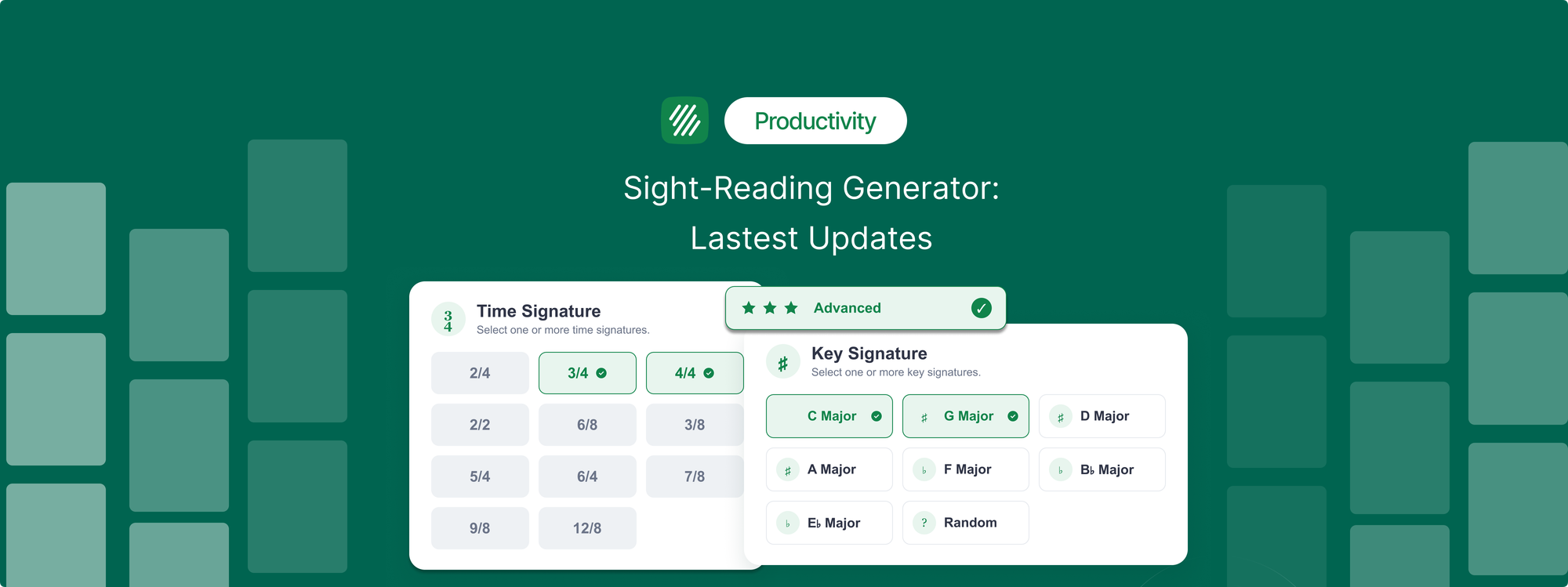
This is the big one. The generator now has a step for time signature and a step for key signature, so you decide both before an exercise is created.
If you're teaching a unit in 6/8, you can generate reading practice in 6/8 instead of hoping it turns up. Working through flats with your beginning band? Set the key and the exercise lands where you need it. The key options are major keys for now (C, G, D, A, F, B-flat, and E-flat), plus Random.
You're not stuck with a single choice, either. Select several time signatures or several keys and the generator will use one at random from what you picked. Tick 3/4, 4/4, and 6/8 together and you'll get one exercise in one of those three meters. Worth knowing: each generation creates a single score, so a mixed selection gives you variety from one generation to the next, not several exercises at once.
It sounds small. In practice it's the difference between a tool you use once and a tool you build a term of lessons around.
Students can generate their own exercises
Until now, sight-reading was a teacher-only tool. Students saw an exercise when you assigned one, and that was it.
Now students can open the generator from their own tools page and practise as much as they want, at their own level. That matters because sight-reading improves with reps, and reps are the one thing a once-a-week classroom activity can't provide. A student who reads three fresh lines every night for a week comes back a measurably more fluent reader. You don't have to generate or grade any of it for that to happen.
Generate and assign in one step
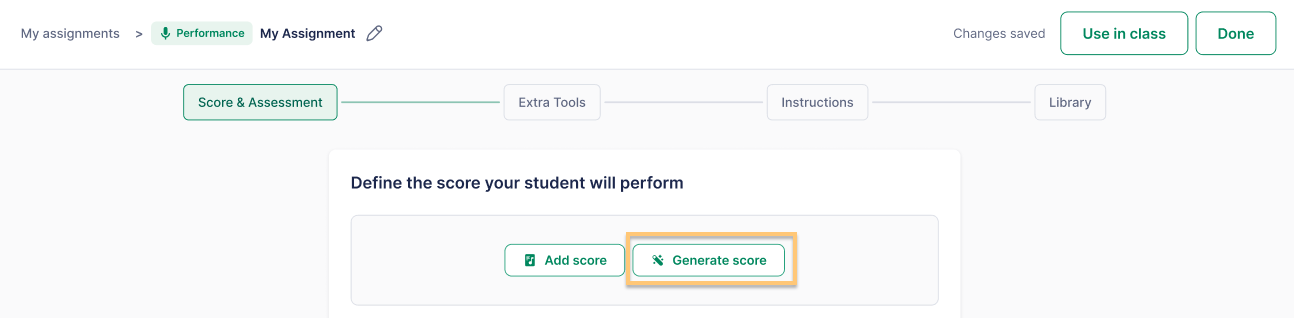
If you want to turn an exercise into graded work, you no longer have to generate it, save it, and then go hunting for it inside assignment creation.
You can now reach the generator directly from the performance assignment flow, create the exercise, and attach it without leaving the page. Students get the exercise, record their first read, and turn it in. You listen back when it suits you. Sight-reading recordings are reviewed by you, not auto-graded, so you hear exactly how each student handled a cold read.
A cleaner view for the front of the room
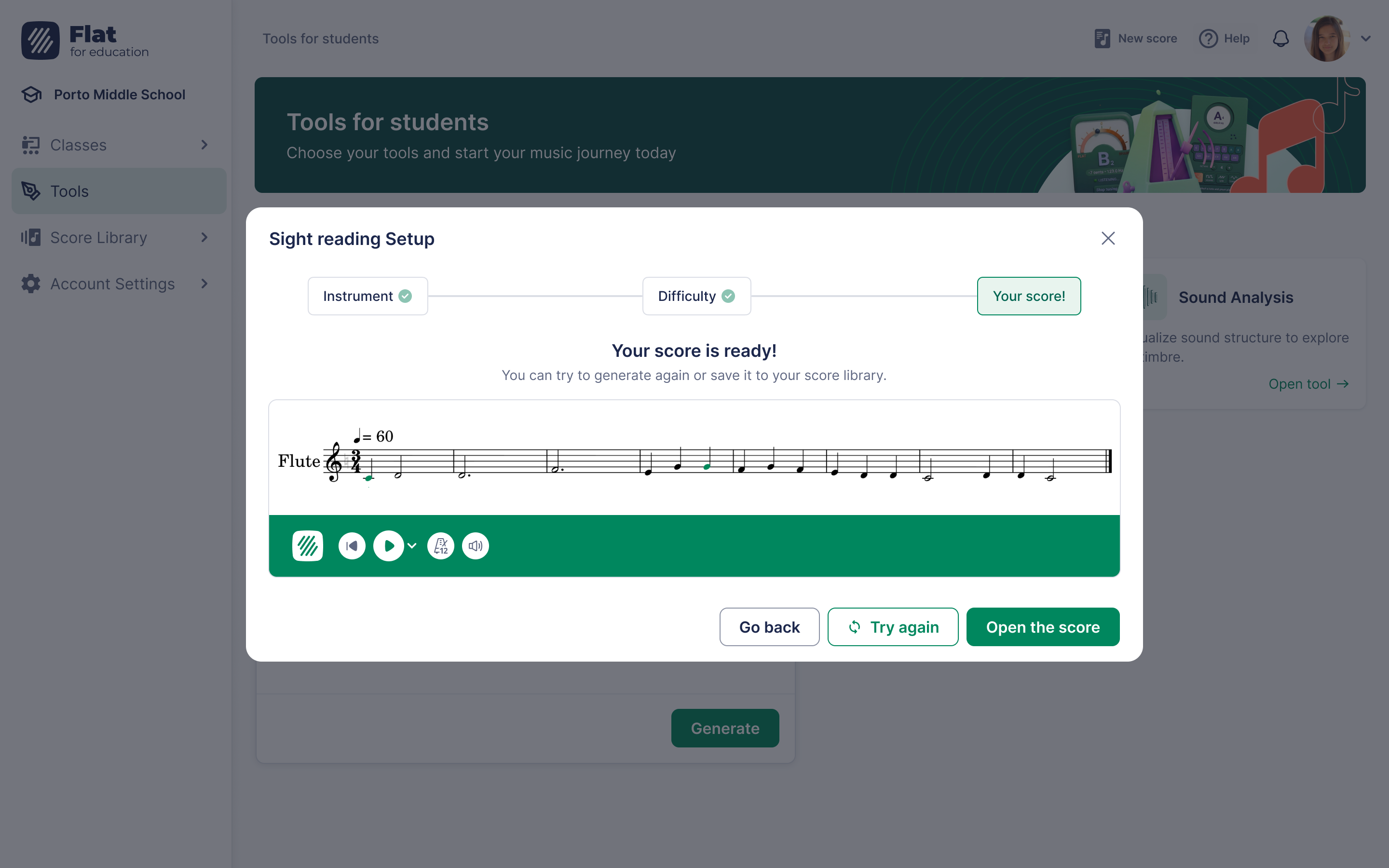
A small change that band and orchestra teachers will feel immediately: exercises generated for class now open in horizontal Track View by default. No more switching from Page View every time you put an exercise on the projector. It opens ready to read.
How to generate and assign a sight-reading exercise
- Open the Sight-Reading Generator from your tools page.
- Choose the instrument, then set the difficulty level.
- Set the time signature, then the key signature. Pick one option each, or select several and the generator will use one at random. Leave either on Random to let it choose.
- Generate the exercise. It opens in Track View, ready to display.
- To assign it, create a performance assignment and attach the exercise, or send students to generate their own for independent practice.
For more support, explore our help page.
What this replaces
If you're currently paying for a separate sight-reading subscription, this is worth a fresh look. Key and time signature control plus student-led practice were the main reasons teachers kept a second tool around. With those inside Flat for Education, most classrooms don't need the extra login or the extra invoice. Our full breakdown is here: Flat for Education vs Sight Reading Factory.
Try it with your classes
If you've been meaning to make sight-reading a routine instead of an occasional scramble, this is a good moment to start. Set a key, generate a few lines, and let your students take it from there. Flat for Education offers a free 30-day trial, and setting up a class takes a few minutes.

For the full assign-and-collect workflow, see How to Generate and Assign Sight Reading Exercises in Flat for Education.